Seedance 2.5: three tiers, priced per second
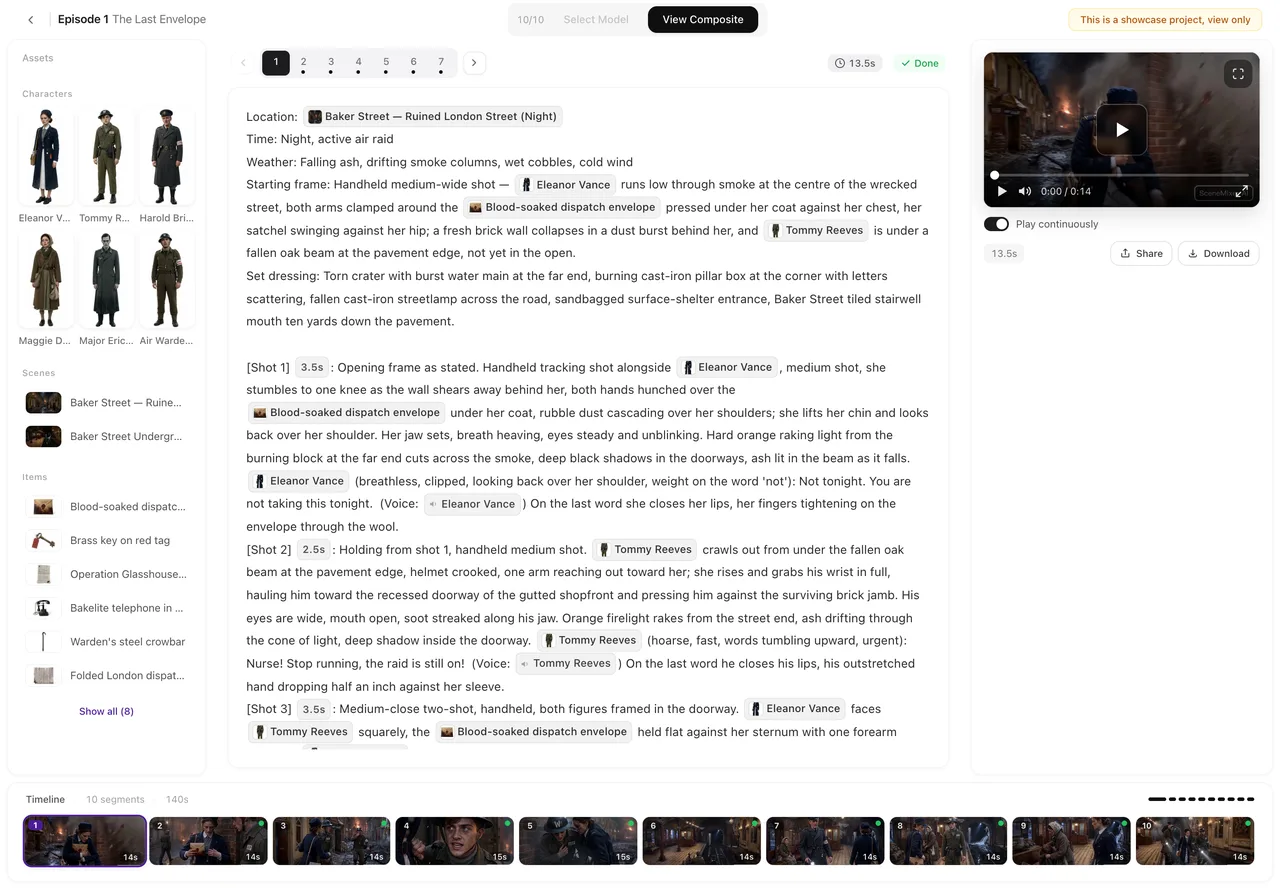
Where the tiers sit on this site
Seedance 2.5 is one family of video tiers on SceneMixer, and picking one is a single setting: the tier button in the episode editor, or Settings → Model Preferences → Video Model. The choice applies to the segments you render from then on; segments already made keep the tier they were rendered with, and each version records it. The price tag on a segment’s generate button always shows the tier you are about to use, before you spend anything.
The three tiers cover the three resolutions a finished episode usually needs: drafts, phone screens and larger displays. Each has its own page if you want the detail behind it: Pro, Lite, and the entry tier.
What each tier costs per second
Three tiers, one price scale. Everything the site charges for a video segment is per second of rendered picture, at the tier you picked:
| Tier | Credits per second | About, at the lowest credit price | One generation, up to | Resolution |
|---|---|---|---|---|
| Seedance 2.5 Pro | 75 | $0.47 | 30 seconds | 1080P |
| Seedance 2.5 Lite | 38 | $0.24 | 30 seconds | 720P |
| Seedance 2.5 · 480P | 19 | $0.12 | 30 seconds | 480P |
The step diagram below shows the order the tiers sit in, with the live numbers in its legend:
What you can make with it

The still above is The Eagle’s Vow, an episode made end-to-end on this site with Wan 3.0 · 720P — the same project flow this page describes, from the pasted script to the composite; the tier is a single setting, so the same storyboard renders on any Seedance 2.5 tier instead.
Everything the site produces can be made on these tiers: multi-episode series cut into segments, one-scene tests, dialogue scenes with voices, and vertical versions of the same story. The family does not change what a project can be — it changes how each second looks and what it costs. A project holds its episodes; each episode is a run of segments; a finished episode can be composited from the active version of every segment and shared.
Dialogue and ambient sound come with the picture, so a talking scene needs no separate audio step. And because every render is kept as a version, a segment can be re-rendered on a higher tier as the keeper while the cheap draft stays in the same list.
How to start
Open Select Model in the editor’s top bar before the first render and set the drafting rate: Seedance 2.5 · 480P at 19 credits a second is the one to try a segment on, and then only the keepers move to the two steps above. Nothing earlier is included, mind: the site reads the script for a fee set by its length, and while it grants 15 sheets free to every account, a larger cast is billed image by image. Renders are charged per second delivered.
Two guides go with this: the draft-then-finish pattern in full, and what fits in one take before the shot list is planned.
FAQ
What does Seedance 2.5 cost per second?
On this site: 75 credits per second on Seedance 2.5 Pro, 38 on Seedance 2.5 Lite, and 19 on Seedance 2.5 · 480P — about $0.47, $0.24 and $0.12 at the lowest credit price. Credits are taken when a segment delivers.
How long can one Seedance 2.5 take run?
Up to 30 seconds in a single generation, on all three tiers. Longer scenes are built as several segments; the site splits a storyboard into segments for you.
Which of the three tiers should I pick?
Draft on the entry tier and finish on the one viewers will see — the draft-then-finish pattern. Regenerating a segment is a new charge either way, and every version is kept, so nothing is lost by drafting low.
How is this different from Seedance 2.0 on this site?
2.0 is the family with 15-second takes; 2.5 doubles the ceiling to 30 and prices the three resolutions differently, so the choice often comes down to whether your cuts want more air.
Seedance 2.5 or Wan 3.0?
Compare the two families at the resolution you need. On this site Wan 3.0 · 1080P renders at 38 credits per second where Seedance 2.5 Pro asks 75; Wan 3.0 · 720P at 19 where Seedance 2.5 Lite asks 38; and Wan 3.0 · 480P at 10 where Seedance 2.5 · 480P asks 19. A single generation runs up to 30 seconds on the Seedance 2.5 tiers and up to 30 seconds on the Wan 3.0 ones, with up to ten images and five voice clips as references. So the price at the resolution you need is the thing to weigh; the side-by-side comparison lays both columns out on one page.
Start on the entry tier, keep the keepers
Paste a script, draft a few segments on the cheap tier, and re-render only the ones you love on the one above.
Updated October 14, 2026
Pricing·Novel to Video·Guides·Samples·Alternatives·Answers·Support·Privacy·Terms·Legal·Contact·Affiliate program·© 2026 SceneMixer