Wan 3.0 prompt guide: shots that survive a re-render
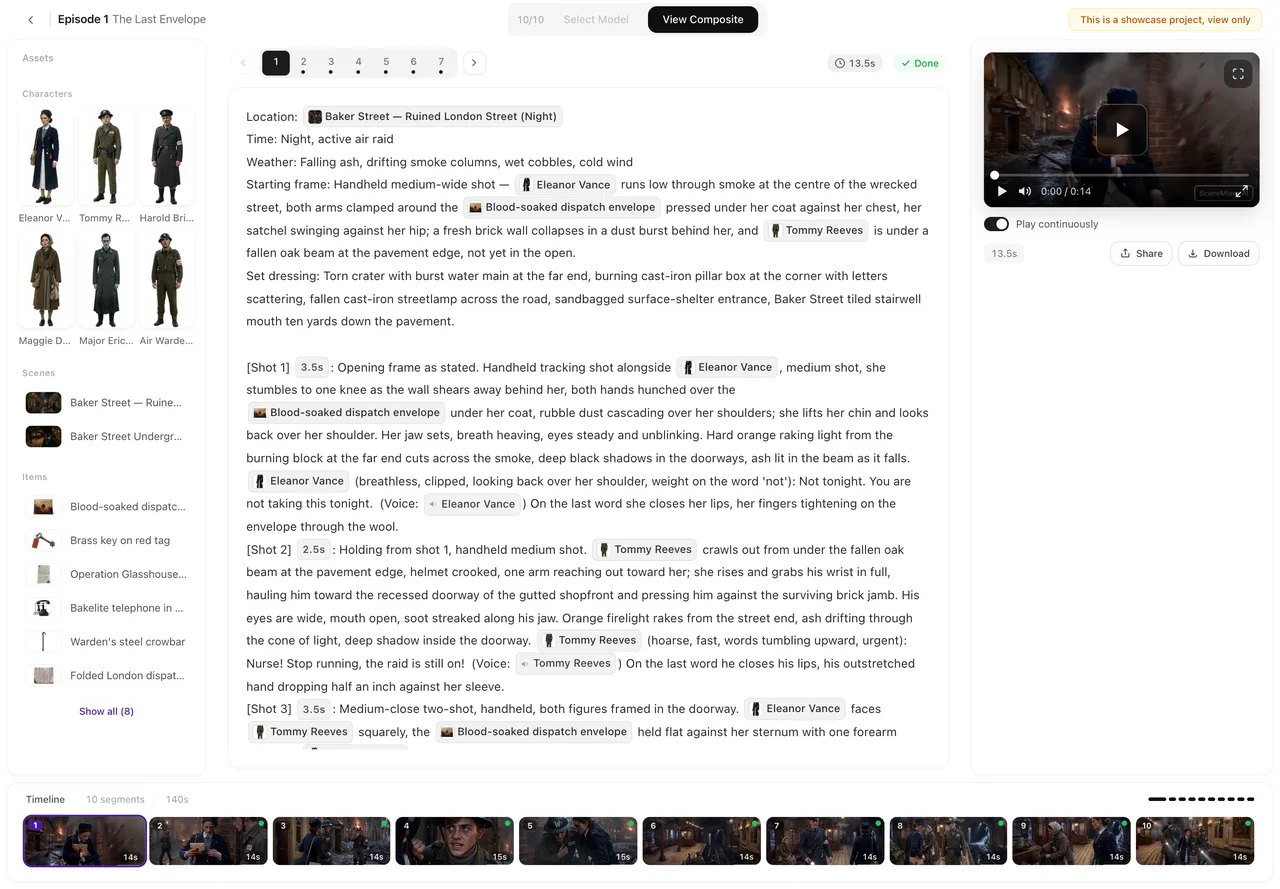
Write once, render on any step

The episode above, The Veil at Dawn, went from a pasted script to a finished composite entirely on Wan 3.0 · 480P: every segment, no second pass. That is the plainest proof of the habit this page describes — the shots were written to be understood at the entry step, and nothing in them needed a different wording to look good on the next one.
The family is three steps that differ only in resolution and price. A segment can run up to 30 seconds on any of them and takes the same references, so there is no wording that works on one step and fails on another. Write the shot the way the shot grammar asks — marker and seconds, framing and camera, who is in the picture, one thing that happens, the line, the ambience — and the same text re-renders higher whenever you want it. How to write one shot has the grammar.
What to judge on the entry step
Treat the entry step as a rehearsal. What it shows you reliably is the part that is decided in the text: whether the framing is the one you meant, whether the camera moves where the shot says it does, whether the seconds are enough for the line, whether two people end up where the storyboard put them. Those are the problems that wording can fix, and they are the cheapest to fix here.
What it does not settle is fine detail in the picture. If a face or a prop only matters at full size, judge it on the step above, once the staging is right. Doing it in this order is the whole of the draft-then-finish pattern: the text gets its corrections at the low rate, and the high rate is spent once.
Fix the shot, not the tier
When a render misses, the temptation is to try another step. Try another sentence first. Change one thing in the shot — the framing word, the action, the seconds, the line — and regenerate that segment; every version is kept, so the failed one is still there to compare. Editing one shot and regenerating shows the loop. Changing two things at once makes the next result impossible to read, and moving to a more expensive step to fix a staging problem buys a sharper version of the same mistake.
Spend the reference slots on the camera's people
A generation takes up to ten images and five voice clips, with about fourteen seconds of voice in total. That is generous, and it is the main reason an ensemble scene belongs on this family. Use the slots deliberately: attach the sheets for the people the camera will actually find, keep the speaking characters' voices, and describe the rest of a crowd in words. When a segment asks for more than the budget, the site leaves out the least important references first, which shows up as a voice that drifts rather than as an error.
Lines in other languages
If the dialogue is German or Ukrainian, keep each line short: on the default step an occasional word may slide off, and a short line leaves less room for it. No step is marked as better for those two languages, so the fix is shorter sentences and a regenerate, not a move up in price. Dialogue language and video tier covers the details.
When this family is the wrong place to write
If a beat wants a very short, dense exchange with cuts inside the generation, or you want to see how another family reads the same shots, the other tiers take the same text. The Wan 3.0 family page has the prices; the comparison with MiniMax H3 is the one for choosing between a longer take and a denser one.
FAQ
Do I write prompts differently for each of the three Wan 3.0 steps?
No. The three steps share one storyboard text, one segment ceiling of 30 seconds and the same reference slots. Only the picture and the price change.
What should I check on the cheapest Wan 3.0 step?
Framing, camera movement, seconds against the line, and where people end up. Fine detail is better judged on a higher step once the staging is right.
How many references does a Wan 3.0 generation take?
Up to ten images and five voice clips, with about fourteen seconds of voice in total. If a segment needs more, the least important references are left out first.
A shot rendered wrong. Should I move up a step?
Edit the shot first: change one thing and regenerate that segment. A higher step gives you a sharper version of the same render, not a different staging.
Are German and Ukrainian lines handled differently?
They may slip a word on the default step, and no step is marked better for them. Shorter lines and a regenerate are the fix.
Write the shots once, rehearse on the entry step
Paste a script, render a segment at the entry rate, and move up only the shots you keep.
Updated October 14, 2026
Pricing·Novel to Video·Guides·Samples·Alternatives·Answers·Support·Privacy·Terms·Legal·Contact·Affiliate program·© 2026 SceneMixer