Answers · Animation
How to Animate With AI?
Published November 17, 2026

How to use AI to make animations: planning matters more than generating
People who try AI animation for the first time tend to reach the same conclusion within an evening. One beginner who made a short 3D piece without any animation background wrote that
the planning part matters way more than the generating part
and then named what was still wrong at the end of it:
Still consistency is the hard part the character still changes slightly between shots
Both lines come from a first-animation write-up in r/generativeAI, and they describe the whole craft. Prompts written shot by shot, without a plan and a fixed character, produce shots that do not belong together. The bigger the ambition, the more this matters: about 240 posts in the community corpus ask how to make a full fantasy adventure animation, and the replies keep returning to the second scene that does not match the first.
Choose the look: built in 3D, drawn or handmade
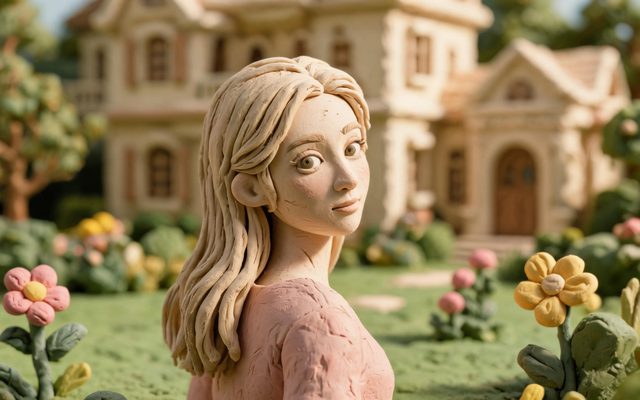
On SceneMixer the look is picked in Step 1 from 17 animated styles. Six are built in 3D — Family 3D Animation with its rounded, big-eyed characters, 3D Toy Cartoon, Cel-shaded 3D, Realistic 3D and others — and the rest are drawn or handmade, from Anime and Painterly Anime to Watercolor Storybook, 2D cel and Claymation. The choice is fixed once you continue, and every sheet and clip is made in it, so no shot quietly slides into another style because a description was worded differently.
How to make AI animation video free of charge: draw the characters and places once
Animation lives or dies on recognisable characters. Every character — person, animal, robot or talking teapot — gets one reference sheet in the chosen look, and every shot they appear in is generated with that sheet attached. Describe non-human characters precisely: what they are, whether they have hands, a face, clothes, and the one mark that makes them who they are. Places work the same way: the kitchen, the forest path and the rooftop are each drawn once and reused, so the third visit looks like the first.
How to make animation videos using AI: short shots, one action each
The storyboard turns each scene into numbered shots with their seconds and lines, and editing it costs nothing. Give each shot one action — the fox jumps; the door bursts open; the girl turns around — because a shot that asks for three things at once usually returns a blur of all of them. Shots are generated together as segments in one place, and each segment opens where the last one ended, so movement carries across the cut. If a segment comes back wrong, change its words and regenerate only that one.
Voices, music and the finished episode
Dialogue is performed inside the animation, one voice per character, in the language set in Step 1; a narrator can be an off-screen character with a voice and no image. Segments are joined into an episode with an automatic score that can be switched off. Video is charged by the second, from 10 credits a second on the default tier, and the first 15 setup images on an account are free, which covers the main cast of a small animation.
For a first project, a single scene of under a minute is the right size. A one-minute animated short walks through that scale, and an animated series covers what changes when the cast has to last.
Limitations of AI animation
- It makes new animated scenes from a story; it does not animate an existing drawing or photo frame by frame, and it is not a tool for in-betweening your own key poses.
- The look is fixed for the project, so a story that wants two styles is two projects joined in an editor.
- Famous characters and studio styles requested by name are refused.
- Hands, small props and many characters moving at once still take more attempts than a two-character scene.
- The post count comes from a question bank matched by rules over a fixed window, not from a survey.
FAQ
How to make AI animation if you cannot draw?
You do not need to draw. On SceneMixer you pick an animated look and describe the characters; each one is drawn once as a sheet and every shot is animated from it.
How to make AI animated videos for free?
SceneMixer's free start covers the setup — signup credits, free setup images and the first storyboard; the animated footage itself is charged by the second.
How to do AI animation in a 2D style?
Pick a drawn look such as 2D cel, anime or watercolour storybook in Step 1; SceneMixer keeps the whole project in that look.
Can AI animate my own drawing?
Not frame by frame. SceneMixer makes new animated scenes in a chosen look from a story; it can redraw a character into a sheet, but it does not animate an existing image.
Can AI do animation?
Yes, shot by shot: on SceneMixer you pick one animated look, each character is drawn once as a sheet, and every shot is animated from those sheets, with voices and music.
Related: the AI animation generator page lists all the looks, animated looks on each tier covers rendering, and the collection method sits behind the post count.
Plan an animated scene
Pick the look, draw the cast once, and read the shot list before anything moves.
Sign up freePer-second video rates are on the pricing page with the same numbers.