Answers · Facebook
How to Make AI Videos for Facebook?
Published November 17, 2026
The Facebook trend, and the question behind it
Animated fruit dramas and other AI story videos spread widely on Facebook, and newcomers want to join in. One asked the question many have:
How can I make those AI fruit videos seen on Facebook for free? Complete beginner here, no prior video editing experience
That came from a beginner's post in r/generativeAI. Social platforms are one of the biggest subjects in the community corpus, about 15,000 posts, and on Facebook the main question after "how" is whether the account will be allowed to earn.
Original material, not reused clips
Meta's creator post on unoriginal content does not mention AI. It is about reuse: accounts that repeatedly post other creators' content without crediting them can lose monetization and get reduced distribution. That shapes how to make AI videos for Facebook. Start from your own script, invent your own characters, and make a series viewers can follow. On SceneMixer the episodes are built from your script and your cast, so they are your own material.
Reels or regular posts
Facebook carries both vertical Reels and landscape video posts. Pick one per project in Step 1: 9:16 for Reels, 16:9 for posts that people watch on a desktop or in the feed. Reference art and every shot are composed for the chosen frame, so nothing is cropped later. A story told as a series can serve both, as two projects from the same script with the same cast.
Characters, hooks and length
The videos that travel on Facebook usually have a recognisable character and a situation that escalates: the betrayed pear, the ambitious banana, the grandmother who knows everything. Draw each character once as a reference sheet and every episode keeps the same face. Open on the conflict, keep a Reel to one or two minutes, and end on a question that brings people back for the next one. Dialogue is spoken in the video, one voice per character.
A small fruit drama, planned
Here is how one such series can start. The characters: a proud pineapple who runs the fruit bowl, a nervous kiwi who has just arrived, and a banana who spreads rumours. Episode one: the kiwi is accused of bruising the apple; nobody believes her; the banana smirks. Episode two: the kiwi finds a clue — a peel by the window. Each episode is one scene on the same kitchen counter, about a minute long, with a narrator who treats every accusation like a court verdict. Describe each fruit once, with its face, its size and one detail viewers will remember, and the same three characters come back in every post. Invent your own fruits and names rather than copying a popular account's designs; that is what keeps the series yours. Post the first three episodes close together so new viewers can follow the story from the start, then settle into a regular rhythm. A narrator with a recognisable voice and a catchphrase helps the series stand out in a crowded feed.
Labels and posting
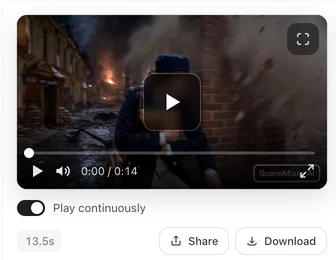
Meta's help page says it may require an AI label on Facebook, Instagram and Threads for photorealistic video or realistic-sounding audio made or altered with AI; cartoon-style videos are a different case, and the label is set by you when posting. There is no direct posting from the tool: download the file and upload it on Facebook. Free-account videos carry a small SceneMixer AI badge in the corner; on a membership, new clips come without it by default.
Limitations of AI videos for Facebook
- Reposted clips from other accounts are what Facebook demotes; the tool cannot make reused content original.
- Famous characters and other creators' fruit or creature designs are not yours to copy.
- On-screen text and stickers are added on Facebook, not generated.
- There is no posting integration; every upload is manual.
- The social-platform count is a rule-based label over a fixed window of public posts.
FAQ
How to make AI videos on Facebook for Reels?
Set the project to 9:16, draw your characters once, write each Reel as one short scene, then download from SceneMixer and post it in Facebook.
How do I make an AI video on Facebook that can earn?
Post original material: your own script and invented cast. Meta demotes reused content; SceneMixer episodes are built from your own script.
Do AI videos on Facebook need a label?
Meta says it may require one for photorealistic video or realistic-sounding audio made with AI. Check its current page; this is not legal advice.
Can I make AI fruit videos for Facebook?
Yes, with your own invented fruit characters: describe each once, give them a running conflict, and keep each video short.
How to create Facebook Reels with AI?
Start a vertical SceneMixer project, give each Reel an original character and a hook in the first seconds, then download the file and post it yourself, setting Meta's AI label when the video is photorealistic.
Related: whether AI videos can be monetized on Facebook, AI videos for Instagram, and the collection method behind the count.
Start an original series
Your own script, an invented cast, one frame per project. Post the first episode, then the next.
Sign up freePer-second video rates are on the pricing page with the same numbers.