Answers · TikTok
How to Make AI Videos for TikTok?
Published November 17, 2026
A recurring character beats a random clip
The AI videos that hold attention on TikTok tend to have someone in them viewers can recognise. One maker ran a month-long test with accounts built entirely around AI characters, posting daily with nobody on camera:
I wanted to see if AI-generated TikTok characters could actually generate organic views.
The write-up, an experiment shared in r/generativeAI, found that the view count was not the most interesting result:
It was how people interacted with the characters.
That is the useful lesson for anyone starting out. A face that comes back, in a situation that continues, gives viewers a reason to follow the account rather than scroll past one post. It also makes the work easier: one character sheet, drawn once, carries every post that follows. Short drama, the most character-driven format in the feed, has about 4,200 posts of its own in the community corpus.
Tall from the first image
TikTok is a 9:16 feed. On SceneMixer the aspect ratio is a project setting chosen in Step 1, and reference art and every shot are composed for it, so nothing is cropped later and nobody's head is cut off at the top of the frame. Choose it before the script is read; changing it afterwards means regenerating the art. A wide version for YouTube and a tall one for TikTok are two projects from the same script, with the cast carried across.
Open on the problem, stop before it is solved
The first second decides whether anyone keeps watching, so begin in the middle of something: the argument already under way, the door already opening. End on a question rather than an answer, so the next post has a reason to exist. When SceneMixer breaks a script into episodes, openings start on the problem and endings are left unresolved, with the kind of ending varied so a run of posts does not repeat itself. Writing hooks and cliffhangers shows how to steer that from the script.
Length, voices and captions
Most vertical series settle between one and two minutes a post, which is a sensible target for a first account. Dialogue is spoken in the video itself, one voice per character, in the language chosen in Step 1 rather than dubbed afterwards. Captions are a different matter: video models do not spell reliably, so words are kept off the generated picture and added later — on the platform, or as burned-in subtitles and an SRT file exported from your script lines on accounts that have bought credits.
Posting, badges and labels
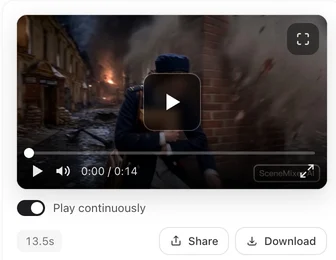
There is no direct post-to-feed button: you download the finished file and upload it in the TikTok app. TikTok asks creators to label realistic AI-generated content and has a setting for it in the upload flow; labelling AI content on TikTok walks through it. Free-account videos also carry a small SceneMixer AI badge, which members' new clips leave off by default. Whether an AI account can earn depends on the platform's originality rules, covered in making money on TikTok with AI videos.
How to make AI videos for free for TikTok: a first week of posts
- Pick one character and one situation that can run for many posts.
- Set the project to 9:16 and choose the dialogue language before anything is generated.
- Approve the character sheet; every later post reuses it.
- Write each post as one scene with a hook in its first line and an open ending.
- Render one post, watch it on a phone, and only then make the next few.
Caveats for AI TikTok posts
- Trending sounds, duets and stitches happen in the app, not here.
- On-screen text is not generated; add it on the platform.
- Real people's faces and famous characters are refused.
- Fast cuts with many characters in one frame take more attempts than a two-person scene.
- The community figure comes from rule-based labels on a fixed window of public posts.
FAQ
How to make AI videos on TikTok that people follow?
Give the account one recurring character. On SceneMixer the character is drawn once and every post reuses that sheet, so viewers recognise the face.
How to create AI videos for TikTok in the right format?
Choose 9:16 in Step 1, before anything is drawn; SceneMixer then composes every sheet and shot tall, so nothing is cropped later.
How to make AI TikTok videos with captions?
Captions are added afterwards: put them on in the app, or export burned-in subtitles and an SRT file from SceneMixer once the account has bought credits.
How long should an AI TikTok video be?
A minute or two suits most vertical series; the shortest posts can be a single segment of a few seconds.
Do I have to label AI videos on TikTok?
TikTok asks creators to label realistic AI-generated content. Check its current rules before posting; this is not legal advice.
Related: making an AI drama series for TikTok goes deeper into serial drama, the TikTok and Reels page lists what an export contains, and the collection method sits behind the community figure.
Start a vertical project
One character, one situation, a tall frame. Watch the first post on a phone before making more.
Sign up freePer-second video rates are on the pricing page with the same numbers.