AI cartoon

What makes it read as a cartoon
- Shape before detail. A round head, a long nose, a tiny body: a cartoon character is read from its outline.
- Bigger expressions. Eyes, brows and mouth do more work than in a realistic face.
- Few, bright colors. Each character has two or three colors that are always theirs.
- Simple places. A backdrop that says where we are and leaves the characters in front.
Cartoon AI looks in SceneMixer
| Look | Group in Step 1 | Suits |
|---|---|---|
| 3D Toy Cartoon | 3D Animation | Bright, toy-like worlds, kids' stories |
| Family 3D Animation | 3D Animation | Family features, warm comedy |
| Cel-shaded 3D | 3D Animation | Flat-shaded action, a comic feel in 3D |
| American Comic | 2D Animation | Bold lines, superheroes, gags |
| Watercolor Storybook | 2D Animation | Bedtime stories, gentle fables |
| Claymation | 2D Animation | A handmade clay look |
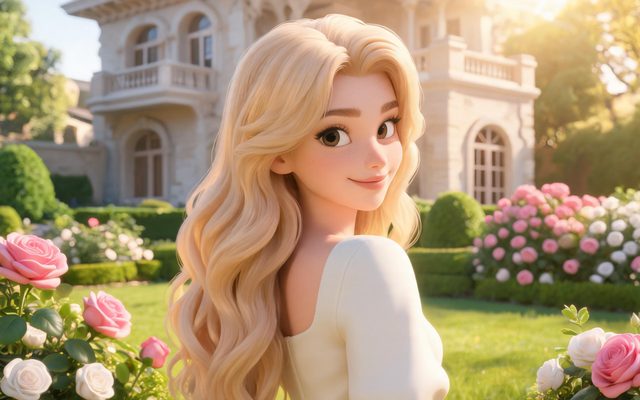
Visual Style: 3D Toy Cartoon
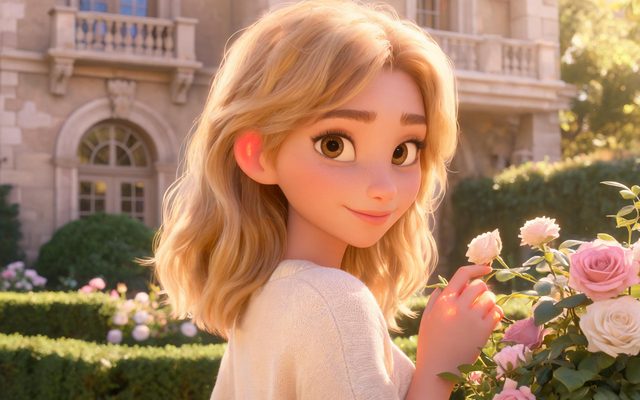
Visual Style: Family 3D Animation
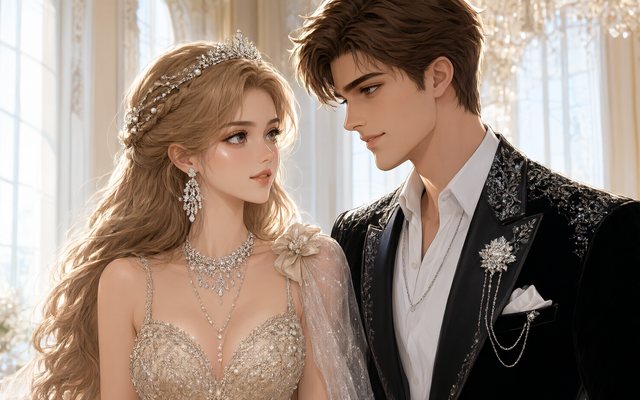
Visual Style: Cel-shaded 3D
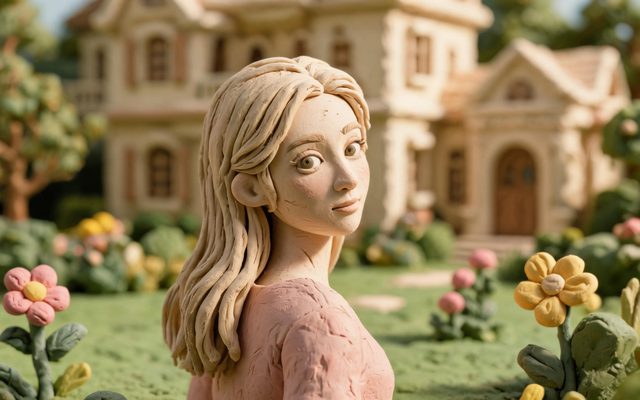
Visual Style: Claymation
The look does not change the price of video; resolution and length do.
A cartoon character from a description or a photo
From a description: write the character once where they first appear, shape first: a round orange cat with a white chest, half-closed eyes and a crooked tail. The character sheet is drawn in the project's look, and every shot uses it.
From a photo: upload a photo on the character's card in Step 2. The sheet keeps the face, hair and clothing and redraws them in the project's look, so a pet, a toy or a drawing becomes a cartoon character of the show.
AI to cartoon: a 30-second first short
- Set-up (one shot): who and where. Biscuit the cat guards the last cookie on the kitchen table.
- Problem (one shot): someone wants it. A mouse in a tiny helmet appears at the edge of the table.
- Attempt (one shot): the plan that goes wrong, with one line. BISCUIT: Not today.
- Payoff (one shot): the twist. The mouse shares half; Biscuit takes it, pretending not to.
Four shots fit in one or two segments: a cast of two, one place, and a joke you can judge in the free preview.
Make it in SceneMixer, start to finish
- Script: paste your own on Upload Script, or write the brief above in AI Create and let it draft the episodes.
- Step 1: set Type to Short Drama; Scene Style Pastoral Healing; Costume Style Soft Everyday; Visual Style 3D Toy Cartoon; Target Region; dialogue language; 9:16 Portrait. Then read the script.
- Step 2: Draw the main cartoon character first and check the outline reads at a glance before drawing the rest. The first 15 setup images on an account are free.
- Storyboard: generate episode 1 first (free on your first drama) and read it before you render anything. One place per segment.
- Video: render on the default tier at 10 credits a second, fix single shots instead of whole episodes, then put the episode together and post.
| Hand-drawn cartoon | AI cartoon in SceneMixer | |
|---|---|---|
| Character design | Model sheets drawn by hand | One reference sheet per character, from text or a photo |
| Each shot | Key poses and in-betweens | Rendered from the storyboard text and the sheets |
| Voices | Recorded actors | Lines voiced in the segment, in one of 15 languages |
| A change | Redraw the scene | Rewrite the shot, render that segment |
FAQ
What is an AI cartoon?
A cartoon whose pictures are drawn and animated by AI. In SceneMixer you pick a cartoon look, describe the characters once and the shots are rendered from a storyboard.
Which cartoon AI looks can I pick?
In SceneMixer: 3D Toy Cartoon, Family 3D Animation and Cel-shaded 3D under 3D Animation, and American Comic, Watercolor Storybook and Claymation under 2D Animation.
Can I turn a photo into a cartoon character?
Yes. Upload the photo on the character's card in Step 2 of SceneMixer; the sheet keeps the face, hair and clothing and redraws them in the project's look. Photos that read as a real person's face may be flagged.
AI to cartoon: does the character stay the same in every shot?
Yes. SceneMixer draws each character once as a reference sheet and every shot of that character uses it.
Can the cartoon characters talk?
Yes. Write the lines in the script; SceneMixer voices them in the segment, in the project's language, one of 15.
How long should a first AI cartoon be?
About 30 seconds: four shots, two characters, one place. It fits in a segment or two on SceneMixer.
How much does an AI cartoon cost?
SceneMixer renders video at 10 credits a second on the default tier, the first 15 setup images are free, and every price is on the button first.
Draw your first cartoon character
Pick a cartoon look, describe one character, and see the sheet before anything is rendered.
Updated November 19, 2026