Answers · YouTube, free
How to Make AI Videos for YouTube for Free?
Published November 17, 2026

A channel is not one free clip
A YouTube channel needs a steady supply of episodes, and that is where free offers run out. A parent starting a children's channel described the bind exactly:
Does anyone know of any free website with which I can make my subscription as cheap as possible or free?
That came from a question in r/generativeAI. Earning from AI channels is its own large topic, about 2,200 posts in the community corpus, and for a channel the useful question is not how to get one video free, but how to make the free part do the expensive setup work.
What the free start covers for a channel
- The recurring cast. The first 15 setup images on a SceneMixer account are free: the host characters and the main places of the channel.
- The format. Episode one's storyboard of the first project is free, so you can see the whole shape of an episode — length, shots, lines — before paying for footage.
- A look test. One free preview of up to 5 seconds shows whether the style works on screen.
- The signup credits. 50 credits cover reading the first script and a little more.
Because characters, places and voices carry into later projects, that setup is paid once for the whole channel, not once per upload.
The badge and the money
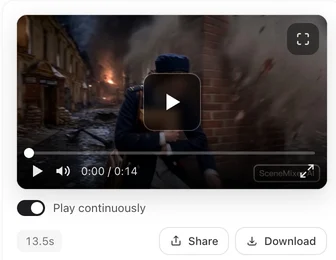
Videos made on a free account carry a small SceneMixer AI badge in the corner, burned into the picture. For a one-off clip that hardly matters; on a channel it is on every episode. On a membership, new clips come without it by default. Separately, YouTube's own rules decide whether an AI channel can earn; they look at originality and what you add, not at the tool. Read the monetisation answer before planning a channel around income.
Paying as little as possible per episode
Free covers the setup; each published episode is paid by the second. Keep that number low by drafting every segment on the cheapest tier, fixing the words, and rendering the keepers once on the tier you want to publish. Keep episodes short and regular rather than long and rare: a minute on the default tier is 660 credits with the join, before retakes, and packs start at $1.49. Make Shorts as separate 9:16 projects from the same script, so one written episode serves both the watch page and the Shorts shelf.
A first month on a small budget
Week one costs almost nothing: write the channel's premise, let the read find the cast, spend the free setup images on the hosts and the main set, and read the free first storyboard until the format feels right. Use the free preview on the shot that best shows the look. Week two is the first paid episode: render it on the cheapest tier, watch it on a phone and a laptop, fix the words, and only then render the keepers at the quality you will publish. Weeks three and four repeat the episode with new scripts and the same cast, which is where a channel's costs settle: only the seconds of each new upload. Keep a simple log of what each episode cost and how it performed, so the decision to upgrade the tier, or to remove the badge with a membership, is made on numbers rather than hopes. If an episode underperforms, change the script and the hook before spending on a sharper tier; sharper footage rarely rescues a weak premise.
Limitations of a free YouTube setup
- Published episodes are not free; only the setup and one preview shot are.
- Free-account episodes carry the corner badge on YouTube.
- There is no upload button; you download the file and upload it in YouTube Studio yourself.
- YouTube's disclosure step for realistic AI content is yours to complete when uploading.
- The earnings topic count is a rule-based label over a fixed window of public posts.
FAQ
How to make AI videos for free for YouTube Shorts?
Set up a 9:16 project and use SceneMixer's free allowances for the cast and the first storyboard; the Short's footage is charged by the second.
How to make AI YouTube videos for free without a watermark?
Free accounts add a small corner badge. On SceneMixer a membership turns it off for new clips by default.
How to create AI videos for free for YouTube every week?
Use the free start once for the channel's cast and format, then reuse them; SceneMixer carries characters, places and voices into each new project.
Can a free AI YouTube channel make money?
That depends on YouTube's rules on originality and added value, not on the tool. Check its current policy before planning around income; this is not legal advice.
Related: AI videos for YouTube in general, the YouTube specification sheet, and the collection method behind the count.
Set up the channel free
Cast, format and a look test first. Pay only for the seconds you publish.
Sign up freePer-second video rates are on the pricing page with the same numbers.