Answers · Free
How to Make AI Videos for Free?
Published November 17, 2026

Why free AI video creation keeps running out, and how to make AI videos free
Every second of AI video is rendered on expensive hardware, and somebody pays for it. That is why the free offers people relied on keep turning into paid plans, and why the question never goes away: around 88 posts in the community corpus ask which generator can still be used without paying. One answer that drew a long thread put the economics in a single line:
Cloud GPUs cost serious money per second.
That post, a reply to the daily free-generator question in r/generativeAI, ends where most careful answers end: free is possible, but only in a few specific shapes. Knowing which shape you are using tells you in advance what you will get out of it and what you will not.
Route one: open models on your own machine
If you own a powerful graphics card, open video models can run locally, and once the hardware is paid for, each render costs only electricity. This is the one route that is free per video with no ceiling. The price is everything around the render: installing and updating the models, waiting through long generations, and doing yourself the parts a story needs — keeping a face the same from shot to shot, getting dialogue written and spoken, cutting the clips together. For experiments and single clips that is a fair trade. For a story with recurring characters it quietly becomes most of the work.
Route two: free tiers with a ceiling
Web services that advertise free generation nearly always attach a limit: a small daily allowance, a slow queue, a low resolution, a visible watermark or a very short clip. None of that is a trick. It is how a service gives away something costly without going under. Before you build a habit on a free tier, test what it quietly costs you — who owns the result, whether the clips expire, whether a card is needed to start. The hidden costs of a free AI video generator has a quick check for each one.
Route three: allowances that let you test before paying
The third route is the one SceneMixer takes. Instead of a stream of free low-quality clips, a new account gets a fixed set of things that cost little to give and tell you a lot about whether the rest is worth paying for:
- 50 signup credits, spent on anything that is charged.
- Setup images for characters, places and props: the first 15 on the account, one pool across projects.
- The storyboard for episode one of your first project, laid out shot by shot.
- One preview of up to 5 seconds: a real shot from your own episode, made from your own cast, at the lowest tier.
- Editing: changing the storyboard text and switching between takes are always free.
That is enough to see your own idea as a cast, a shot list and one moving shot. It is not enough to finish a video. Apart from the preview there is no free video allowance, and generation is charged from the first second. The free AI video generator page lists every allowance with its conditions.
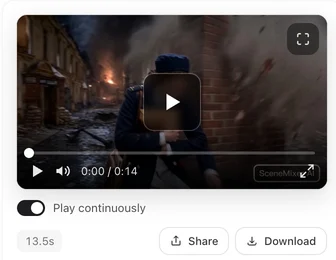
How to create AI videos for free: a first session that costs almost nothing
- Write a short brief in AI Create, or paste one page of your own script. Reading is priced at 4 credits per 3,333 characters, so a page costs a few credits of your signup balance.
- Look at the cast the read found and spend the free setup images on the characters that matter most.
- Open the first storyboard and fix anything you dislike by editing the words.
- Spend the free preview on the shot that best shows whether the look works.
- Decide. If the shot is right, go on one segment at a time; if it is not, you found out for the price of reading a page.
When you do pay, how little it can be
Video is priced by the second, from 10 credits a second on the default tier, and the price is on the button before you press it. A one-minute video on that tier works out to 660 credits with the join included, roughly $4.11 at the lowest credit price, before any retakes. Credit packs start at $1.49 and memberships at $7.99 a month. Most money wasted in AI video goes on regenerating footage that a change of words would have fixed, so correct the storyboard first and draft on a cheap tier before finishing on a better one. Ways to spend fewer credits takes each habit in turn.
The badge on free-account videos
Videos made on a free account carry a small SceneMixer AI badge in the bottom-right corner, drawn into the picture. On a membership, new clips come without it by default, and the setting applies to clips generated after you change it, not to ones already made. A link you share always shows the badge. If you plan to post the result, decide early, because it is settled at generation time rather than at download. The AI badge switch shows where the setting lives.
Limitations of a free start
- There is no unlimited free video. Apart from the single preview, every second of video is paid.
- The preview is made at the lowest tier and is not a finished clip; judge the look and the cast from it, not the final sharpness.
- Free setup images count only on a project whose script has been read and paid for, and not on ads or remakes.
- Local open models are free per render but need strong hardware and your own time for consistency, voices and editing.
- The community count is a keyword approximation over a fixed window of public threads, not a survey of everyone looking.
FAQ
How to generate AI videos for free online?
Use a service with a real free start. On SceneMixer that means signup credits, free setup images, the first storyboard and one short preview; video beyond the preview is charged by the second.
How to generate AI videos for free without a watermark?
Free tiers usually add a mark. SceneMixer's free-account videos carry a small corner badge; on a membership, new clips come without it by default.
How to make free videos with AI on your own computer?
Run open models locally if you have a strong graphics card. Each render is free, but consistency, voices and editing are left to you; SceneMixer does those steps in the browser instead.
Can I make a whole AI video for free on SceneMixer?
No. SceneMixer gives a free start — credits, setup images, the first storyboard and one short preview — but video is charged from the first second, so a finished video is paid.
What is the cheapest way to finish one video?
Fix the storyboard text before rendering, draft on the cheapest tier, generate one segment before the rest, and re-render only the keepers on a better tier.
Related: what a free start can still cover, the free route applied to a whole drama series, and the collection method behind the community count.
Start with the free part
Read a page, meet your cast, watch one shot — then decide whether the rest is worth paying for.
Sign up freePer-second video rates are on the pricing page with the same numbers.