Answers · Getting started
What Do You Need to Make an AI Movie?
Published November 6, 2026
The question behind the question
"What do I need" usually means "how many tools". A writer preparing a pitch trailer for a TV pilot asked it exactly that way, after describing a hundred still images, characters who had to stay consistent, voices, music and a full edit:
Can this all be done in one tool or more than one?
That is from a question in r/generativeAI, and the honest answer depends on what you are making. A one-off clip needs very little. A story — several scenes, the same people throughout, people talking — needs a list of things that have to stay in step, and the number of tools you use is mostly a question of who keeps them in step. The broader getting-started label covers about 11,000 posts in the community corpus.
One: a story, in words
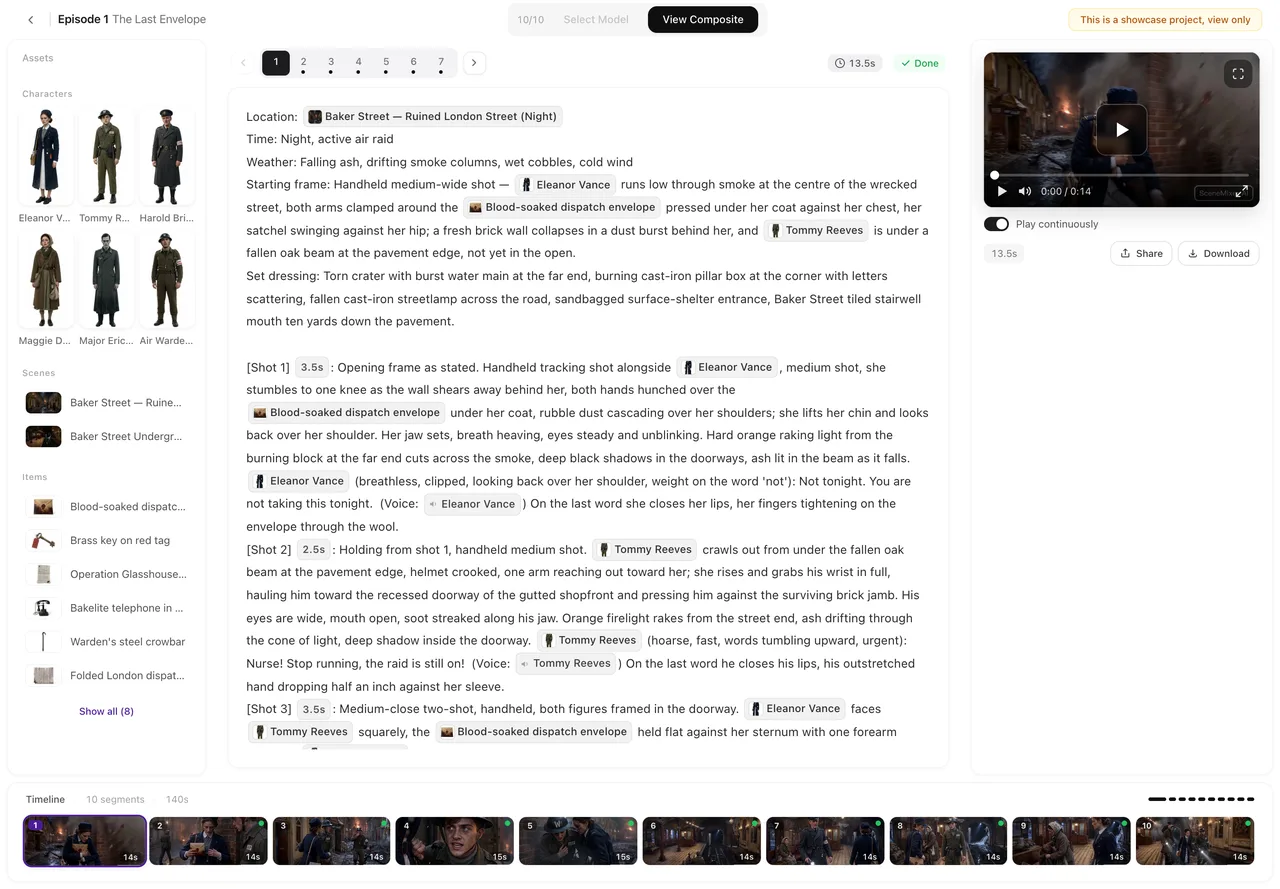
Everything starts as text. It can be a screenplay, a treatment, a novel chapter or a single line of premise; on SceneMixer each becomes a project with a cast, places and episodes. If the words exist, upload them, because the read keeps your dialogue. If you only have a premise, the AI Create tab writes a first draft from one line, which you can edit before anything is read.
The text decides the length. Over the 30 days to November 6, 2026, the median source pasted into the site was 6,628 characters, and the median finished episode ran 80 seconds — so a few pages of story already make an episode.
Two: faces and places you can live with
The single most important asset is a fixed image for each recurring character and each recurring place. Without them, every shot is a fresh guess at what the hero looks like. With them, every shot is generated against the same face. On SceneMixer the read produces this library for you — a full-body sheet per character, an image per location — and you approve or redo them before any video exists. A new account has 15 free reference images for this.
Three: a few decisions you cannot postpone
Some choices are made once and shape everything after them, so make them deliberately:
- The frame. Vertical for phone feeds or landscape for everything else. It is a project setting, and every image and shot is composed for it; a landscape episode is not cropped into a vertical one later.
- The look. Realistic, drawn, 3D or handmade. The visual style is fixed when you continue from the first step, because every sheet and clip is made in it.
- The language of the dialogue. Lines are written in it from the start rather than dubbed afterwards; the cast on the site spoke 11 different languages last month.
Four: credits for the attempts
Video is billed by the second, from 10 credits per second, and compositing an episode adds 1 credit per second. The finished median episode on the site used 1,027 credits last month. Budget for more than the finished runtime: some shots will need a second or third try, and those seconds are bought again. Editing the storyboard text, previewing and switching versions are free, which is why the cheapest place to fix anything is the text.
What you do not need
No camera, actors, locations or crew. No separate voice tool, since dialogue and sound come out of the same generation as the picture. No editing software to assemble an episode, since segments are composited in one click — though you can download them and edit elsewhere if you prefer. And no rendering hardware: everything runs on the site, and the median episode went from first segment to finished file in 24 minutes last month.
For the step-by-step version of all this, the answer on how beginners make a 30-second to 3-minute AI video is the next read, and the four ways to start explains which home-page tab fits what you have.
Limitations of this checklist
- Starting from footage you already have is a different route — the Remake tab — with its own rules; this page covers starting from words.
- On-screen text such as titles and signs is unreliable inside the picture; add it in an editor or let a character say it.
- Some of the free allowances apply to an account's first project only; the prices on each button are what is actually charged.
- The site figures are one month of SceneMixer projects, refreshed monthly; the community count is a keyword approximation.
FAQ
Do I need to know how to edit video?
No. Segments are joined into a finished episode in one click. You can still download them and cut them elsewhere if you want a different edit.
Can I start with just an idea?
Yes. The AI Create tab writes a first draft script from one line, which you edit before it is read into a cast, places and episodes.
Do I need separate tools for voices and music?
Not on SceneMixer. Dialogue and sound come out with each segment, and the composite can add a score across the episode.
What should I decide before I start?
The frame (vertical or landscape), the visual style and the dialogue language. All three are fixed early and shape every image and shot after them.
Related: making an AI movie from a script picks up once you have the words, what you get for free lists the free allowances, and the community counts follow the collection method.
Start with what you have
A script, a chapter or one line of premise is enough to get a cast and an episode list.
Sign up freePer-second video rates are on the pricing page with the same numbers.