Four Ways to Start a Project

The home page tour shows where the tabs are.
Upload Script
You have: text — a screenplay, a novel chapter, a treatment, in TXT, DOCX, Markdown or pasted. First step: the read, priced by length (4 credits per 1,000 characters), shown on the button. You land in: step 1 with the summary, then step 2 with the cast. This is the main road; the other three join it. Upload and parse.
AI Create
You have: one line — a genre, a hero, a hook — or nothing (Inspire Me). First step: the writing, priced by the length you pick, shown on the button; then the read, priced like an upload. You land in: the finished script in a window with Start Creating, then step 1. Use it when the story is not written yet or you want a first draft to react to. The one-line brief.
Ad Video
You have: up to a few photos of the thing to advertise. First step: the photos are read for free; then either All-in (one price, everything done) or Expert mode (pay the first steps, then drive the wizard yourself). You land in: the ad workbench, or the wizard with ad labels. Use it for a 15, 30 or 60-second ad with an end card, not for a story. An ad from one photo.
Remake a video
You have: an MP4 or MOV you are allowed to use, within the length shown on the upload box. First step: the read, priced by the clip’s minutes. You land in: step 1 to pick styles, with the cast and the storyboard already read from the clip. Use it to reshoot a reference with a new cast, or to turn a rough phone video into a storyboard. Remake.
Which one
If the words exist, upload them: the read keeps your dialogue. If you have a premise, let AI write and then edit by writing again with a sharper brief. If the goal is selling one thing, the ad tab is shorter than writing a story around a product. If the pictures exist, remake reads them rather than making you describe them.
| Tab | You have | First step costs | Lands in |
|---|---|---|---|
| Upload Script | Text | The read, by length | Step 1, summary |
| AI Create | An idea | Writing, by length; then the read | The script window, then step 1 |
| Ad Video | Photos | Reading photos is free; then All-in or Expert | The ad workbench or wizard |
| Remake a video | A clip | The read, by minutes | Step 1, styles |
FAQ
I have a novel. Which tab?
Upload Script. Paste a chapter or upload the file; the read splits it into episodes.
I only have a premise.
AI Create. One line in, a script out, then the read.
I want to sell a product.
Ad Video. Photos in, a 15 to 60-second ad out with an end card.
I have a reference clip.
Remake a video, if you have the rights to it. It becomes a storyboard shot with your cast.
Do they end up in different kinds of projects?
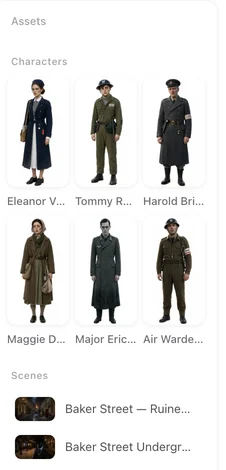
No. All four lead to a project with cast, sets, episodes and the same editor.
Pick the tab that matches what you have
Text, an idea, photos or a clip. The rest is the same road.
Updated October 2, 2026
Pricing·Novel to Video·Guides·Samples·Support·Privacy·Terms·Legal·Contact·© 2026 SceneMixer