Visual Style Presets, One by One

Two finished samples side by side: Realistic HD and, from the samples page, an animated one. All samples.
Where it is, and why it is locked
Step 1, Set Up Your Project, the Visual Style row: a grid of cards, each with a sample image, grouped by medium. The notice beside it is the important part: it can’t be changed once you continue, because it shapes every character sheet, scene and video. To switch styles, start over with a new script. Members can add their own style text with + Custom Style.
Live-action
Realistic HD: real people, real rooms, the default choice for drama meant to pass as filmed. Filmic Live-Action: the same, with a cinema grade — softer highlights, deeper shadows. Soft-Mist Live Action: live action with a hazy, romantic softness, good for period romance. Black & White Film: monochrome, high contrast.
2D Animation
2D Cel Shading: flat colour, clean lines, television anime. Hand-painted Anime Film: painted backgrounds, feature-film warmth. Painterly Anime: luminous skies and light, a contemporary look. 2D Chinese Style: traditional motifs, brushwork. Ink Wash Animation: black ink on paper, sparse. Korean Webcomic: clean vertical-comic drawing, modern settings. Manhua Full-render: fully painted comic panels. American Graphic Novel: heavy ink, dramatic shadow. Watercolor Storybook: soft washes, children’s-book gentleness. Oil Painting: thick brushstrokes, classical.
3D Animation
Realistic 3D CG: photoreal computer graphics. Feature 3D Animation: the big-studio family-film look, rounded and expressive. 3D Toy Cartoon: toy-like, glossy, bright. Cel-shaded 3D: 3D forms with a 2D-anime finish. 3D CG Xianxia Fantasy: the Chinese immortal-fantasy CG look. Game Engine Realism: the real-time-engine look, crisp and slightly synthetic.
Stop-motion
Claymation: modelled clay figures, tactile, handmade.
How to pick
Match the medium to the audience first — live action for drama feeds, anime groups for anime audiences, Feature 3D for family stories — then pick within the group by the sample cards. If you are unsure, Realistic HD is the safe default. The scene style and costume style rows on the same screen work with whichever visual style you choose. How the style settings work together.
One caution for the IP check: a style named after a studio or a franchise is not offered here for a reason. Stay with the presets. What gets blocked.
| Group | Presets | Pick for |
|---|---|---|
| Live-action | Realistic HD · Filmic Live-Action · Soft-Mist Live Action · Black & White Film | Drama meant to pass as filmed |
| 2D Animation | Cel Shading · Hand-painted Anime Film · Painterly Anime · Chinese Style · Ink Wash · Korean Webcomic · Manhua · American Graphic Novel · Watercolor · Oil Painting | Anime and comic audiences |
| 3D Animation | Realistic 3D CG · Feature 3D Animation · 3D Toy Cartoon · Cel-shaded 3D · 3D CG Xianxia · Game Engine Realism | Family films, fantasy, games |
| Stop-motion | Claymation | Handmade, tactile stories |
FAQ
Can I change the visual style after step 1?
No. It shapes every image and video in the project. Start a new project with a new script to switch.
Which style is the default?
Realistic HD is the safe choice for most drama. The picker pre-fills an AI suggestion from your script; change it if you like.
Can I write my own style?
Members can, with + Custom Style. Everyone else picks from the presets.
Do the scene style and costume style depend on the visual style?
No. They are separate rows and combine with any visual style.
Why is there no preset named after a famous studio?
Names of studios and franchises trigger IP checks on the video side. The presets describe the look without the name.
Pick a card and see it on your cast
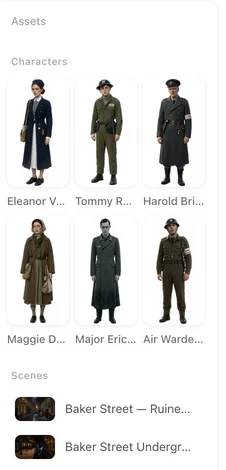
The style shows first in the character sheets in step 2, minutes after you start.
Updated September 26, 2026
Pricing·Novel to Video·Guides·Samples·Support·Privacy·Terms·Legal·Contact·© 2026 SceneMixer