Answers · History
How Do I Build a Shot List for a Historical AI Video?
Published October 31, 2026

Why the list comes before the pictures
One clear statement of the method came from a creator who built a first-person day in a medieval village. Before a single clip existed, every shot was a row on paper:
If the arc does not read on the shotlist, it will not read on screen.
A shot list is where pacing, camera flow and continuity are cheap. On paper you can see that three wide shots in a row will feel slow, that the market scene has no establishing shot, that the character who leaves at dawn comes back with a different satchel. Every one of those is a retake once it has been rendered. Historical subjects raise the stakes further because viewers bring knowledge with them, and the replies under that same project showed what happens when the details slip:
As an historically informed person, I can only say: This has nothing to do with the time back then.
What goes in each row
A working row has the same fields a camera crew would need: where and when, what happens, how it is framed and whether the camera moves, who speaks and how, and what is heard. In SceneMixer the storyboard is already that list. Every segment opens with a header that fixes the location, the time and the weather; under it, each numbered shot carries its seconds, its framing, the action, the line with a delivery note, and the sound. You can write the list yourself and paste it in, or let the script be read and edit the list it produces — either way, editing the storyboard text is free, and video is charged only for the segments you render.
| Field | Example row (a harbour at dawn) |
|---|---|
| Place and time | Stone quay, first light, sea mist |
| Action | A clerk counts amphorae as they come off a merchant ship |
| Framing and movement | Wide shot, slow push toward the clerk |
| Line | The clerk, under his breath: Twelve. They wrote fourteen. |
| Sound | Gulls, rope creak, oars on water |
Keep one action per shot and give it time to happen. A row that says the clerk counts, argues, and storms off is three rows.
Put the period into what is drawn once
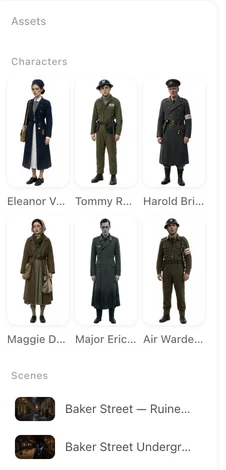
Accuracy lives in the places, clothes and objects, and those are the things SceneMixer draws once and reuses. Set the world in Step 1 — scene styles such as Ancient Egypt, Greco-Roman, Medieval Castle, Joseon Korea, Viking Fjord or WWII Front, with matching costume styles — and then make the specifics part of each description: the shape of a lamp, the cut of a tunic, the material of a cup. A detail written into a location or a prop sheet appears the same way in every shot that uses it; a detail improvised in a single shot's text is a gamble each time.

The one firm limit is people. Real historical figures cannot be depicted, so a history video is told through invented ones: the clerk on the quay, a soldier in the line, a child in the crowd. That is also how the strongest historical fiction works — the period is real, the eyes we see it through are made up.
The vlog version: a guide who talks to us
A popular variant is the history vlog: a present-day narrator dropped into the past, talking to the camera while the city happens around them. The corpus has its own cluster of these — 68 posts ask how to make one set in an ancient city. Structurally it is the same list with one character who addresses the lens. Write their lines as dialogue to camera, keep them in the frame's foreground, and let the background carry the period. The places and crowd still need to be specific; a vague market behind a vivid narrator is still a vague market.
Reading the reactions
Historical videos draw a particular kind of reply: viewers who check. Under a five-minute history video in r/generativeAI, the praise that mattered was about a detail being right:
At least it got the landing craft right, just regular row boats.
That is the standard to write to. Story adaptation as a whole is a big part of the conversation — 7,300 posts carry that label — but the history threads are the ones where a single wrong object decides the comment section.
Limitations: what this method does not settle
- A shot list plans what is filmed; it does not make the research for you. Period details still have to be checked against sources you trust.
- Real historical figures, and recognisable reconstructions of them, are refused. Documentary use that depends on a specific person's face is outside what this makes.
- Maps, dates and captions on screen are added in an editor; generated video does not spell reliably.
- The post counts are rule-based approximations from one window, not a measure of how many historical videos exist.
FAQ
Can I paste my own shot list?
Yes. Write it as the script, or edit the storyboard after the script is read. Each shot keeps its seconds, framing, action, line and sound, and editing the text costs nothing.
How do I make the period look accurate?
Choose the scene and costume style in Step 1, then write the specific details into the location, costume and prop descriptions, which are drawn once and reused in every shot.
Can a historical figure appear in the video?
No. Real historical figures cannot be depicted; tell the story through invented witnesses and participants.
How do I make a history vlog with a narrator?
Make the narrator a character who speaks to camera in the foreground, and let the specific places and crowd behind them carry the period.
Two guides cover the craft: how to write one shot and making a history drama; the shot list generator shows what the list looks like when the script is read for you, and the answer on writing camera movement covers the framing column. Counts follow the method note.
Write the list before the pictures
Paste a script or a shot list; SceneMixer lays it out shot by shot and renders only what you approve.
Sign up freePer-second video rates are on the pricing page with the same numbers.