Answers · Genres
How Do I Make a Disaster Scene With AI Video?
Published October 31, 2026
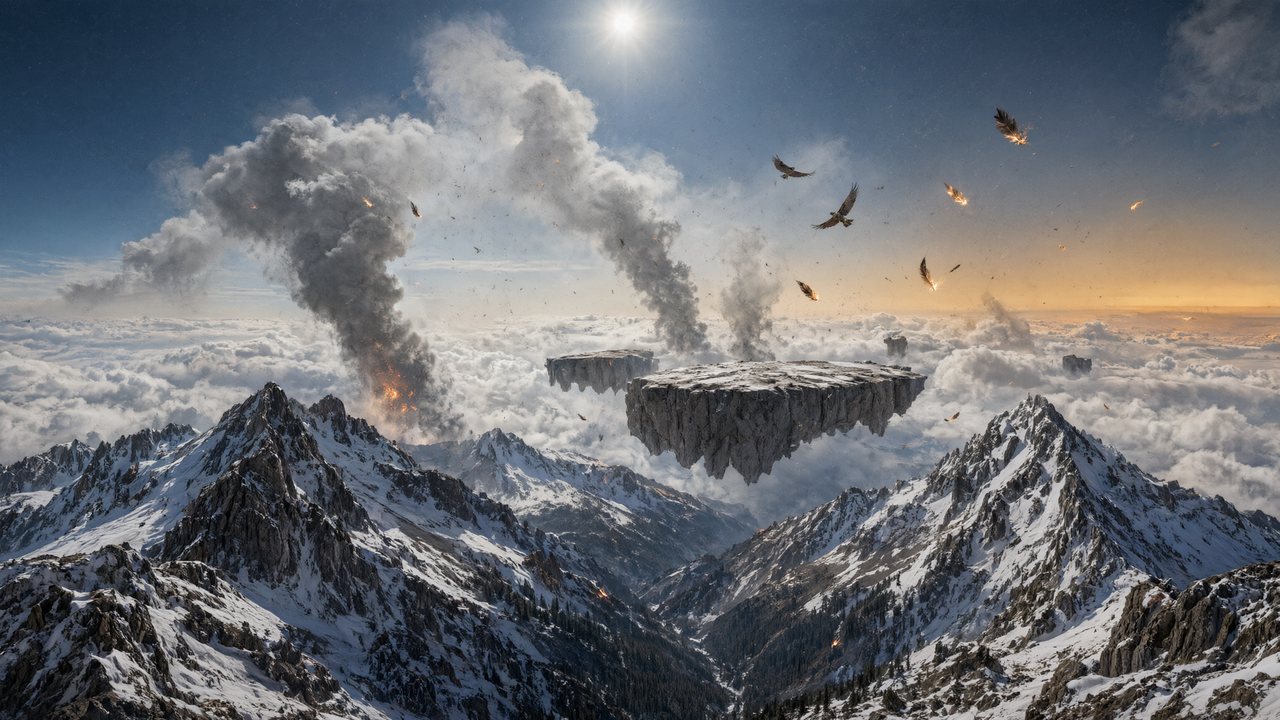
Why most AI disasters look like a toy town
A wave, a quake or a firestorm is the easiest thing to ask a video model for and one of the hardest to make believable. The posts that ask how a disaster clip was made are usually reacting to one that got a detail right. Under a run of tsunamis built over real drone footage of a harbour town, the comment that stuck was about physics, not spectacle:
Interesting how you got it right with how water retracts immensely before a tsunami hits.
That is the whole craft in one sentence. Viewers have seen real disasters on the news; they know the sea pulls back first, that dust hangs in the air, that a building leans before it falls. A shot that skips the cause and jumps to the explosion reads as a game. Under a monster attack on a city, another viewer put the failure bluntly:
Nice, but to start, too much fire: building don't explode like that for no reason
Both reactions point the same way. A disaster is believable when the picture shows what made each thing happen, in the order it happened. That is a writing job before it is a rendering job, and SceneMixer's guide on describing the cause, not the result is the rule to start from: write the wave pulling the boats onto the sand, then the wall of water, then the street flooding — not "a tsunami destroys the town".
Fix the hour and the weather before the first shot
Disaster scenes break continuity faster than any other kind: the sky changes colour between cuts, smoke appears and vanishes, the rain stops mid-sentence. In SceneMixer each segment opens with a header, and the time and weather are read from your script once for the scene, then carried into every shot of it. The sample below is an air raid; the header says it is night, during the raid, with ash falling and smoke drifting, and every shot underneath inherits that.
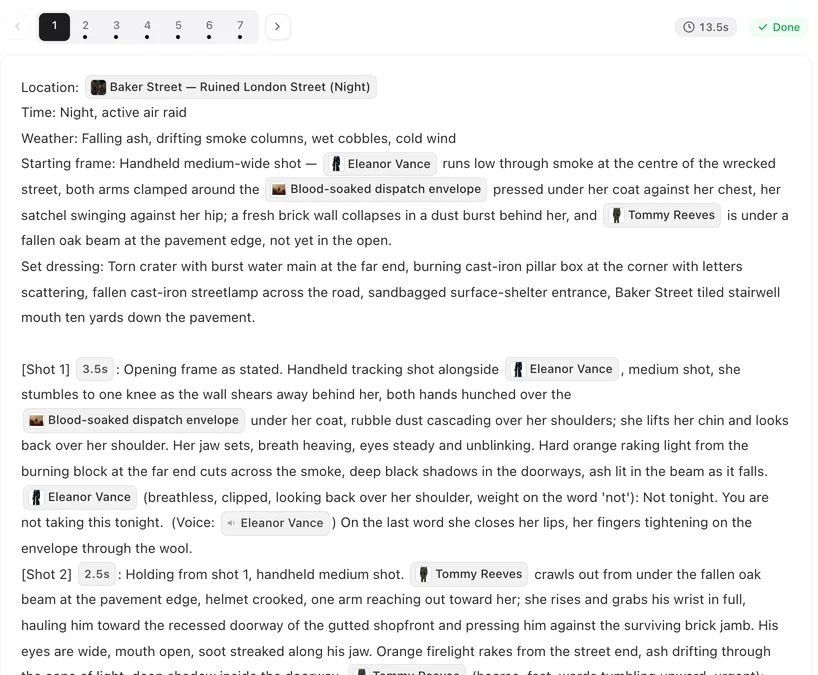
Read the set dressing line in that header: a crater with a burst water main, a burning post box, a fallen streetlamp. Damage written into the place itself stays put from shot to shot; damage improvised per shot moves around. The segment header, field by field.
The place before and after
The most common disaster story is a place we know, broken. That means the location has two looks: the harbour on a calm morning and the harbour after the water. In SceneMixer, a change that alters the thing itself — a collapsed building, a burned room — gets its own image of the location, a state, used for the segments after the event. Changes in light, weather or what something is covered in can stay in words. When a place needs a second image explains where the line falls.
The world around it is chosen once in Step 1 as a scene style. Several are built for this genre: Wasteland is the world after collapse, with ruins and fallen overpasses; the war fronts come with shell-damaged buildings; the period styles take the same event back in time. The full list is in scene and costume styles, one by one.
Cut the event into beats
One crowded shot of "the city collapsing" turns to mush. Six short shots — a glass of water trembling, birds lifting off, a crack running up a wall, a woman pulling a child into a doorway, the street filling with dust, the silence after — make an earthquake. Keep to one action per shot and give each one enough seconds to land.
The camera carries the panic. A fixed camera watches; a handheld camera that follows someone running is urgency. The camera moves guide has the plain-words version of each move. Crowds belong in the segment's background-people line, behind the named characters, rather than as the subject of every shot — fights, crowds and group scenes covers why. For a single continuous escape through a collapsing street, the answer on planning a one-take action shot goes deeper.
Scale comes from people, not debris
The disasters people remember on screen are about someone: a couple separated by the wave, a child who went back for the dog. A creator who turned a historical earthquake into a trailer said it in the comments:
Love story + massive disaster is a combo that’s been around forever.
That comes from a historical earthquake trailer in r/aivideo, which the creator was building into a web series with its own characters. The practical consequence is the same as for any drama: the people need sheets so the same face survives the whole sequence, and their injuries and torn clothes are states of the same character rather than new descriptions. The answer on keeping outfits, props and injuries consistent covers how.
Footage you shot versus pictures you generate
The tsunami series that drew the first comment above worked differently from SceneMixer, and a viewer named the method:
Filming the initial footage to ensure correct framing, composition and motion then bringing in AI to add the VFX.
That route — your own plate, effects added on top — gives exact framing of a real place, and it is the right choice when the town must be recognisably yours. SceneMixer does the other thing: it generates every picture, the place included, from the script and the sheets. Even a remake, which reads an uploaded clip shot by shot, never passes the footage to the video model, so it cannot be used as a plate. Choose by what matters more: a real location, or a whole story with consistent people in it.
Limitations of making disasters this way
- There is no compositing: you cannot add a wave to your own drone shot here. That is an effects job for an editor or compositing tool.
- Heavy gore is not made, and neither are scenes built around real public figures — a popular kind of disaster clip puts a famous face in the wave, and here a reference image that looks like a real person is refused.
- Physics still fails sometimes: a building that crumbles like paper, water that moves like smoke. Fix the shot's text and regenerate that segment alone; editing the text costs nothing, only the regeneration is charged.
- On-screen text such as news tickers and warning signs is unreliable inside the picture; add it in an editor afterwards.
- The post count comes from rules matched against a fixed collection of public threads; read it as the size of the interest, not an exact census.
FAQ
Why do AI disaster videos look fake?
Usually because the shot shows the result without the cause: fire with nothing burning, a wave with no retreating sea. Write what makes each thing happen, in order, and keep the hour and weather fixed for the scene.
Can I keep the same town before and after the disaster?
Yes. The location keeps one entry; the damaged version is a second image of it, a state, used for the segments after the event.
Can SceneMixer add a tsunami to my own footage?
No. It generates every picture from the script and the sheets; it does not composite effects onto a clip you filmed.
What does a disaster sequence cost?
Video is charged per rendered second, from 10 credits a second on the default tier. Cutting the event into short shots does not cost more than one long shot of the same length.
Start with describing the cause and scene states; the answer on making AI video look like gameplay is the opposite problem — a picture that should look rendered. The post count is explained in the method note.
Write the disaster, then shoot it
Fix the place, the hour and the weather once; SceneMixer keeps them in every shot and renders the sequence segment by segment.
Sign up freePer-second video rates are on the pricing page with the same numbers.