Answers · Style
How Do I Get a Consistent Anime Look in AI Video?
Published October 14, 2026

The look is a Step 1 decision, and it is four decisions
Consistent anime does not come from a magic prompt phrase; it comes from the fact that the look is a project setting, chosen before anything is generated. Step 1 asks for four independent settings, and each controls a different layer: the picture style is the medium and its texture — photographic, painterly, cel-shaded, 3D; the art direction is what the set is built from — space, materials, colour discipline; the wardrobe is what people wear — silhouette, cut, fabric; and the content type is structural — episode length, pacing, whether the story runs as a short drama, a series or a feature.
Each axis ships with presets, and paid members can write their own descriptor instead of picking one. The choice happens once, before the script read: the picture style is fixed once you continue from that step, and the honest way to try a different look is to start a new project with the same script. That rigidity is the feature. A look that can be changed at any moment is a look that will be changed at the wrong moment — by a regenerate, a new episode, or an afternoon of experimenting.
Why keeping the axes apart is the whole trick
The four settings are kept apart on purpose, because overlapping them is how a project ends up with every character dressed the same and every room graded the same. Each axis has one job. The picture style reaches everything — character sheets, location plates, prop shots and the video itself — because it is the layer that must stay identical in every frame. Art direction is what the places and shots are built from; wardrobe is what each character wears. Keeping them apart is what stops one axis from overriding another.
The practical consequence is the reason anime projects can look like themselves: you can put a drawn medium over a modern art direction and contemporary clothes, and nothing drags the world back toward a default look. The axes compose; they do not compete. What they cannot do is rescue each other — a hastily picked picture style will not be fixed by a better art direction, and it cannot be fixed later at all.
What stays true in a drawn style
Two things surprise people switching a project from photoreal to anime. The first is that the reference sheets stay casting photos: same white background, same identity-first structure, same rule against flat even lighting — rendered in your chosen medium. A painted sheet is still a reference, not a key visual, and whatever mood you bake into it is inherited by every scene that uses it. The second is that everything downstream keeps reading the sheet the same way — as the anchor for who this person is — regardless of how the medium changes what the sheet looks like.
The tiers keep their distance from all of this. Every video tier renders the project's style; switching tiers changes resolution, price and reference limits, never the look — which is also why drafting at a low tier and finishing the shots that earn it at a higher one changes nothing about the style, only the pixels.
Where anime projects go wrong
- A style picked in a hurry. It shapes every sheet and clip and cannot be changed after Step 1. Walk the presets against your story before committing, not after.
- Generic faces. In a drawn medium the render leans on the medium's conventions: with nothing distinguishing in the description, it reaches for the generic version of the face. Give every character one unmistakable anchor — a scar, an earring, a streak of grey — and the description has something to hold. The full diagnosis is in why the character changes between shots.
- Mixed axes. A period wardrobe over a modern art direction does not read as a style choice; it reads as a mistake. Set the axes as a set.
- The sameness trap. The other failure is the reverse of drift — everything coming out looking like everything else, a complaint the corpus makes in its own words below. Sameness comes from leaning on the preset with nothing project-specific in the descriptions; the cure is the same as the cure for drift: specific places, specific people.

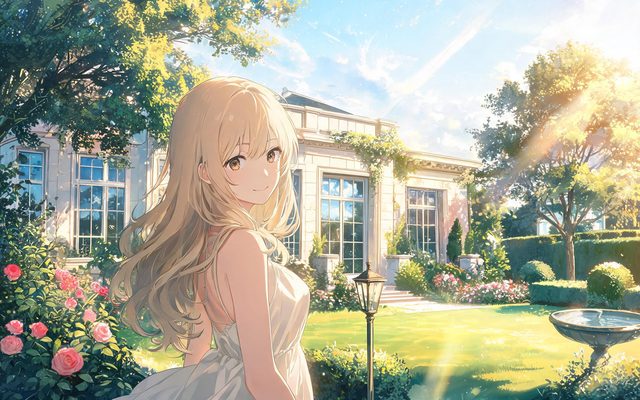
What the anime questions ask
Animation and anime is one of the most-labeled themes in the corpus, at 12,000 posts — and the questions inside it are specific, which is how you know the general advice above is where they land:
| Question (near-identical posts) | Posts |
|---|---|
| The anime-look question | 180 |
| The in-between technique question | 140 |
| The anime-length question | 56 |
The complaints run in both directions — some videos cannot hold a face, and some cannot stop looking like each other:
I feel like ai can only do one asthetic when it comes to sci fi futurism
Both complaints have the same root: an under-described world. A specific room, a specific face and a specific wardrobe are what make a look readable — and when a look is readable, viewers say so, as one comment on a drawn piece puts it:
loved it, nice story, moving, and the art style was really enjoyable.
The comment comes from a discussion in r/aivideo.
Limitations of the drawn medium
- The style axis is the medium, not the story. A drawn look will not rescue weak pacing, and it cannot be switched on a whim — the choice is locked once you continue from Step 1.
- Custom style descriptions are a paid-plan feature; preset styles are available to everyone.
- Style is not identity. Sheets, crops and states still do the work of keeping a character recognisable; the preset only decides how everything is drawn.
- If your material needs photographic realism — documentary, testimonial, most brand work — a drawn medium is the wrong tool, and the reverse of every tip here applies.
FAQ
Is there an anime video tier?
No. Anime is a project style; every video tier renders it. Tiers change resolution, price and reference limits, not the look — so an anime project and a live-action one are priced identically per second.
Can I change the style after generating?
The picture style is fixed once you continue from Step 1; to try another, start a new project with the same script. Within the project, everything downstream — sheets, plates, segments — follows the style you chose.
Why do my anime faces drift between shots?
In a drawn medium a generic description drifts toward the medium's generic face. Give each character an unmistakable anchor in the description and let the reference sheets carry identity shot to shot.
Does a painted style change how references work?
No. Sheets remain casting photos — plain background, directional light, identity features first — drawn in your medium. Whatever is baked into them is inherited by every scene, in anime projects exactly as in photoreal ones.
The guides carry the details: choosing the four settings, how stylised looks behave across tiers and making an animated short end to end are the mechanics, and the sibling answer on characters that change between shots is the identity half of this page. How these counts were collected is described in the method note.
Choose the look before the cost
Upload a script; pick a drawn style once, and every sheet, location and segment is rendered in it — the first pass is on the free allowance.
Sign up freeImage and per-second video rates are on the pricing page with the same numbers.
Pricing·Novel to Video·Guides·Samples·Alternatives·Answers·Support·Privacy·Terms·Legal·Contact·Affiliate program·© 2026 SceneMixer