Answers · Sound
How Do I Add Music That Fits Each Scene of an AI Video?
Published October 14, 2026

Fitting each scene is the plan's job, not the track's
Scoring starts by itself once the first shot of an episode is generated. The site reads the storyboard — the scenes, the mood of each stretch, where the lines are — and plans the music: usually one to three pieces per episode, placed at the story's key moments. The music enters where the drama needs it and leaves room where it does not, so silence is part of the design rather than a gap. Everything is mixed under the voices, and under a line the music steps further back.
That is what “fitting each scene” means here. The fit is decided by the plan reading your scenes, not by matching a track to a mood after the fact — so the way to get a better fit is to make the scenes say more: what happens in the stretch, how it turns, where the dramatic beats sit. A scene with a strong emotional shape gets a score that follows it; a scene that is one flat exchange gives the plan very little to follow.
Two more properties come out of the same design. A series keeps one musical identity: later episodes reuse the tone the project established, so the sound stays consistent across the whole show. And the mix respects what each shot already carries — if a clip happens to have music of its own, from a take or from an older generation, the site's score keeps out of those seconds, fading away and coming back, so you never hear two tracks fighting.
What you control: the two switches
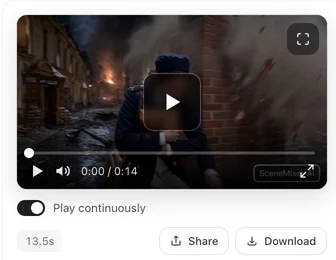
On a shot in the editor, the Music switch sits next to Play continuously under the player. On, the default, the shot plays and downloads with the score; off hands you the dialogue-enhanced version without music, in playback and download alike. Each finished composite gets its own switch once the episode has a scored version: on, playback and the download use the version with the score carried across the whole timeline; off, playback is the plain composite and the download is the dialogue version. Both switches are saved to your account, so the setting follows you between projects and devices; on a guest session it applies to this browser.
While an episode is being scored, the switch shows an in-progress note and the shots play without music until their scored version is ready — usually within minutes, and sooner for the later shots. New shots are mixed as they arrive, so a fresh episode fills in piece by piece rather than all at once. There is no track picker, no volume control, and no button to make the music again.
When the edit changes, the score follows
Regenerating a shot, re-editing it or lip-syncing it produces a new version, and the score is mixed under it automatically; when you change lines, the music is fitted around the new timing. Regenerating the storyboard is the one thing that makes the music itself anew — the plan follows the new shots and the episode is scored from scratch. While that is a clean reset, it is also the expensive one: it rewrites the whole episode's segments, not just the music. A shot inserted after the plan was made can be left without music, because the plan covers the shots that existed when it ran; regenerating the storyboard is how it gets picked up.
Music the characters can hear, and music from elsewhere
One category of music is not the score at all: music inside the scene. If the music is something the characters could hear — a radio, a busker, a piano next door — write it as sound in the shot, on the ambient line: “a radio playing an old love song in the kitchen, quiet”. It is generated with the clip, like rain or traffic, and it lives inside the scene; keep it short and specific, and say that it sits under the dialogue. That is diegetic sound, and it is what makes a room feel real — the score is what makes a story feel scored.
If you want your own track instead of the score, there is a clean path: turn the Music switch off for the shots and the composite, and the downloads come without it, dialogue-enhanced. Lay your licensed track under the whole episode in your editor, well below the voices.
What the music threads notice
Music-led work is a steady presence in the corpus — posts labelled as music-video material — and its monthly picture is flat rather than spiky. The full year, month by month:
| Month (2026) | Posts carrying a music-video label |
|---|---|
| January | 1,900 |
| February | 1,200 |
| March | 1,200 |
| April | 1,100 |
| May | 1,200 |
| June | 1,100 |
| July | 1,200 |
| August | 1,200 |
| September | 1,400 |
| October (through the 14th) | 580 |
| Year total for the same label | 12,000 |
The corpus conversations about sound are rarely about the score itself; they are about what sound does to an audience. One long-running thread of small gripes puts it sharply:
THAT DANG WATER DROPLET SOUND EFFECT THAT YOU HEAR WHEN A PLOT TWIST HAPPEN
— a sting, noticed and remembered. The other side of the coin is a drama where the sound simply works:
The background music was really good too.
The first quote comes from a list thread in r/Vertical_Dramas; the second comes from a recommendation thread in the same community. How these counts were assembled is described in the method note.
Limitations: what this page is not
- This is a score, not a song placement service. If your video is a music video — the track came first — this system is the wrong layer; write the scenes to the track, or turn the switch off and cut to your own music.
- There is no per-scene track choice and no volume automation. The fit comes from the plan, and the plan comes from the storyboard.
- Older episodes are not retro-scored, and ads and remakes follow their own scoring rules — an ad's music is written for that single ad and carried through the final cut.
- The corpus figures are rule-matched, rounded counts over the 2026 collection; the music label covers music-led posts broadly, not only scores inside dramas.
FAQ
Can I choose the track or change its volume?
No. The score is written for the episode and mixed to sit under the voices; there is no track picker and no volume control. What you can do is turn it off — per shot or per composite — and downloads follow that switch.
Why does a scene have no music?
Because the plan decided so: the music enters where the drama needs it and leaves room where it does not, so silence is part of the design rather than a gap. A shot inserted after the plan was made can also be left without music.
Do older episodes get scored?
No. Scoring applies to episodes whose first clips were generated on or after October 3, 2026; older episodes are not scored later. Turn the switch off and lay your own track under those.
Does the music cost extra?
No. The music is included with the videos and costs nothing extra — writing the score is not a line item, and the Music switch just decides which version plays and downloads.
The full feature walk-through is in background music in an AI short drama — what an episode gets, the switches and the downloads — and composite: which segments are joined covers where the scored version of the composite comes from. For the dialogue half of the mix, see keeping a character's voice consistent.
Let the episode score itself
Upload a script and render the first shot; the plan, the pieces and the mix happen on their own, with the switch under the player whenever you want it off.
Sign up freeMusic is included with the videos — the same rates as the pricing page.
Pricing·Novel to Video·Guides·Samples·Alternatives·Answers·Support·Privacy·Terms·Legal·Contact·Affiliate program·© 2026 SceneMixer