Answers · Local
How to Make AI Videos Locally?
Published November 18, 2026

Why people want it on their own machine
The reasons are usually money, privacy and control. Cloud tools charge per second or per credit, and a hobby that burns through credits gets expensive fast. One poster put it bluntly in r/generativeAI:
I'm done with hunting free credits in cloud-based AI models to convert my images into videos.
It is a common thread: about 88 posts in the community corpus ask which video generator is still free to use. Running a model locally answers that question with a trade: the render costs nothing, and the hardware, setup and time are yours.
What a local setup needs
Only open-weight models can run at home; the most capable commercial video models never leave their makers' servers, and an installer that claims otherwise is a front end for someone's cloud. With an open model you need three things. A graphics card with generous video memory, because a video model holds many frames at once and runs out of memory long before it runs out of speed. A node-based editor that loads the model and wires prompts, reference images and samplers together. And patience: on consumer hardware a few seconds of footage can take minutes, and the first attempts at a new workflow mostly fail.
Smaller cards are not hopeless. Lower resolution, fewer frames and lighter model variants trade quality for memory. A laptop without a dedicated graphics card is a different matter: the honest answer there is that local video generation is not practical yet.
How to generate AI videos locally on a small budget
Start with one short clip at low resolution, not a scene. Keep the prompt to one action and one place, and fix the seed while you change one setting at a time. Save the workflow that works and reuse it; most of the cost of local generation is the evenings spent getting the first good result.
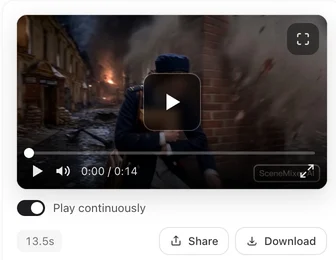
How to create AI videos locally, and when not to
Local generation shines for experiments, for styles no service offers, and for anything you would rather not upload. It struggles with story work: keeping the same face across dozens of shots, writing dialogue that is spoken in the clip, planning cuts and joining segments into an episode all need tooling you would have to build yourself. That is the part SceneMixer does in the browser: a script becomes characters drawn once, a shot plan you edit as text, and segments rendered on its servers and joined into one file. Your graphics card plays no part, and closing the page does not stop the work.
A mixed workflow is common: sketch looks and test ideas locally, then make the series where the pipeline already exists.
What local generation really costs
"Free" is the wrong word for it. A card with enough video memory for serious video work costs as much as years of a mid-priced subscription, and it draws real power for every minute it renders. The bigger cost is time: installing drivers, matching model versions to the editor, chasing out-of-memory errors, and re-learning the workflow every time something updates. For someone who enjoys that, it is a hobby with a good payoff. For someone who wants a finished episode by the weekend, it is a detour. A fair way to decide is to count the hours you would spend on setup, put a price on them, and compare that with the per-second rate of a browser tool for the amount of video you actually plan to make in a month.
Limitations of making AI videos locally
- Video memory is the hard limit; a card that is fine for images can fail at video.
- Open models trail the best commercial ones in motion, faces and length.
- Setup breaks with updates; expect to maintain the workflow, not just run it.
- Nothing in SceneMixer runs locally: it is a browser tool billed per second of video.
- The free-question count is a rule-based match over a fixed window of public posts.
FAQ
How to generate AI videos locally on my own PC?
Install a node-based editor, download an open-weight video model and run it on a graphics card with plenty of video memory. SceneMixer is the no-install alternative in the browser.
How to create AI videos locally without a good GPU?
In practice you cannot yet; video models need far more memory than images. Use a cloud or browser tool such as SceneMixer, where your hardware does not matter.
Is making AI videos locally free?
The renders are, once you own the hardware and pay for the power. The setup time and the card are the real cost.
Does closing the browser stop a SceneMixer render?
No. SceneMixer renders on its servers, so the work continues after you close the page.
How to make AI videos on PC?
Either run an open-weight model locally, which needs a graphics card with plenty of video memory, or use a browser tool. SceneMixer runs in the browser on any PC, and the rendering happens on its servers.
Related: making AI videos for free, what free AI video generators really give you, and the collection method behind the count.
Skip the install
Paste a script in the browser; the cast, the shot plan and the render happen on SceneMixer's servers.
Sign up freePer-second video rates are on the pricing page with the same numbers.