Answers · Realism
How to Make Realistic AI Videos?
Published November 17, 2026

Why AI video looks fake
The tell is rarely one big mistake. It is a surface that is too smooth, light that comes from nowhere, and people who move as if they weigh nothing. One person comparing two takes summed up the most common complaint in a sentence:
the second looks better in my opinion, but it's got more of a plastic finish.
That was a side-by-side question in r/generativeAI. The wider question — when does AI video start to look real — comes up in about 76 posts in the community corpus. Each part of the answer is a decision you make before rendering.
Start from a live-action look
On SceneMixer the look is chosen in Step 1 and fixed for the project. For realism pick a live-action one: Digital HD for the crisp look of a streaming drama, Shot on Film for grain and warm colour, Soft Glow for a hazy, pale mood, or Black & White Film. An animated look will never pass as footage, however good the render.
Faces with flaws
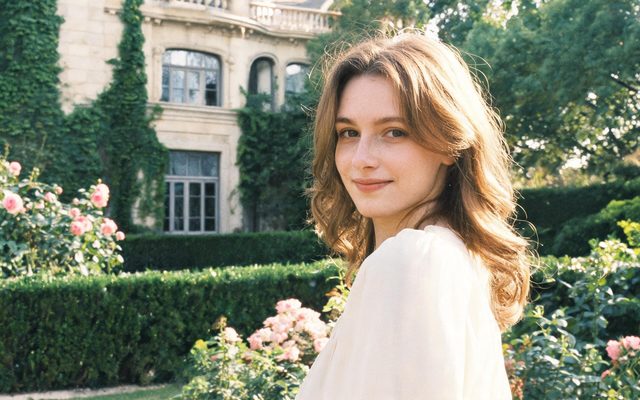
Generic descriptions produce generic, flawless faces, and flawless reads as fake. Describe a face the way a casting note would: a woman in her forties with a faint scar through one eyebrow, freckles across the nose, hair greying at the temples and tied back in a hurry. The reference sheet keeps those details in every shot, which also solves the second realism problem — a face that changes between cuts.
Light that comes from somewhere
Real footage has a light source you could point to. Write it into each shot: a desk lamp on the left, late sun through blinds, a fridge door opening in a dark kitchen. Light with a cause gives shadows a direction, and shadows with a direction are most of what makes a frame look photographed.
Physical actions and small casts
Write movement as cause and effect: she shoulders the door open; the cup rattles on the saucer as the train passes. Weightless motion is a giveaway, and an action with a cause gives the model something physical to show. Keep two or three people per shot; crowded frames are where hands, faces and continuity break first.
A realism check before you render
Read each shot of the storyboard and ask five questions. Is there a light source named, and does it match the time of day in the segment header? Is the action something with weight — a push, a pull, a fall, a reach — rather than a mood? Are there three people or fewer in the frame? Does the character's description include at least one thing a casting director would notice, such as a scar, a slouch or a habit with their hands? And is anything in the shot meant to be read, like a sign or a phone screen, which will not come out legible? Fixing any of these in the text costs nothing. Finding them after the render means paying for the same seconds twice, which is the most common way realism gets expensive.
The final pass: a higher tier and Enhance
Draft on a cheap tier while the words are still changing. When a segment is right, render the keeper on a higher tier — sharpness rises with the tier, from 480P to 1080P and a 2K tier at the top — and keep all of an episode's keepers on the same tier so the join is not re-encoded. Enhance then raises a finished clip one resolution step at a time, up to 2K, without making a new take. Making AI video look realistic goes through each decision with examples.
Limitations of realistic AI video
- Photographs of real people are refused as references, so realism has to come from invented faces.
- Platforms may ask you to label photorealistic AI video; that step is yours when you post.
- Hands, text on objects and crowded scenes still need more attempts than a close two-shot.
- Quality words such as masterpiece or hyperrealistic do not change what the model can draw.
- The realism question count is a rule-based match over a fixed window of public threads.
FAQ
Do prompts like 8K or hyperrealistic help?
No. They add nothing the model can put in the frame; specific faces, a light source and physical actions do.
Can I use a real person's face?
No. Reference images that look like a real person's face are refused; invent the faces instead.
Which style looks most realistic on SceneMixer?
SceneMixer's live-action looks: Digital HD for a crisp modern look, Shot on Film for grain and warmth.
Do realistic AI videos need a label?
Several platforms ask creators to label photorealistic AI video. Check each platform's current rules; this is not legal advice.
How to make AI video realistic after it has been rendered?
Mostly you cannot fix realism afterwards: change the description, the light and the action, then regenerate. SceneMixer's Enhance raises sharpness one step without changing the take.
Related: when AI video starts to look real, a realistic AI vlog, and the collection method behind the count.
Pick a live-action look
Faces with flaws, light with a source, two or three people per shot. Finish on a higher tier.
Sign up freePer-second video rates are on the pricing page with the same numbers.