Answers · Upscale
How to AI Upscale Video?
Published November 18, 2026

How to upscale video: resizing, upscaling and re-rendering are different things
Plain resizing makes a video bigger by spreading the same pixels further apart; edges soften and nothing new appears. AI upscaling uses a model trained on pairs of low and high resolution images to guess the missing detail and redraw it: hair strands, fabric texture, the edge of a window frame. Re-rendering is different again: with generated video you can ask for the shot to be made again at a higher tier, which gives a sharper result but a new take, with new small differences in the acting.
Resolution worries run through every creator community, generated or not. A thread in r/videography was titled
I’m tired of shooting 4K for everything - considering switching back to 1080.
and the replies are the usual trade-off: bigger files and slower edits for detail most viewers never see. In generated video the complaint is more often visible flaws; about 1,300 posts in the community corpus describe broken faces, hands or other artifacts, which an upscaler can sharpen but not repair.
How to upscale a SceneMixer clip
Open an episode, click a segment that has a finished video, and under the player choose Edit this clip, then the Enhance tab. It raises the clip one step: 480P to 720P, 720P to 1080P, or up to the 2K top step. Three options are offered, Instant HD, AI Detail and Cinema Restore, each card showing what this segment will cost and roughly how long it takes, with the cheapest selected for you. Reading the tab is free. When you press the button, the result is saved as a new version labelled Enhanced, and the original stays in the version history, so you can switch back.
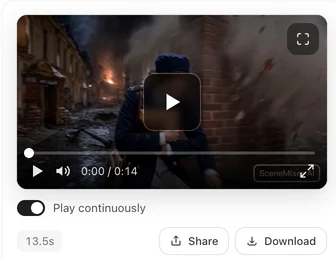
How to enhance video quality: upscale or regenerate at a higher tier?
Upscale when you like the take: the framing, the acting and the sound stay exactly as they are, and only the sharpness improves. Regenerate at a higher tier when the take itself needs work, because a new render at a better tier also redraws motion and faces from scratch. A common pattern is to draft at a low resolution, fix the storyboard, and then either regenerate the keepers at a higher tier or enhance the ones that already work.
Choosing the right target size
Pick the size by where the video will be watched, not by the biggest number on offer. A vertical clip for a phone feed gains little above 1080 pixels on its long side; the platform will compress it again anyway. A landscape episode for a large screen or a client delivery is where the higher steps pay off. Each step up also makes files larger and uploads slower, so a whole series pushed to the top step costs time at every later stage. A sensible rule is to finish everything at the size your main platform plays back, and to enhance further only the shots that will be seen big: a trailer, a thumbnail frame, a shot you want to cut into a showreel.
Footage you shot or downloaded
Enhance works only on segments made on SceneMixer, not on videos you upload. For your own footage, use a desktop or online upscaler built for camera video. The same rules apply there: go one step at a time, check faces and text at full size before exporting, and keep the original. Compression artifacts in the source get upscaled too, so start from the highest-quality copy you have, not a file that has already been through a social platform.
What upscaling cannot do
It cannot add a performance that was not there, fix a hand with six fingers, or read text that was never legible. It redraws plausible detail, which is usually right for skin and fabric and sometimes wrong for small print, logos and faces in the distance. Look at the result at the size it will be watched; a phone screen hides what a television shows.
Limitations of AI video upscaling
- Upscaling sharpens flaws as well as detail; broken hands stay broken.
- Invented detail can be wrong in text, logos and distant faces.
- SceneMixer's Enhance works only on segments it generated, one step per pass, up to 2K.
- Each enhancement is charged by the segment's length; opening the tab is free.
- The artifact count is a rule-based word match over a fixed window of public posts.
FAQ
Can AI upscale a video to 4K?
Desktop upscalers can go that far with camera footage. SceneMixer's Enhance raises a generated clip one step per pass, with 2K as the top step.
Does AI upscaling change the video?
It keeps the motion and redraws fine detail. On SceneMixer the enhanced clip is a new version and the original stays in the history.
Is upscaling better than regenerating in higher quality?
Upscale a take you like; regenerate when the take itself is wrong, since a new render changes the acting too.
Can I upscale a video I uploaded to SceneMixer?
No. SceneMixer's Enhance only works on segments it generated; use a dedicated upscaler for your own footage.
Is there a free AI video enhancer?
Not on SceneMixer: Enhance is charged per second of the clip and works only on clips it generated. For your own footage, use a dedicated upscaler.
Related: making realistic AI videos, enhancing a clip, step by step, enhance or regenerate at a higher tier, and the collection method behind the count.
Keep the take, add the detail
Open Enhance under a finished clip, read the price on the card, and switch back if you prefer the original.
Sign up freePer-second video rates are on the pricing page with the same numbers.