How to make an AI history video
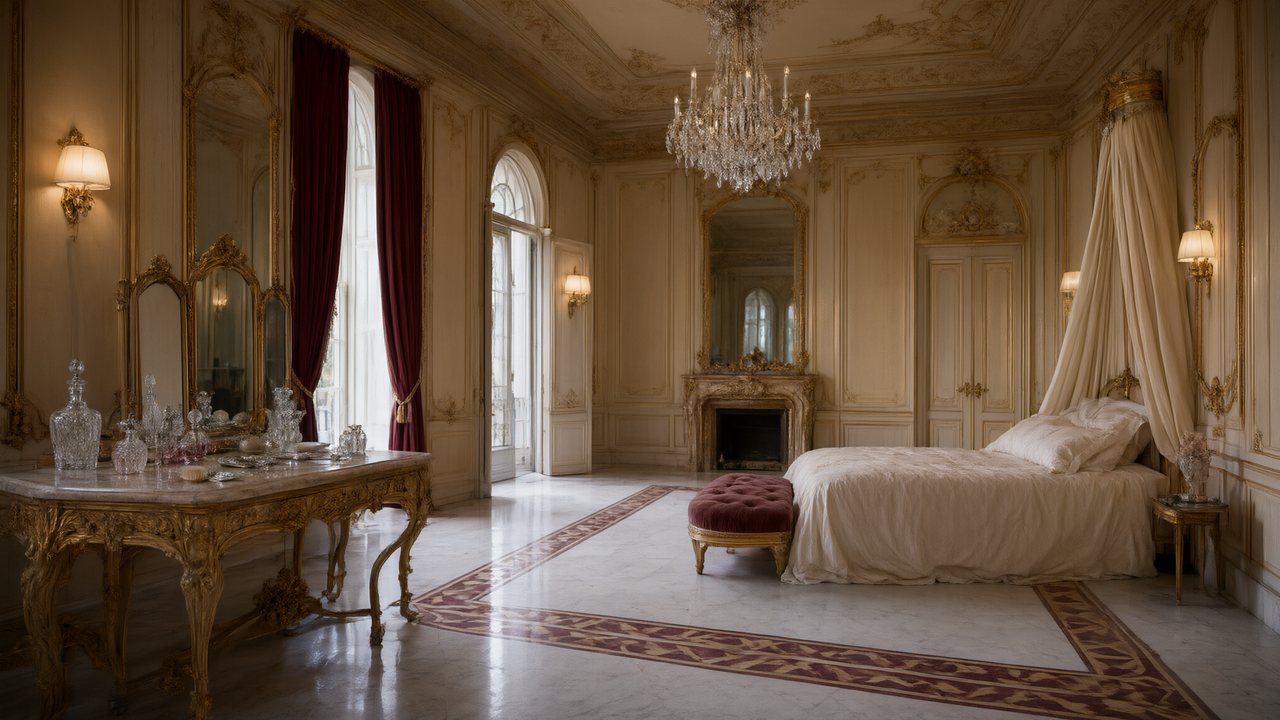
Brief for AI Create: A three-minute history explainer: a day in a Roman bakery from the first fire before dawn to the last loaf sold; an invented baker and apprentice, a calm narrator, four scenes, the facts said in the narration.
What it can and cannot do
| It can | It cannot |
|---|---|
| Show invented people living in a real period | Show archive footage or real photographs |
| Build sets and costumes in the style of an era | Draw the face or voice of a real, named person; real public figures are refused |
| Narrate facts over scenes, in any of 15 languages | Draw legible dates, labels, maps or timelines (generated video does not write legible text) |
| Keep the same cast and places across a series | Guarantee that every object is correct for the year |
Put maps, dates and captions in with your own editor afterwards, and treat the pictures as an illustration of the narration, not as evidence. Content rules · The IP check.
Three formats
| Format | Shape | Typical narration share | Best for |
|---|---|---|---|
| Narrated explainer | Voice-over over scenes with no dialogue | About 70% of the runtime | One topic in 1 to 3 minutes; a channel or a lesson |
| A day in the life | One invented person from morning to night | About 40%, the rest is a few lines of dialogue | A trade, a place, a daily routine; 3 to 5 minutes |
| The event through a witness | A series; each episode follows the same witness | About 30% | A siege, a voyage, a flood; episodes of 2 to 4 minutes |
A history drama series · A documentary-style video · A shot list for a historical video.
Facts first: the workflow
- Write a fact sheet. Five to ten facts with sources you can cite. Keep them in your own notes.
- Put every fact in a narration line. The narrator says it; the scene does not need to prove it.
- Give scenes only what all your sources agree on. Everyday tasks, tools and rooms rather than disputed details.
- Say when historians disagree. One narration line is enough: “Sources differ on this.”
- Put the year in every location's description. The style card sets the direction; the year belongs in the text. Scene and costume styles.
- Read the storyboard for anachronisms. Clothes, tools, writing, glass, paper. Editing is free; rendering is not.
A three-minute script, by the second
English narration is planned at about three words a second plus a pause at every sentence end, so a minute of connected narration is about 140 words. How many words fit a minute. The rest of the runtime is pictures with no voice.
| Part | Seconds | Narration (words) | On screen |
|---|---|---|---|
| Hook | 0 to 15 | About 30 | A close detail: hands, fire, flour |
| The place | 15 to 45 | About 55 | Wide shot, then the room |
| The morning work | 45 to 85 | About 60 | Invented baker and apprentice at the oven |
| The midday trade | 85 to 125 | About 60 | The street, customers, a brief exchange |
| The turn | 125 to 160 | About 55 | Something goes wrong: a shortage, a delay |
| The close | 160 to 180 | About 40 | The last loaf, the empty shelves, the fire banked |
Period sets and costumes
Pick the era in Step 1, before the script is read. These cards are all in the picker; the exact year still goes in each description.
| Period | Scene Style | Costume Style |
|---|---|---|
| Viking age | Viking Fjord | Nordic Viking |
| Silk Road | Silk Road City | Silk Road Robes |
| Ottoman Empire | Ottoman Palace | Ottoman Court |
| The age of sail | Age of Sail Harbor | Pirate (for a ship's crew) |
| Pre-Columbian Americas | Pre-Columbian Americas | Aztec, Andean Highlands |
| Republican-era China | Republican Era | Republican Modern |
| The Second World War | WWII Front | WWII Era |

Scene Style: Silk Road City
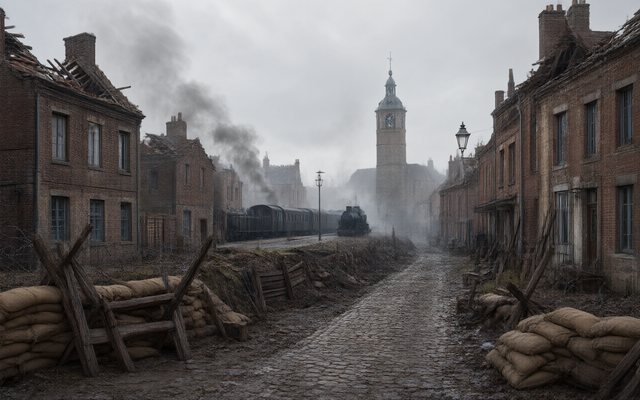
Scene Style: WWII Front
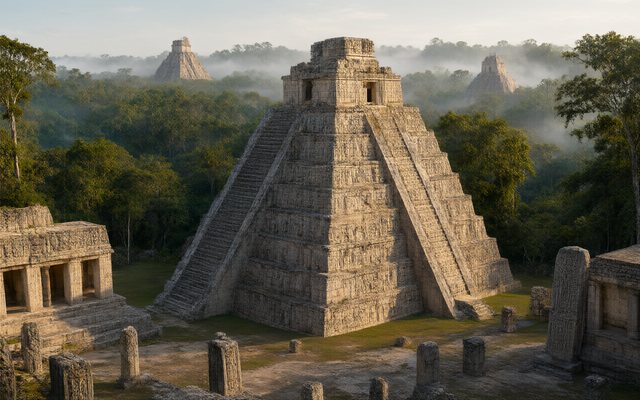
Scene Style: Pre-Columbian Americas
For a look that suits the age of the footage you are imitating, the Visual Style row has Black & White Film, Shot on Film and Classical Oil Painting.
Make it a channel
A history channel is a list of topics and a cast of recurring invented guides. Ten topics you could start with: a day in a bakery, a night watch on a wall, a morning in a caravanserai, a market day in a port, a printing shop, a lighthouse keeper's year, a railway station in its first year, a harvest that fails, a letter delivered across a sea, a school in a village. Draw the places once, reuse the guide, and put the facts for each topic in the narration. A faceless YouTube channel · Videos for your classroom · A World War II drama.
Make it in SceneMixer, start to finish
- Script: paste your own on Upload Script, or write the brief above in AI Create and let it draft the episodes.
- Step 1: Type Film; Scene Style Greco-Roman; Costume Style Greco-Roman Attire; Visual Style Shot on Film, Digital HD; Target Region; dialogue language; 16:9 Landscape. Then read the script.
- Step 2: Draw the baker, the apprentice and the bakery; the narrator is an Off-screen character, with a voice and no drawing, who speaks the facts. The first 15 setup images on an account are free.
- Storyboard: generate episode 1 first (free on your first drama) and read it before you render anything. One place per segment.
- Video: render on the default tier at 10 credits a second, fix single shots instead of whole episodes, then put the episode together and post.
| Question to ask of every shot | Why |
|---|---|
| Could this object exist in that year? | Generated scenes can include modern tools and materials |
| Does the narration carry the fact? | The picture illustrates; the narrator states |
| Is there text on screen? | Generated video does not write legible text; add it in an editor |
| Is a real person visible? | Real public figures are refused; use an invented witness |
FAQ
Can AI make a history video?
Yes, as narrated scenes with invented people in a real period. It does not make archive footage or the faces of real historical figures.
Can I show real historical figures?
No. Real public figures are refused. Put an invented witness at the centre and let the figure stay off screen, in a voice behind a door or a name in a line.
Can it draw maps and timelines?
No. Generated video does not write legible text. Add maps, dates and captions in your own editor afterwards.
Is the history accurate?
Only as accurate as your script. Put the facts in the narration, check the dates yourself and read the storyboard for anachronisms before rendering.
Which style should I use?
Pick the Scene Style and Costume Style for the era in Step 1, then Shot on Film or Digital HD for a live-action look or Classical Oil Painting for a painted one.
How long should a history video be?
One to three minutes for an explainer, three to five for a day in the life.
Can I narrate in another language?
Yes. Dialogue and voice-over can be in any of 15 languages.
How much does it cost?
Video is 10 credits a second on the default tier plus 1 credit a second to join; the narration costs nothing extra because it is generated with the video.
Updated November 2, 2026