How to Run a Faceless YouTube Channel with an AI Drama Series

Brief for AI Create: A weekly YouTube drama about a night-shift nurse in a city hospital who can hear patients’ last thoughts; each episode one patient, one secret, and a thread that runs across the season.
Why a series, not a pile of clips
- Subscribers follow characters. A viewer who liked episode 3 comes back for episode 4; nobody comes back for “another AI video”.
- Platforms reward original work. Template-shaped, mass-produced uploads are what monetisation policies pull money from; a written series with its own cast is the opposite. Can you monetize AI videos on YouTube and TikTok?
- Each episode is cheaper than the last. The cast, the locations and the voices are made once and reused.
Pick a channel concept that can run for 50 episodes
| Format | Why it keeps going | Guide |
|---|---|---|
| One case per episode (mystery, hospital, lawyer) | Endless cases, the same detectives | Murder mystery |
| History told by a witness | Every event is an episode | History drama |
| Bible or myth retellings | A library of known stories | Bible stories |
| Bedtime stories for kids | One story a night, the same friends | Bedtime stories |
| Serialised romance or revenge | Cliffhangers drive binge-watching | Revenge drama |
| Animated comedy | Recurring characters, one situation each | Sitcom |
Long episodes and Shorts from the same story
The aspect ratio is set per project in step 1, so make the main show in 16:9 for the channel and a 9:16 Portrait project for Shorts from the same script and cast. Characters, scenes and voices can be reused across projects, so the Short looks like the show. Vertical or landscape · Reuse a character across projects.
- Episode: three to eight minutes, one story, a hook in the first ten seconds, a cliffhanger at the end.
- Short: 30–60 seconds, the most dramatic beat of the episode, ending on “full episode on the channel”.
Hooks and cliffhangers · Longer videos.
Voices instead of a face
A faceless channel still needs a voice people recognise. Give every character a voice description on its card, and if the channel has a host or narrator, add it as an Off-screen character with its own voice so every episode opens the same way. Lines are performed in the video in the project’s dialogue language, one of 15, so the same show can run in Spanish or Portuguese as a second channel. Character voices · A second language version.
A weekly rhythm you can keep
- Write a season first: eight to twelve one-line episode summaries, so the story has somewhere to go.
- Make episodes in the same project so the cast and sets carry over. Make the next episode.
- Draft cheap, finish the keepers: generate on the default tier, regenerate the shots that matter at a higher tier. Draft at 480P, finish at 1080P.
- Fix one shot, not the episode: edit that shot’s text and regenerate only it. Edit one shot.
- Post on a fixed day, episode and Short together.

Labels and marks
YouTube asks you to declare realistic synthetic content when you upload, and some laws now expect AI content to be marked. Videos from this site also carry a corner mark unless a paid plan switches it off. What each of those means, and how they differ, is in do AI-generated videos need a label or watermark? Real people and known characters are refused by the content checks, which also keeps the channel clear of likeness complaints.
Make it in SceneMixer, start to finish
- Script: episode 1 on Upload Script, or a brief in AI Create with the show’s premise and the season’s first arc.
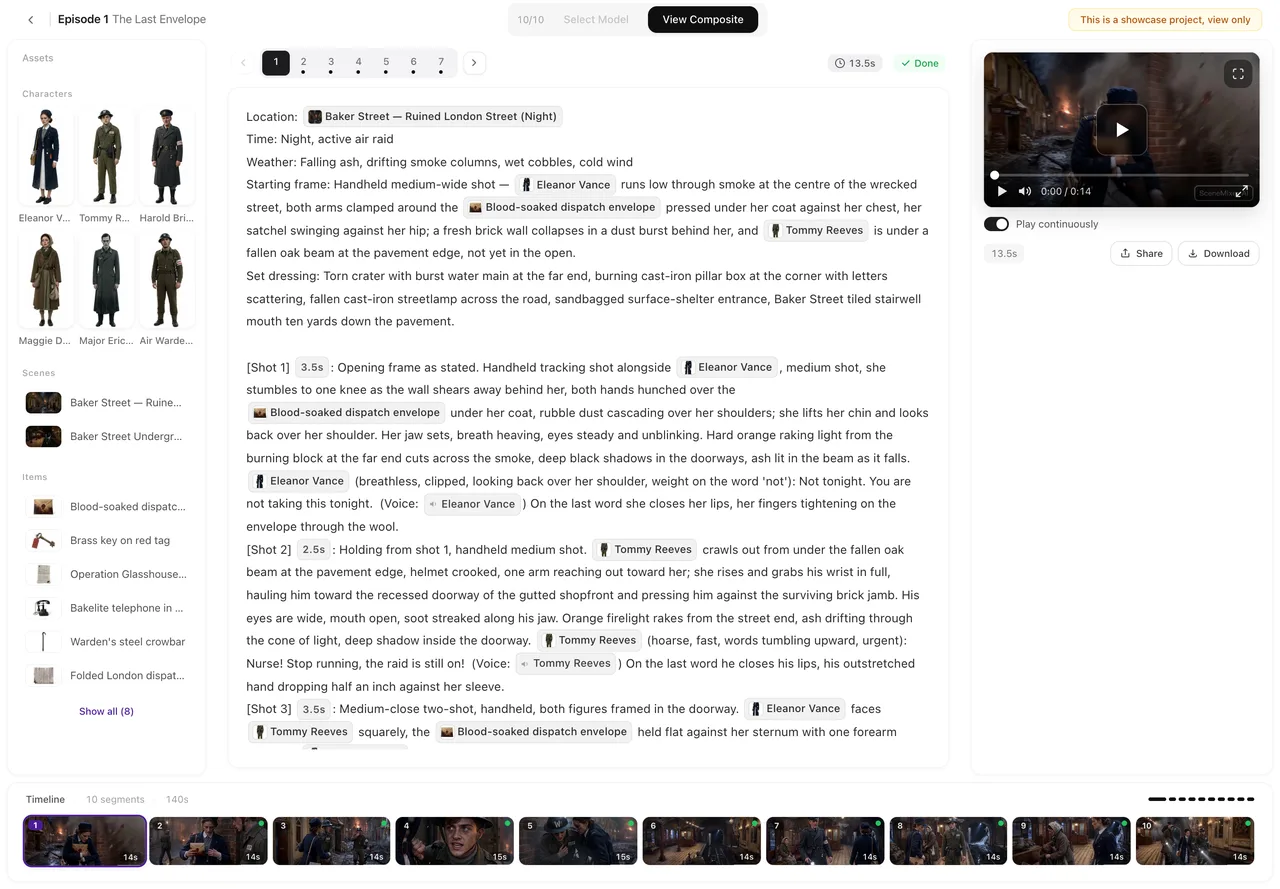
- Step 1: Type TV Series; 16:9 for the channel; the visual style that suits the show; the dialogue language. Read the script.
- Step 2: make each recurring character distinctive; add the narrator or host. The first 15 setup images on an account are free.
- Storyboard: episode 1 first (free on your first project).
- Video: generate on the default tier at 10 credits a second; composite; download and upload.
Post to YouTube, TikTok and Reels · Can you make money with AI videos? · for a vertical sample, watch The Violin on Mercer St.
FAQ
How do I start a faceless YouTube channel with AI?
Pick a show concept that can run for many episodes, write a season outline, make episode 1 in SceneMixer with a recurring cast, and post episodes and Shorts on a fixed day.
Can AI drama channels be monetised?
Platforms judge what an upload is, not what made it: original series do better than mass-produced clips. See the answers page on monetising AI videos for the current rules.
Will the characters look the same in every episode?
Yes. Each character is drawn once as a reference sheet and every shot is matched to it, episode after episode.
Do I need to show my face or use my voice?
No. The characters speak their own lines, and a narrator or host can be an off-screen character with its own voice.
Can I make Shorts from the same show?
Yes. Make a 9:16 project from the same script and reuse the cast, scenes and voices.
How long should an episode be?
Three to eight minutes for the channel, 30 to 60 seconds for the Short.
Do I have to label AI videos on YouTube?
YouTube asks for a declaration on realistic synthetic content; the answers page on labels explains what applies.
Can I run the same show in another language?
Yes. Make a second language version from the finished project and post it on a second channel.
Updated October 20, 2026