How to make AI videos for your classroom

Brief for AI Create: A classroom series for ages 9 to 11: Professor Pim, a nervous owl, and Rook, a confident crow who is usually wrong, test one science question per episode; episode 1: why ice floats; four minutes, one kitchen, one experiment with a glass of water.
Three kinds of classroom video
| Kind | Shape | Guide |
|---|---|---|
| An explainer with a guide | One question, one experiment, one sentence to remember | Educational cartoon for kids |
| A scene from history or a book | A short drama of the event or the chapter, with the real stakes | History drama · A shot list for history |
| A language lesson | A situation (a shop, a station) with the target phrases spoken by the characters | Language-learning drama |
| A social-skills or behaviour scene | Two characters, one situation, the better choice shown | Training drama (the same method) |
A guide who comes back
Children follow a character before they follow a topic. Create a guide and a sidekick in Step 2 and reuse them for the whole term: the same owl, the same crow, the same kitchen. Non-human characters work well and are never refused by the face check. Give the sidekick a flaw (always wrong, always late) and the lesson has somewhere to go. Non-human characters · Reuse a character across projects · A personality the video shows.
Looks by age
| Age | Visual Style | Why |
|---|---|---|
| 4–7 | 3D Toy Cartoon, Watercolor Storybook | Round, bright, slow; nothing frightening |
| 7–11 | Family 3D Animation, Anime | Expressive faces, readable experiments |
| 11–16 | Digital HD, Shot on Film, American Comic | Taken seriously; history and literature land better live-action |

Visual Style: 3D Toy Cartoon

Visual Style: Watercolor Storybook
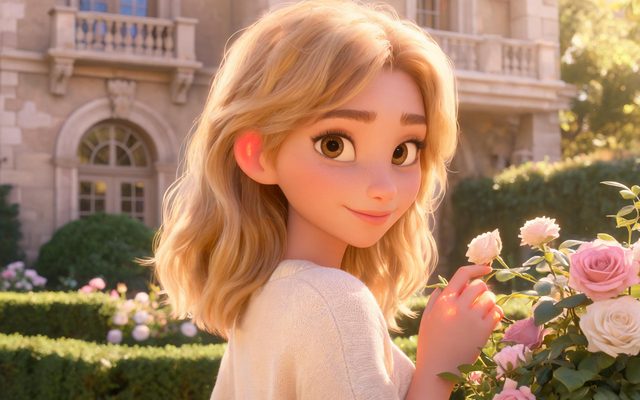
Visual Style: Family 3D Animation

Visual Style: Anime

Visual Style: Digital HD

Scene Style: Campus Youth
Content rules are strict and that suits a classroom: no gore, no sexual content, no real people's faces. A historical figure is played by an invented character who looks the part. Content rules.
The lesson, shot by shot
| Beat | Shot to adapt |
|---|---|
| The question | [Shot 1] 4s: Medium shot, a sunny kitchen. @Pim the owl holds up a glass of water with an ice cube in it. @Pim (puzzled): Why does it float, Rook? |
| The wrong answer | [Shot 2] 3s: Close-up on @Rook the crow. @Rook (confident): Because it is lighter. Obviously. |
| The experiment | [Shot 3] 4s: Close-up on the glass. @Pim drops a second ice cube; both float. Ambient: water, a clink. |
| The idea | [Shot 4] 4s: Two-shot. @Pim: Water gets bigger when it freezes. Same weight, more room, so it floats. @Rook (quietly): I knew that. |
One idea per episode, said plainly at the end. You check the facts; the script is what the characters say. Dialogue in the storyboard.
Subtitles, language and sharing
Choose the dialogue language in Step 1: the language of instruction, or the language being taught. Subtitles can be added on accounts that have made a purchase, which helps early readers and language classes. Share the episode with a link or download it for the classroom player; shared clips carry a small badge. Subtitles · Share links · Using it as a team.
Make it in SceneMixer, start to finish
- Script: paste your own on Upload Script, or write the brief above in AI Create and let it draft the episodes.
- Step 1: Type TV Series; Scene Style Pastoral Healing, Campus Youth; Costume Style Soft Everyday, School Uniform; Visual Style Family 3D Animation, Watercolor Storybook; Target Region; dialogue language; 16:9 Landscape. Then read the script.
- Step 2: the guide and the sidekick with one mark and a voice each; the classroom or kitchen as a location; the experiment's objects as props. The first 15 setup images on an account are free.
- Storyboard: generate episode 1 first (free on your first drama) and read it before you render anything. One place per segment.
- Video: render on the default tier at 10 credits a second, fix single shots instead of whole episodes, then put the episode together and post. Subtitles are available on accounts with a purchase.
| Episode | Question | The one sentence |
|---|---|---|
| 1 | Why does ice float? | Water takes more room when it freezes. |
| 2 | Where does the rain go? | Down, into the ground, and back up as vapour. |
| 3 | Why is the sea salty? | Rivers carry salt from rocks and leave it there. |
| 4 | How does a seed know which way is up? | It feels gravity and grows against it. |
| 5 | Why do we have leap years? | A year is a little longer than 365 days. |
FAQ
Can teachers make videos with AI here?
Yes. Paste the lesson text, choose TV Series and a look for the age group, create a recurring guide, and generate three- to five-minute episodes.
Who checks the facts?
You do. The characters say exactly what the script says; nothing is added.
Which look is right for young children?
3D Toy Cartoon or Watercolor Storybook; Family 3D Animation for primary; Digital HD for teenagers.
Can it be in the language I teach?
Yes. Choose the dialogue language in Step 1; subtitles can be added on accounts with a purchase.
Can I show a historical figure?
Played by an invented character who looks the part; real people's faces are not generated.
Can students appear in it?
No. Real faces are refused; use characters.
How long should a classroom video be?
Three to five minutes: one idea, one experiment, one sentence to remember.
What does an episode cost?
Video is 10 credits a second on the default tier; a four-minute episode is about 2,400 credits of video before retakes. The first setup images and first storyboard are free.
Can a school account be shared?
One account can be used by a small team; see the team guide for how projects and credits are shared.
Updated November 1, 2026