Share Links: Who Can See Them, Whether They Expire, the Daily Play Limit, and How to Take One Back

Open the share menu on any finished segment, copy the link, and open it in a private window: no login is asked.
What a share link is
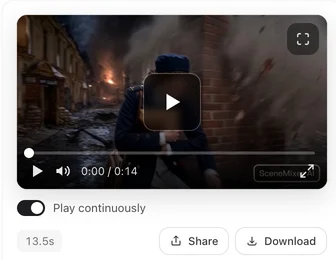
Pressing Share on a finished segment or on a composite creates a link to a page on this site that plays that clip, with a title, the episode context and a way for viewers to start their own project. The page plays the light play version, not the original file; downloads are for you, from the editor. Share menu and platform buttons: Composite and Share an Episode.
Who can see it
Anyone who has the link, logged in or not. Only the project’s owner can create links; a link cannot be made for someone else’s project. Search engines may index share pages, so treat a link as public once it exists. Sample projects can be shared by anyone who can open them.
Expiry, and taking a link back
Links have no expiry date and there is no revoke button: the link is tied to the clip, not stored as a separate object. It stops working the moment the segment, the episode or the whole project is deleted; single versions and single composites cannot be deleted. A segment link plays the segment’s active version, so regenerating the segment or switching versions changes what the link shows. To take a shared clip down, delete the segment — Segment Versions.
The daily play limit
Each link can be played a set number of times per day, and the site as a whole has a daily budget for shared playback. Past either limit the page still loads and shows the poster frame with a note; playback resumes the next day. The limits exist because shared clips are served to people who are not paying for them; for larger audiences, download the file and publish it on your own channel.
What viewers see
The clip, the episode and project titles in the project’s display language, and the AI badge if the clip carries one. Viewers cannot see your storyboard, your other segments or your account. The badge: The AI Badge Switch.
| Question | Answer |
|---|---|
| Who can open it | Anyone with the link |
| Does it expire | No |
| Can I revoke it | Only by deleting the segment, the episode or the project |
| Play limit | Per link per day, plus a site-wide daily budget |
| What plays | The play version, with the AI badge if the clip has one |
FAQ
Can I password-protect a share link?
No. Links are public; download the file if you need controlled distribution.
Does sharing cost credits?
No.
The page shows a poster and no video.
The link or the site has reached its daily play limit; it plays again the next day.
Can I share a project, not just a clip?
One segment or one composite per link. Composite the episode and share that.
Do share links work after I delete the project?
No. Deleting the project ends every link in it.
Updated September 27, 2026
Pricing·Novel to Video·Guides·Samples·Support·Privacy·Terms·Legal·Contact·© 2026 SceneMixer