Compositing and Sharing an Episode

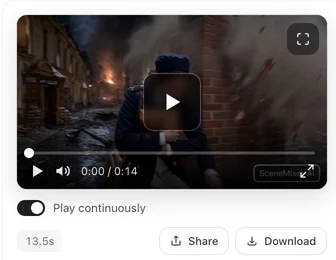
A shared link opens a page like the ones behind our sample write-ups: the video, what it was made from, and a way in. That is the same page your viewers get.
Compositing
The composite uses whichever version of each segment is currently active, so set your versions before you run it. It joins them without re-encoding wherever it can, which means the picture you approved is the picture that ships.
Every segment has to be finished first. The counter in the top bar of the editor shows how many are done out of how many there are, and compositing is refused until it reads all of them — so a half-shot episode cannot be composited by accident. Recomposite later if you change a segment; the earlier file stays until the new one replaces it.

Two copies of every video, and why
Every finished video exists in a full-quality copy and a lighter streaming copy. Downloads and the final composite always use the full-quality one; the player in your browser and on a shared page uses the light one, because a 1080p master is a poor thing to stream to a phone.
You never choose between them. The download button gives you the master.
The AI label
Generated video carries a small AI label in the corner. It is applied by us at delivery rather than by the upstream model, so it is consistent and it does not sit on top of the picture in a way that spoils a shot.
On a free account every video carries it. On a paid membership the label is off by default — you can turn it back on if you want it. Either way there is a control next to the model picker in the editor showing whether the next video you generate will carry one, and changing it only affects videos generated after that. A video shared through a SceneMixer link always shows the label, even on a paid plan; your own download is unaffected. Why shared videos carry the badge.
Where you publish may have its own labelling rules. Turning our label off does not remove your obligation to disclose that something is AI-generated where that is required.
Sharing
Share gives you a link to a real page — not a raw file. The page carries the video, a short explanation of how it was made, and the usual social preview, so it looks right when pasted into a chat or posted somewhere.
Anyone with the link can open it without signing in. There is no expiry on the page.
The link is derived from the thing it points at, so deleting the segment, the episode or the project makes the page stop working — that is how you take one down. Be aware of what it does not do: the video file itself is not removed from storage at that moment, and anyone who already saved the direct file address keeps it.
The page is also a public, indexable page — search engines are allowed to list it. Treat a share link as publishing, not as a private hand-off.
Limits worth knowing
Each shared link has a generous daily play allowance. Past it the page still loads and still reads correctly — it just stops streaming the file for the rest of the day. That is a cost guard, not a penalty, and ordinary sharing never comes near it.
If you are pushing a video to an audience rather than to a few people, download the file and upload it to wherever that audience is.
| Thing | What you get |
|---|---|
| Composite | One file for the episode, priced by total length |
| Download | Full-quality master |
| In-browser playback | Lighter streaming copy |
| AI label | Always on for free accounts; off by default on a paid membership |
| Share link | A public page, no sign-in, no expiry |
FAQ
Does compositing cost credits?
It is priced by the total length of the finished episode and the price is shown on the button before you confirm.
Can I composite before every segment is shot?
No. Compositing is refused until every segment in the episode has a finished video; the editor's top bar shows the count.
Can I recomposite after changing a segment?
Yes. Set the segment version you want and run it again; the previous file stays until the new one replaces it.
I only want one complete video, not episodes. How?
Composite each episode once all its segments are done, then join the files in any video editor. For a single file from the start, keep the script short enough to be one episode.
Do viewers need an account to watch a shared link?
No. The link opens a public page that works without signing in.
How do I take a shared video down?
Delete the segment, episode or project it points at. The link stops working immediately.
Can I remove the AI label?
On a paid membership it is already off by default; free accounts always carry it. Check your local rules before you publish — some jurisdictions require AI-generated content to be disclosed regardless of what the file carries.
Finish an episode
Composite what you have, then send the link to someone and see the page they get.
Updated October 2, 2026
Pricing·Novel to Video·Guides·Samples·Support·Privacy·Terms·Legal·Contact·© 2026 SceneMixer