Wan 3.0 on SceneMixer: three tiers, billed by the second
One setting, three steps
A step is picked in one place: the tier button in the episode editor’s top bar, or Settings → Model Preferences → Video Model. The setting governs what you render next — already-made segments stay as they are, and each version remembers the step it was rendered on. The list marks Wan 3.0 · 720P as Recommended — advice for finished segments, not a switch: you stay where you are until you pick another step.
Each step has its own page for the detail behind it: the entry step, the recommended middle, and the step above.
The price steps, side by side
Three steps on one price scale: every charge is per second of rendered picture.
| Step | Credits, per second | In money, at the lowest credit price | Longest generation | Resolution |
|---|---|---|---|---|
| Wan 3.0 · 480P | 10 | $0.06 | 30 seconds | 480P |
| Wan 3.0 · 720P | 19 | $0.12 | 30 seconds | 720P |
| Wan 3.0 · 1080P | 38 | $0.24 | 30 seconds | 1080P |
The ladder below only moves the picture. The take ceiling does not move with it, and neither do the reference slots: up to ten images and five voice clips go into every generation, whichever step renders it.
What you can make with it

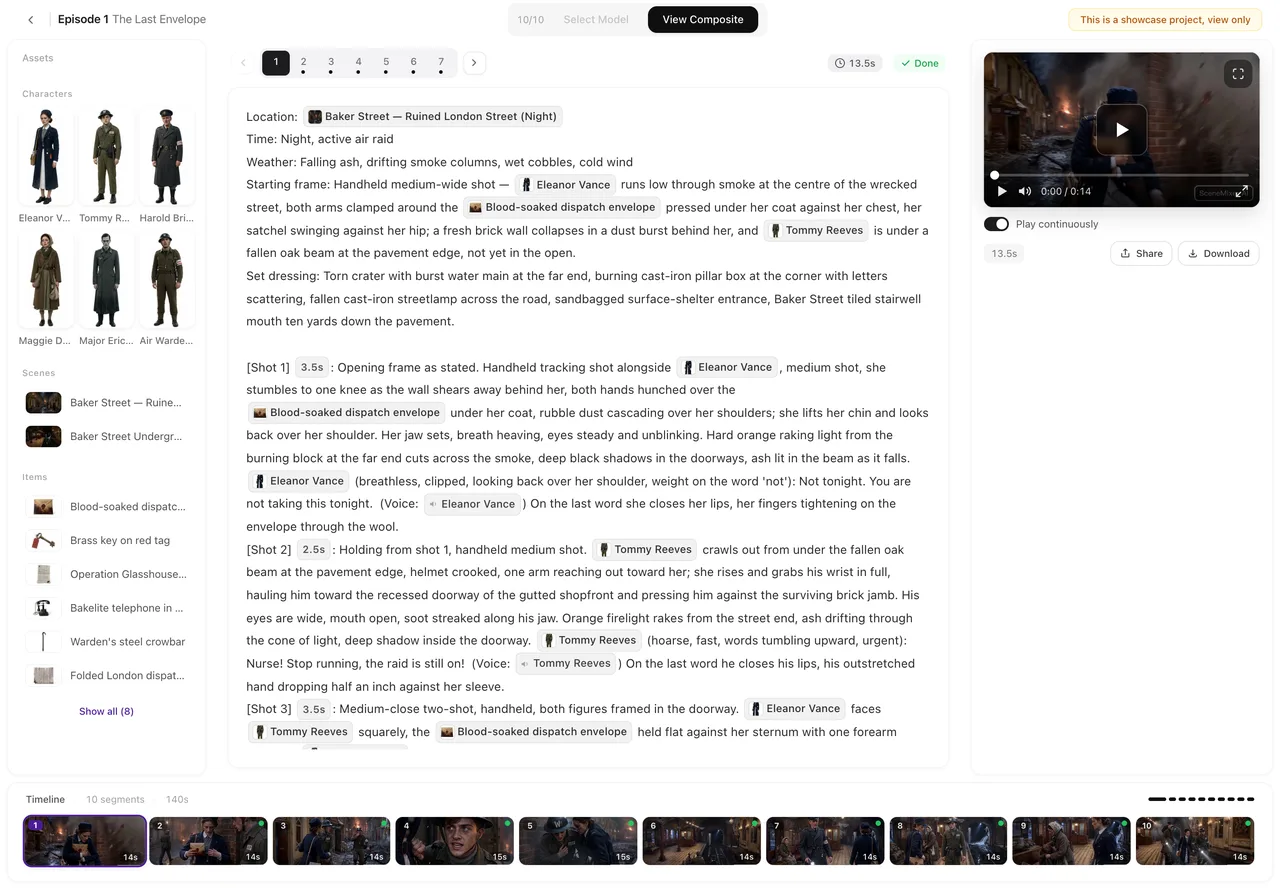
The episode above is Crimson Vow: this site carried it from the first draft of the script to the final composite on Wan 3.0 · 720P, and swapping in either of the other two steps re-renders the same storyboard — the tier is only a setting.
What the family suits: the take that must not be cut — a walk-and-talk, a slow push-in, an argument that plays out in one frame; a crowded shot that wants many sheets attached, since up to ten images and five voice clips go in per generation; and a whole episode blown through at the entry rate before the keepers are chosen.
A project is not one film but a whole series if you want it: episodes stack in order, each one a chain of its own segments, and the composite tools work episode by episode.
Draft on one step, finish on another
The pattern this family is built for: keep the drafts on Wan 3.0 · 480P while the storyboard is still moving, then regenerate only the segments you are keeping on Wan 3.0 · 720P or Wan 3.0 · 1080P. Both versions stay listed on the segment, the composite uses whichever one is active, and switching steps re-renders nothing — draft cheap, finish where it counts walks through it.
And a second step is not needed at all if the draft is already good: The Veil at Dawn went from pasted script to finished composite entirely on Wan 3.0 · 480P — every segment of it — which is the other way to settle the draft-then-finish question.
Voices do not move with the step: dialogue and ambient sound come out of every generation on every tier, fed by the same voice clips. The one pronunciation quirk documented for this family — the odd German or Ukrainian line sliding off — is fixed by shortening the line and regenerating, not by moving to another step.
How to start
A new project needs no detour through the model settings first: it renders on Wan 3.0 · 480P from the very first segment, at 10 credits a second, with the two higher steps one click away whenever a keeper wants them. Two costs do sit ahead of that first render: the script read is a paid analysis, priced by the script’s length, and the character, location and prop sheets draw on 15 free images per account before further sheets are billed. The storyboard for episode 1 of a first drama comes without a charge; video itself is billed by the delivered second.
Planning a scene longer than one take, or weighing this family against the rest? How a long scene is cut into segments covers the rhythm, and the purpose-by-purpose ranking lines every step up side by side.
FAQ
What does Wan 3.0 cost per second?
On this site: 10 credits per second on Wan 3.0 · 480P, 19 on Wan 3.0 · 720P, and 38 on Wan 3.0 · 1080P — about $0.06, $0.12 and $0.24 at the lowest credit price. Billing happens on delivery; a render that fails comes back, or waits in a hold while support looks at it.
How long can one Wan 3.0 generation run?
A single generation runs to 30 seconds at most, on any of the three steps. A scene that needs more time on screen is simply more segments, and the storyboard can be planned that way from the start.
Which of the three steps should I draft on?
The entry step, for anything whose blocking is not settled yet. Move the keepers to the recommended middle, and go to the step above only for what will be watched large. Regenerating is a new charge at any step, and both versions stay on the segment.
Wan 3.0 or MiniMax H3?
Leave the Wan steps for MiniMax H3 when the picture, not the take, is the point: MiniMax H3 renders at 2K for 25 credits a second and MiniMax H3 Fast at 768P for 16, and the family cuts several shots inside one generation, so an exchange and the reaction to it can arrive as a single render. Its segments close at 15 seconds — enough for a landing beat, a held glance, a line. What holds a segment on Wan is time or a crowded frame: up to 30 seconds in one take at every step, and ten images plus five voice clips where the H3 family takes nine and three. The rates to weigh against that picture: 10 credits a second to start, 38 at the top. The side-by-side guide sorts the two by the scene in front of you.
Do all three tiers take the same references?
Yes: up to ten images and five voice clips per generation, the same voice clips at every step, and the same content checks and refunds. Only the picture and the price move with the step.
Draft on the entry step, finish on the one above
Paste a script, render a few segments at the entry rate, and re-render the ones you keep where they will be watched.
Updated October 14, 2026
Pricing·Novel to Video·Guides·Samples·Alternatives·Answers·Support·Privacy·Terms·Legal·Contact·Affiliate program·© 2026 SceneMixer