“Which Model Is Best?” There Isn’t One — Pick the Tier by What the Shot Needs

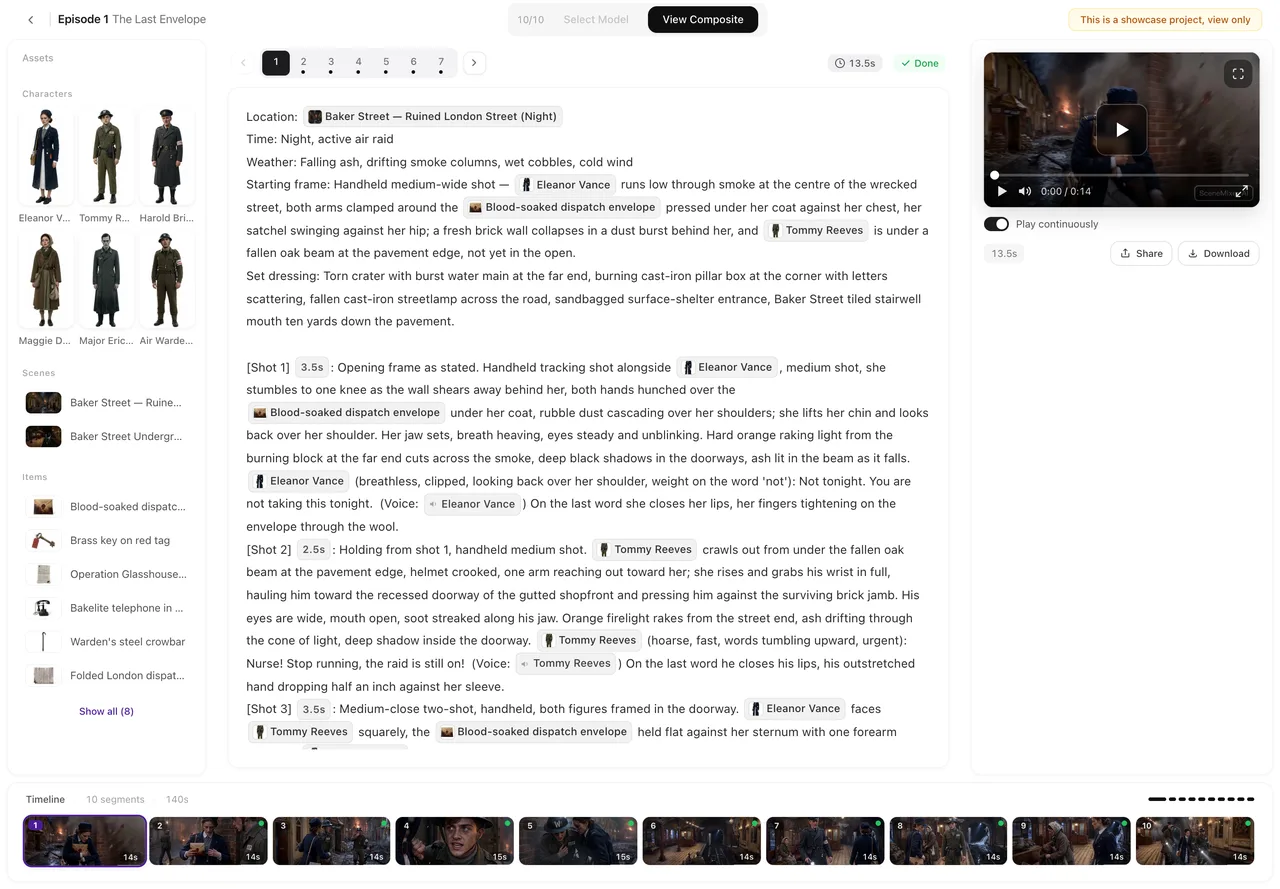
Open the model selector in the editor’s top bar: every video tier shows its resolution and its longest segment; the price per second is next to each tier in Settings.
Video: four families
Four families, each in two or three resolutions. Wan 3.0 (480P / 720P / 1080P) is the default family: segments up to 30 seconds, dialogue and sound generated with the picture; its 480P tier is the usual way to draft. Seedance 2.5 (480P / Lite / Pro) also takes 30-second segments, at a higher price per second in its upper tiers. Seedance 2.0 (480P / Fast / standard) takes 15-second segments. MiniMax H3 (H3 / H3 Fast) takes 15-second segments, and has no 480P. Wan 3.0 and H3 both cut between shots inside one segment when the storyboard writes the cuts. Every price is per second; a 12-second segment on the default tier costs 12 × 10 credits. Full list with maximum lengths: which tiers accept 30 seconds.
Video: pick by purpose
Drafting an episode: the default 480P tier. Generate every segment once, fix the storyboard where it is wrong, then regenerate only the segments you keep at a higher resolution — the draft-then-final workflow. A final for phones: 720P is the recommended tier; 1080P for landscape or a screen larger than a phone. A long single take (a speech, a slow reveal): a 30-second family. A line the default tier keeps mispronouncing: regenerate that segment on MiniMax H3. Anime and stylised looks: any family; the visual style preset does the work, and 480P hides less than you would think.
Image: two questions
Sheets are references, so the questions are: does the tier draw the face you described, and does it keep the background plain? The default Qwen-Image 3.0 reads Chinese and English descriptions well; Qwen-Image 3.0 Pro is the recommended step up for lead characters. SeedDream 5.0 Pro reads a long description in full and draws skin and cloth with a more photographic feel; SeedDream Lite is its lighter sibling. The price per sheet shows on the button before you generate. Writing the description so any tier draws the right face: Write a Description That Works.
Text: the tiers that parse and write storyboards
Text tiers read your script and write the storyboard. The default Doubao Seed 2.1 Turbo handles most scripts; Doubao Seed Evolving is the recommended step up when a storyboard keeps coming back thin or mis-structured; Doubao Seed 2.1 Pro and Qwen3.8 Max are for long, dense material; Qwen3.8 Flash is a fast option for simple scripts. The parse and storyboard fees scale with the tier’s multiplier; each tier’s rate is shown next to it in Settings. Change the text tier in Settings; to use a different tier for one episode, switch before generating that episode’s storyboard and switch back after.
How to change a tier, and what it does not change
Video tier: the button in the editor’s top bar, which also changes the video tier in Settings; each segment keeps the tier it was made with. Image and text tiers: Settings. Changing a tier never regenerates anything by itself; existing sheets and clips stay. A tier that is switched off is replaced automatically, by the default or, for video, by the tier the episode last used. Settings, Item by Item and How Model Tiers Work.
| You want | Pick | Why |
|---|---|---|
| A full draft | Wan 3.0 · 480P | 10/s, 30-second segments |
| Final for phones | Wan 3.0 · 720P | Recommended; 19/s |
| Final for big screens | Wan 3.0 · 1080P or Seedance 2.5 Pro | 1080P; 38/s and 75/s |
| Lead character sheets | Qwen-Image 3.0 Pro | Recommended image tier |
| Storyboards that keep coming back thin | Doubao Seed Evolving | Recommended text tier |
FAQ
Which model is the best?
None outright. Draft on the default video tier, finish on 720P or 1080P, and switch only for a specific need: a 2K picture on MiniMax H3, or a line the default keeps mispronouncing (try H3 for that segment).
Does a more expensive tier keep faces more consistent?
Consistency comes from the sheets and the storyboard, not the tier. A higher tier gives sharper frames, not a steadier face.
Can I mix tiers in one episode?
Yes. The video tier is chosen per segment; the composite joins them regardless.
Can I use a different text tier for one episode?
Yes. The text tier is read each time a task starts; switch it in Settings before generating that episode’s storyboard and switch back after.
Where do I see the price before switching?
In Settings, next to each tier: per second for video, per sheet for images, as a rate for text. The generate button on a segment also shows that segment’s price.
Default to draft, upgrade to finish
The tier is a price and a resolution, not a magic wand. Spend on the segments you keep.
Updated September 27, 2026
Pricing·Novel to Video·Guides·Samples·Support·Privacy·Terms·Legal·Contact·© 2026 SceneMixer