Where the Music in an Ad Video Comes From, and Why No Soundtrack Is Added Afterwards

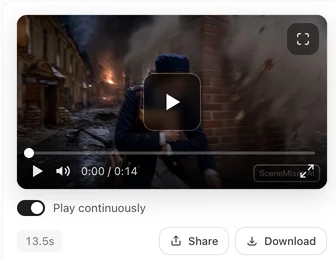
Generate one segment of an ad with the Epic vibe and one with Warm: the music brief differs, and the end card colours follow the vibe as well.
Music is generated with the picture
The video model behind ads produces an audio track with each segment. In a drama that is dialogue and ambience; in an ad the generation also asks for music, described in one line: what plays, how fast, how it moves, where it swells. The same line goes into every segment of the ad because the segments are generated independently and a shared brief is the only way to keep them in one style. How sound works in a generation: Dialogue and Sound in One Generation.
What the vibe controls
Each ad vibe (Epic, Funny, Warm, Minimal, Twist, Mouth-watering close-ups, Show how it works, A day in the life) maps to a music brief and to the end card’s colours. It also sets the ad’s look: each vibe comes with its own visual, scene and costume style. Ad Options.
Why nothing is added later
Before, a stock track was mixed under the finished ad. With music already inside each segment, that meant two scores at once; the result sounded wrong more often than right. Now the generated music is the music. The final cut fades it out under the end card, which is silent by design; a hard cut to silence is more jarring than a fade.
Using your own music
Download the final cut (the original-quality file), open it in an editor, mute or lower the generated track and lay yours under it. The end card is a fixed few seconds at the end; time your track to it. The End Card.
Dialogue and ambience
Spoken lines come from the ad script and are performed by the people in the picture; ambience follows the scene. Music sits under both. If a segment’s music is too loud against a line, regenerate that segment; loudness is evened out across the final cut but the mix inside a segment is the model’s.
| Sound | Comes from | Changed by |
|---|---|---|
| Music | Generated with each segment, one brief per ad | Ad vibe; or replace in an editor |
| Dialogue | The ad script, spoken on screen | Editing the script or the shot |
| Ambience | The scene | Editing the shot |
| End card | Silent | — |
| Loudness | Evened out in the final cut | — |
FAQ
Can I pick a song?
Not inside the site; add it in an editor after download.
Why does the music change between segments?
Same brief, independent generations; small differences happen. Regenerate the odd segment.
Is there a no-music option?
Choose Minimal for the sparsest music; fully silent music is not offered.
Why is the end card silent?
The end card has no sound of its own; the ad's audio fades out as the card comes in, which marks the end.
Does the vibe change the visual style?
Yes. Each vibe comes with its own visual, scene and costume style; in advanced mode you can change the three styles in step 1.
Updated September 27, 2026
Pricing·Novel to Video·Guides·Samples·Support·Privacy·Terms·Legal·Contact·© 2026 SceneMixer