Why Is This Button Greyed Out?

Open a finished episode: every segment is done, so Composite Episode is available — and Delete segment would refuse on the last one.
Step 1: Next
Next stays off until the visual style, scene style and costume style are all chosen. They are pre-filled with a suggestion when the project was created; confirm or change each, and the button lights. Choosing the style settings.
Step 2: Generate All and Generate
Generate All does nothing when every entry of that tab already has an image or is generating. A single entry’s Generate is unavailable while it generates. A state cannot be generated before its main image exists: This asset needs its main image first.
Step 3: Parse Storyboard
Unavailable while that episode’s storyboard is being written, and while the episode is still being prepared after a long-script read (This episode is still being prepared — try again in a moment). Re-parse is refused while any of the episode’s segments is rendering video.
Editor: Generate Video
Off, or refused with a message, when: the segment has no script yet; the episode’s storyboard is still generating; this segment’s video is already generating; an edit is still syncing; the segment exceeds the selected tier’s cap (over cap on the card); the segment’s dialogue is not in the project’s dialogue language (confirm to proceed); or you have as many jobs running as your plan allows. The messages.
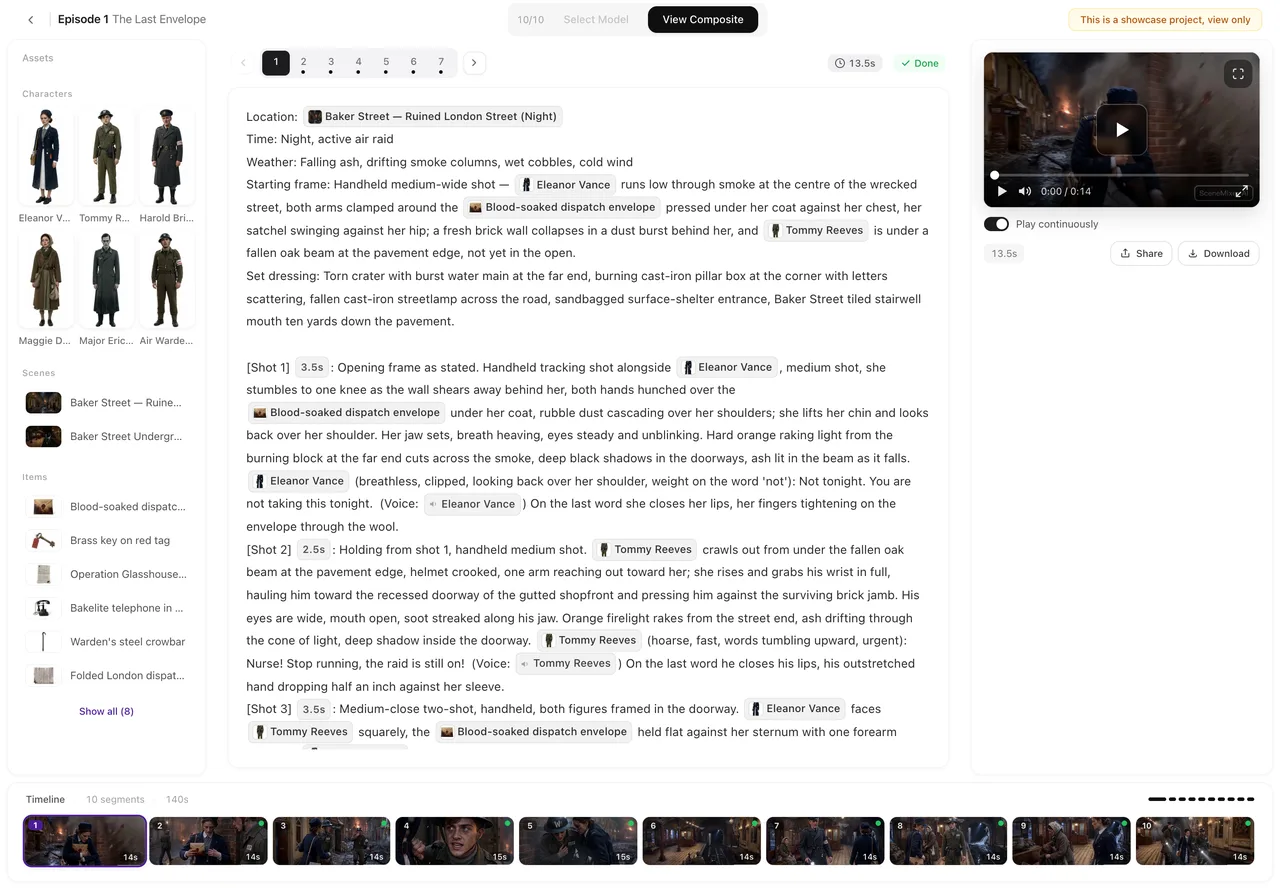
Editor: Composite Episode
Available only when every segment is done. Until then the tooltip counts: N/M segments done, composite available when all complete. Also unavailable while a composite is already running.
Editor: Delete segment, Save
Delete segment refuses while that segment’s video generates (wait for it to finish) and on the last segment (At least one segment must remain). Save is off when nothing has changed.
Membership features
On the current plan settings these are for members, and the button or panel says so: removing the AI badge (Upgrade to remove the Badge), uploading your own images and voices, custom style text in step 1, AI fine-tune on an image, and adding assets to an episode from the editor. States (costume changes and the like) are open to everyone. What a paid plan changes.
Ads and remakes
An ad that is being made by AI keeps its editing buttons off until it is done (AI is still making this ad); cancel is off once shooting has started. A remake’s parse button does not exist: the project was read from your video, so there is nothing to parse.
| Button | Off because | Unlocks when |
|---|---|---|
| Next (step 1) | A style choice is missing | All three styles chosen |
| Generate Video | No script / storyboard generating / video generating / edit syncing / over cap / at the concurrency limit | The named thing finishes or is fixed |
| Composite Episode | Not every segment is done, or a composite is running | All segments done |
| Delete segment | Video generating, or last segment | Generation ends; or leave one segment |
| Remove Badge, Upload, custom style, AI Fine-tune, Add assets | Membership feature | A paid plan |
| Cancel (ad) | Shooting has started | — decide when it is done |
FAQ
Next in step 1 will not light up.
Choose all three style settings: visual, scene and costume.
Generate Video is greyed on one segment only.
That segment has no script, is over the tier's cap, or is already generating. The card says which.
Composite Episode is greyed.
Not every segment is done yet. The tooltip counts how many are left.
Why can't I delete this segment?
Its video is generating, or it is the only segment left.
Why is Upload greyed?
Uploading your own images and voices is a membership feature on the current plan settings; the button says so.
Hover the button
Almost every unavailable button explains itself on hover or on press.
Updated September 26, 2026
Pricing·Novel to Video·Guides·Samples·Support·Privacy·Terms·Legal·Contact·© 2026 SceneMixer