Costume Changes and Scene States

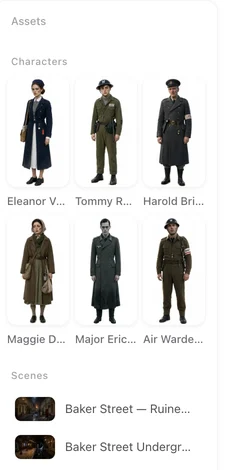
States show up as cards next to the main asset in the project view. They are generated from the script read when the story calls for one, and you can add your own — the asset library in this sample project is where they sit.
The dividing line
Ask one question: does the thing itself look different, or does the situation around it look different?
A full change of outfit, a transformation, burns after a fire, a collapsed building, a blade out of its scabbard, a snapped staff — the object itself is different, so it needs an image.
Standing versus sitting, held versus on the table, night versus day, in the rain, covered in dust — these ride on top of whatever the reference shows, and the model applies them from text without trouble. Rain in particular is text, not a state.
One more test: if the two versions could appear in the same frame at the same time, they are not states of one thing — they are two separate assets.
Where states come from
The script read proposes them when the story needs them, within tight caps: at most three looks for a character, two for a location, one for a prop. The caps exist because an unbounded read produces states for everything — a cup that is full, a cup that is empty, a lamp that is lit — and none of those change what the object is.
You can also create, rename and delete states yourself, and choose which episodes each one applies to.
How a state image is made
It is an edit of the base image, not a fresh render. The instruction is four short lines: the state name, what to change, one line holding identity steady, one line for the frame. Nothing else — no style string, no description template.
That brevity is the whole trick. A model given a reference image and a three-thousand-word template reads it as “redraw this reference” and hands back the original almost unchanged. Four lines of edit instruction gets you the change you asked for.
Which image a shot actually uses
Priority runs from most specific to least: a state you picked for this particular segment, then a custom image you set for this episode, then a state assigned to the whole episode, then the base image. Only states that have actually been generated count — if anything is ambiguous it falls back to the base.
Which segments use which state is worked out automatically after the storyboard lands, per segment rather than per episode. Per-episode would be wrong: a flashback look applied to a whole episode puts the character in flashback clothes in every single shot of it.
If the state has no image yet
Nothing breaks. The shot uses the base image and the state is described in words instead — the name and the difference are written into the prompt. For a character that replaces the wardrobe phrase while keeping the facial description; for a location or prop it is added to the material's role line.
Generating the image later gives you the stronger version, and shots generated after that will use it.
| Change | State image or text? |
|---|---|
| Full change of outfit | State image |
| Transformation, burns, scars | State image |
| Building collapsed or burnt | State image |
| Blade drawn, object broken | State image |
| Standing, sitting, kneeling | Text |
| Held, dropped, on the table | Text |
| Night, rain, dust, firelight | Text |
FAQ
Why is rain not a state?
Rain is applied on top of whatever the reference image shows, and models handle that from text. A state image is for when the subject itself is a different shape.
Can I have a state for a character standing and one sitting?
You can, but you should not — both could be in the same frame, so they are not two states of one thing. Posture is written into the shot.
Do states cost extra?
They are priced like any other setup image, and on your first project each type has its own small free allowance, separate from the one for base images.
What if I regenerate the storyboard?
Per-segment state picks are recalculated. Episode-level assignments are not affected.
Do I have to generate a state before I can use it?
No. Without an image the state is described in words, which is weaker but works. Generate it when you want the change to be reliable.
Try a costume change
Open a character, add a state, and see the difference between an image and a sentence.
Updated September 21, 2026
Pricing·Novel to Video·Guides·Samples·Support·Privacy·Terms·Legal·Contact·© 2026 SceneMixer