Background People in a Scene: The Line That Puts Them There, and How to Keep Them Consistent

Open a segment set in a street or a hall and read the set-dressing line: the clause after the semicolon is the crowd. Remove it and the price tag does not change; the shot does.
The one line that decides it
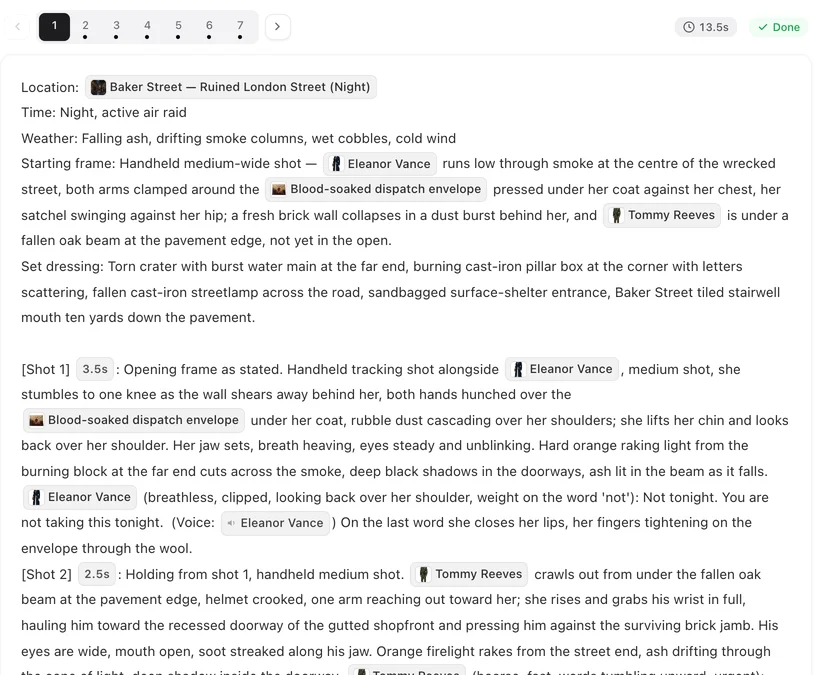
The segment header has a set dressing line describing what is on the set. When background people are present it ends with a clause: ; background people: a dozen guests at the tables, eating and talking. That clause is the only place the video is told about extras. Shot text that mentions “the crowd” without the clause produces an empty room with a line about a crowd. All header fields: The Segment Header, Field by Field.
How to write it
Who, where, doing what, in one breath: background people: six commuters on the platform, waiting, looking at phones. Keep them in the depth of the frame and away from the named characters’ positions; do not name any of the cast among them. Write the same clause on every segment set in the same place while the crowd is there, and drop it on the segment where the room empties; a crowd that flickers between segments is almost always a missing clause.
Keeping the crowd consistent
The extras are generated fresh in each segment from the clause, so their number and clothes can drift between segments. Keep the clause word for word the same in every segment of the scene, and make it specific: eight wedding guests in dark suits and pastel dresses, seated at round tables drifts less than some guests.
What happened to crowd images
Earlier, a scene that declared a crowd could get a separate crowd image, generated on request and priced like a sheet. Since late September 2026 the editor no longer offers one and Generate all in Step 2 no longer includes it; the clause is carried into every shot instead. Crowd images you already generated are kept in Step 2, and one you picked by hand for a segment is still used there. Costume Changes and Scene States.
What it does not do
Extras stay extras: no lines, no close-ups, no names. A person who speaks or is looked at is a character and belongs in Step 2. A crowd cannot be placed at a specific spot by text alone — “a guard behind the counter” is a character, not a crowd. Leads, Supporting Cast and Voice-Only Characters.
Cost
The clause itself is free; it changes what the video shows, not what it costs. Regenerating segments after adding or removing the clause is a normal regeneration.
| Segment header | What the video shows |
|---|---|
| Clause present, the same in every segment | Background people as described, close from segment to segment |
| Clause present, worded differently per segment | Background people that change between segments |
| Clause absent | Named characters asked for; a public place may still show a few people |
FAQ
Why does one segment have a crowd and the next not?
The clause is missing on the second. Copy it over.
Can the extras include a specific character?
No. Anyone specific is a character in Step 2 and is named in the shot.
Where is the Generate crowd image button?
It is gone. Background people now come from the clause alone, in every shot of the segment. Crowd images made earlier are kept.
Does the clause cost credits?
No. It is text; the segment is priced the same with or without it.
Can I put a crowd in an interior?
Yes, if the story says the room is busy: a bar, a hall, a classroom. Write the clause the same way.
Say who is there, once per room
One clause per segment, the same in every segment of the scene.
Updated October 2, 2026
Pricing·Novel to Video·Guides·Samples·Support·Privacy·Terms·Legal·Contact·© 2026 SceneMixer