Leads, Supporting Cast and Voice-Only Characters

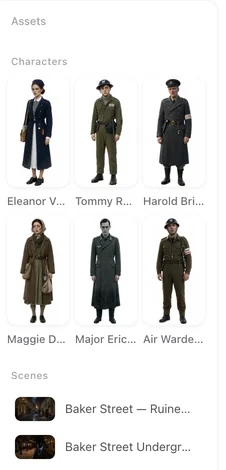
Open a finished episode and count the characters in the left panel against the people you see on screen.
Who gets cast
Anyone who acts, speaks, or is handed something. A courier with one line is cast; three hundred wedding guests are not. The reading makes that call from the script, and you can overrule it in step 2: Add creates a character it left out; the card’s details let you delete one it should not have made. Neither costs credits; adding a character the script did not produce needs a paid plan.
Lead, Supporting, Villain
The badge on a character card is the role the reading assigned. Leads get the most detailed descriptions and are the faces the drama is built around; supporting cast and villains are described enough to be recognisable every time. The badge is a label: open the card and change it under Role if the reading got it wrong. It does not change the price of anything.
Off-screen: voice only
A character whose card says Off-screen and Voice only — no image generated is heard but never seen: the narrator, the voice on the other end of the call, the announcer. It is skipped by Generate All and never appears in a shot. Give it a voice like any other character. In the storyboard its lines carry (voice-over) or (off-screen) and it is not named in the picture. Writing its lines.
If a character marked off-screen is in fact meant to be seen, edit the card: it then needs an image like everyone else.
Background people
The crowd is not cast. It is declared per segment, at the end of the header’s Set dressing line: Background people: guests seated in the pews, murmuring. That puts them in every shot of the segment without giving any of them a face of their own. The segment header.
How many
A short drama works best with a handful of faces. Every cast member needs an image before video, and shots with four or more named people are where faces begin to blend. If the reading cast twenty people for a two-hander, delete the ones who only pass through and let them be background people.
Voices for each
Every character, on screen or off, gets one voice in step 2 — matched, picked from the library, or uploaded. A character with no voice description cannot be matched; fill it in first. Character voices.
| Kind | Image | Voice | Named in shots |
|---|---|---|---|
| Lead / Supporting / Villain | Yes | Yes | Yes, with @ |
| Off-screen (voice only) | No | Yes | No — lines carry (voice-over) |
| Background people | No | No | No — declared in Set dressing |
FAQ
Can I change a character's role?
Yes. Open the card and change Role. It is a label; it changes no price.
What is an Off-screen character?
One that is heard but never seen. It gets a voice and no image, and its lines are written as voice-over.
The reading cast someone who is only a passer-by.
Delete the character in step 2 and let them be background people in the segments that need a crowd.
The reading missed a character.
Press Add on the Characters tab, describe them, and generate an image. Adding is a paid-plan feature.
Do supporting characters cost more or less?
Neither. Every image is priced the same, and roles change nothing about price.
Check the cast before the cameras
Add who is missing, delete who is passing through, and give the narrator a voice.
Updated October 2, 2026
Pricing·Novel to Video·Guides·Samples·Support·Privacy·Terms·Legal·Contact·© 2026 SceneMixer