Download: the Original vs the Play Version

What comes out lists the resolution, frame rate and audio; this page is only about the two files.
Two files per clip
The player streams the play version so a segment starts at once and scrubs smoothly. Download fetches the original. Both come from the same generation; nothing is re-rendered when you download. If the play version is missing for a clip, the player falls back to the original, which starts a little slower.
Where Download is
A segment: select it on the timeline; Download is under the player next to Share. The assembled episode: Composite History lists every cut; each row has play, Download and Share. The asset library: Assets → Videos lists every clip across projects with a download on each. Assembling and sharing.
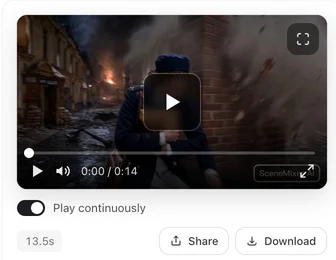
The badge
Whether the file carries the corner badge was decided when the clip was generated. On a free account the original and the play version both carry it; on a paid plan with the badge switched off, neither does. Downloading does not add or remove it. The badge switch.
Sizes
Roughly: a fifteen-second 480P segment is a few megabytes as an original and less as a play version; 720P and 1080P scale up. An assembled ninety-second episode at 720P is tens of megabytes. The numbers depend on the picture, so check the file after downloading.
If Download plays instead of saving
Some browsers open a video inline when the link is on another domain. The Download button uses an address that asks the browser to save; if yours still plays it, right-click the player and choose save, or use Share… on a phone. If a video will not play or download.
| Play version | Original | |
|---|---|---|
| Used by | The player on the site, the share page | Download, the assembled episode |
| Resolution | Same as the original | As generated |
| Size | Smaller | Larger |
| Badge | As decided at generation | As decided at generation |
FAQ
Which file does Download give me?
The original-quality file, not the lighter one the player streams.
Why is the download bigger than what I watched?
You watched the play version; the download is the original.
Is the assembled episode built from originals?
Yes. The play versions are only for watching on the site.
Does downloading remove the badge?
No. The badge was decided when the clip was generated.
Where do I download the whole episode?
Composite History in the editor: each cut has a Download.
Watch the light one, keep the full one
The player is for looking; Download is for keeping.
Updated September 26, 2026
Pricing·Novel to Video·Guides·Samples·Support·Privacy·Terms·Legal·Contact·© 2026 SceneMixer