The Video Won’t Play, or Won’t Download

Open a finished episode and play a segment. If that plays and yours does not, the difference is in the status of your segment.
Nothing to play yet
Select the segment and read its card. Pending, Generating or Failed means there is no clip to play. Done means there is. For an episode composite, the record must say Done too. Statuses.
The player will not start
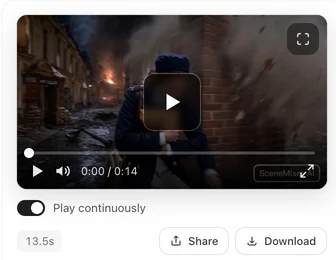
Refresh the page. The player streams a lighter copy of the clip made for smooth playback, and a page that has been open a long time can be holding an address that has since changed. If the pane shows the clip’s thumbnail but pressing play does nothing, the same refresh fixes it. On a phone, check that the browser is allowed to play video and that you are not on a data-saver mode that blocks it.
If the player still fails, press Download. The full-quality file does not depend on the in-page player. Original and play versions.
The download does not start
Browsers block downloads that open in a new window when pop-ups are blocked; allow them for this site and press again. On a phone, the file goes wherever your browser puts downloads — Files on iPhone, the Downloads folder on Android — not straight into Photos. A composite of a long episode is a large file; give it time on a slow connection.
You downloaded the wrong version
Download gives you the version that is active in the episode. To download an earlier take, open Version History on the segment, choose it with Use, then download. Versions.
A shared link shows a picture, not a player
Shared pages have a daily viewing allowance per clip, and the site as a whole has a daily bandwidth allowance. When either is reached, the page still opens but shows the poster frame instead of the player, and plays again the next day. Your own copy in the editor is unaffected. Sharing.
The file plays but looks soft
The in-page player is the light copy. Download for the full-quality file. If the download itself looks soft, the segment was generated on a 480P tier; regenerate it on a higher tier. Tiers.
Still stuck
Send feedback from the sidebar with the segment number, your browser, and a screenshot of what you see. How to get help.
| Symptom | Check | Then |
|---|---|---|
| Nothing in the preview pane | Segment status | Generate, or wait for Done |
| Thumbnail shown, play does nothing | Page age | Refresh |
| Player errors | Download instead | The file is independent of the player |
| Download does not start | Pop-up blocking; phone download folder | Allow, press again; look in Files / Downloads |
| Wrong version downloaded | Active version | Choose the version, then download |
| Shared link shows a still | Daily viewing allowance | It plays again the next day |
| Looks soft | Play copy vs download; tier | Download; regenerate on a higher tier |
FAQ
The player shows a thumbnail but will not play.
Refresh the page. If it still fails, press Download; the file does not depend on the player.
Where did my download go on my phone?
Wherever your browser saves downloads: Files on iPhone, Downloads on Android. It is not added to Photos automatically.
Why does my shared link show a picture instead of the video?
Right after sharing, the shared copy may still be being prepared; the page says so and refreshes itself. Otherwise the clip reached its daily viewing allowance and plays again the next day; your own copy is unaffected.
Is the download the same quality as the player?
The download is the full-quality file; the player streams a lighter copy.
Can I download an older version of a segment?
Yes. Choose it in Version History with Use, then Download.
The downloaded file will not open on my computer.
Open it with another player, such as VLC or your browser. If it still fails, check the file finished downloading (its size should be several megabytes), download it again, and if that fails too, send feedback with the segment number.
Refresh, then download
Two moves solve most playback trouble. The file is always there once the segment is Done.
Updated October 2, 2026
Pricing·Novel to Video·Guides·Samples·Support·Privacy·Terms·Legal·Contact·© 2026 SceneMixer