How to make an AI Korean webtoon-style series

Brief for AI Create: A webtoon-style romance fantasy: a palace seamstress in a Joseon-inspired kingdom is mistaken for a noblewoman at the king's banquet and has three days to keep the secret; eight episodes, each ends on a closing panel; soft, airy, a little funny.
The look and where it fits
Korean Webcomic is one of the 2D animation styles: slender, polished characters, soft airbrushed shading. It is a look, not a script format, so it works for any genre a webtoon covers. The pairing below uses real Scene Style and Costume Style cards:
| Webtoon genre | Scene Style | Costume Style | A chapter engine |
|---|---|---|---|
| School romance | Korean High School, Campus Youth | Korean School Uniform | A note, a misunderstanding, a rooftop |
| Elite academy | Elite Boarding School | Prep School Uniform | A ranking list and a rival |
| Office romance | Corporate Cold, Urban Opulence | Smart Casual, Power Tailoring | A late file and a shared lift |
| Palace romance fantasy | Joseon Korea | Hanbok | A secret identity and a banquet |
| City thriller romance | Neon Nights | Streetwear | A message that arrives one minute early |
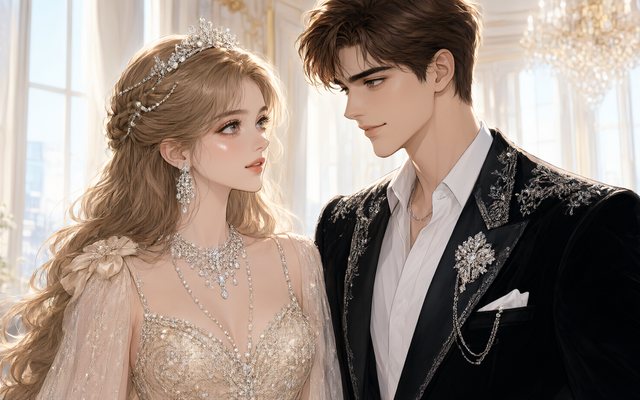
Visual Style: Korean Webcomic
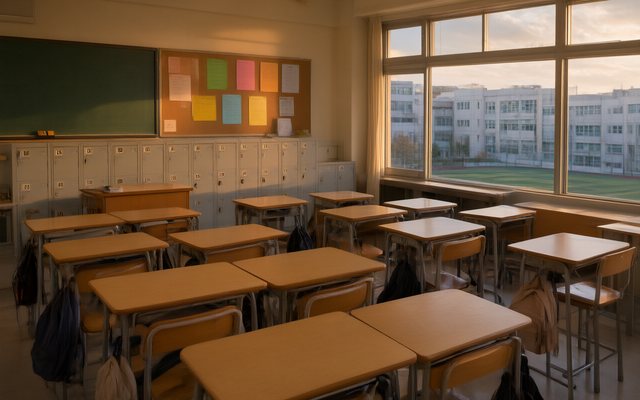
Scene Style: Korean High School
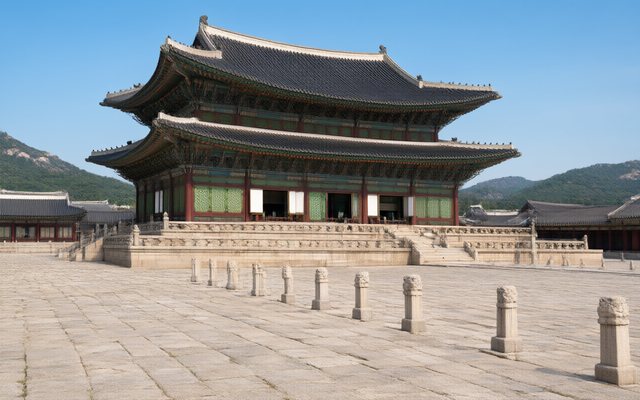
Scene Style: Joseon Korea
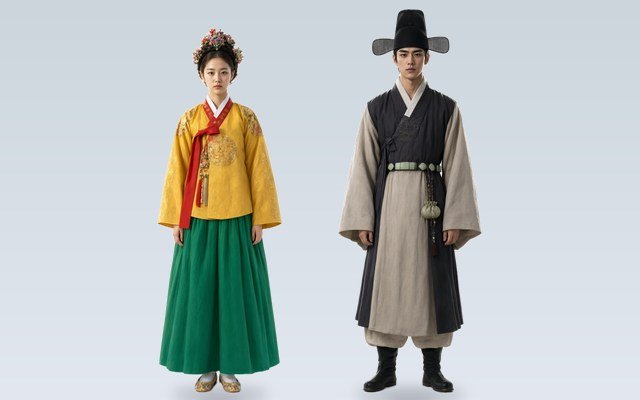
Costume Style: Hanbok
All visual styles · Scene and costume styles.
Panels become shots
Write the chapter the way a webtoon reads, then translate each device into a shot:
| Webtoon device | In the video | How to write it |
|---|---|---|
| Tall establishing panel | A wide shot held for 4 seconds | Wide shot, slow push-in. Name the place and the light. |
| Blank gap between panels | A held beat with no dialogue | A shot with ambient sound only, 2 to 3 seconds |
| Close-up on the eyes | A reaction shot | Close-up on @Name; say what the face does, not what it feels |
| Speech bubble | A spoken line | @Name (tone): the line (voice: Name) |
| Thought bubble | A voice-over or a line said aloud | Give it to an Off-screen narrator or let the character say it |
| Sound effect lettering | The ambient line | Ambient: a door bursting open |
| The last panel of the chapter | The final shot, held 2 to 3 seconds | End on the image that raises the question |
Plan two to four shots for each screen of scroll. Writing dialogue in the storyboard · How to write one shot.
One chapter, one episode, one closing panel
A webtoon chapter is a short read that ends on a pull. A Short Drama episode, up to 240 seconds, is the same shape: hook, a turn, a closing panel that makes the viewer swipe to the next. A 90-second chapter is six segments of 15 seconds, roughly 18 to 24 shots. Hooks and cliffhangers · AI hook generator.
| Part | Seconds (90 s chapter) | Does |
|---|---|---|
| Opening panel | 0 to 8 | The place and one wrong detail |
| First beat | 8 to 30 | The want, said or shown |
| Complication | 30 to 60 | Someone or something blocks it |
| Reaction | 60 to 80 | A close-up held without a line |
| Closing panel | 80 to 90 | The image or line that asks the next question |
Vertical, Korean dialogue and voices
- Vertical. Choose 9:16 Portrait in Step 1 and the video fills a phone the way a webtoon does. Vertical or landscape.
- Korean dialogue. Korean is one of the 15 dialogue languages; pick it in Step 1 and write the lines in Korean. Keep one speech level between each pair of characters (polite or casual), so the voices stay consistent. Choosing the dialogue language.
- Voices. Each character gets a voice; play the library before choosing. Character voices.
- Subtitles. For viewers who do not read Korean, accounts with a purchase can add burned-in captions or an SRT file. Add subtitles.
What this is not
Comic pages are not an input: SceneMixer reads a script, not artwork, so a finished webtoon has to be written out as scenes first. If you own a webtoon and want to keep its characters, upload your designs as reference sheets (a membership feature). Known webtoon characters are refused by the IP check. Turn a manga or webtoon into an anime series · An AI K-drama · A Joseon palace drama · A shojo romance anime.
Make it in SceneMixer, start to finish
- Script: paste your own on Upload Script, or write the brief above in AI Create and let it draft the episodes.
- Step 1: Type Short Drama; Scene Style Joseon Korea; Costume Style Hanbok; Visual Style Korean Webcomic; Target Region; dialogue language; 9:16 Portrait. Then read the script.
- Step 2: Draw the seamstress, the king and the noblewoman she is mistaken for, plus the palace and the sewing room; each is reused in every chapter. The first 15 setup images on an account are free.
- Storyboard: generate episode 1 first (free on your first drama) and read it before you render anything. One place per segment.
- Video: render on the default tier at 10 credits a second, fix single shots instead of whole episodes, then put the episode together and post.
| Chapter | Closing panel |
|---|---|
| 1 | The seamstress is handed the noblewoman's invitation by mistake |
| 2 | At the banquet, the king asks for her name and she gives the other woman's |
| 3 | The real noblewoman is seen in the palace gate |
| 4 | A guard recognises the seamstress's needlework on the king's robe |
| 5 | The king asks her to dance |
| 6 | The two women meet in the sewing room, alone |
| 7 | The noblewoman offers a trade |
| 8 | The seamstress chooses her own name |
FAQ
Is there a Korean webtoon style in SceneMixer?
Yes. Korean Webcomic is one of the 21 visual styles: slender, polished characters with soft airbrushed shading.
Can I make a webtoon-style video series with AI?
Yes. Write each chapter as an episode, choose Korean Webcomic and 9:16 Portrait in Step 1, draw the cast once and render the episodes in order.
Can it animate my webtoon pages?
No. Comic pages are not an input; write the chapter as a script, with dialogue from your speech bubbles, and upload your own designs as reference sheets if you are a member.
Can the characters speak Korean?
Yes. Korean is one of the 15 dialogue languages.
Which format suits a webtoon-style video?
9:16 Portrait, with a Short Drama episode of 60 to 120 seconds ending on a closing panel.
Can I copy a famous artist's style?
No. Korean Webcomic is a general look; known characters and franchises are refused by the IP check.
How do I show thoughts?
Give them to an off-screen narrator as voice-over, or let the character say the line aloud.
How much does it cost?
Video is 10 credits a second on the default tier plus 1 credit a second to join; the first storyboard on your first drama is free.
Write chapter one, end it on a closing panel
Draw the cast once and read the free storyboard.
Updated November 2, 2026