Seedance 2.5 vs MiniMax H3: price, length and limits
What the two have in common
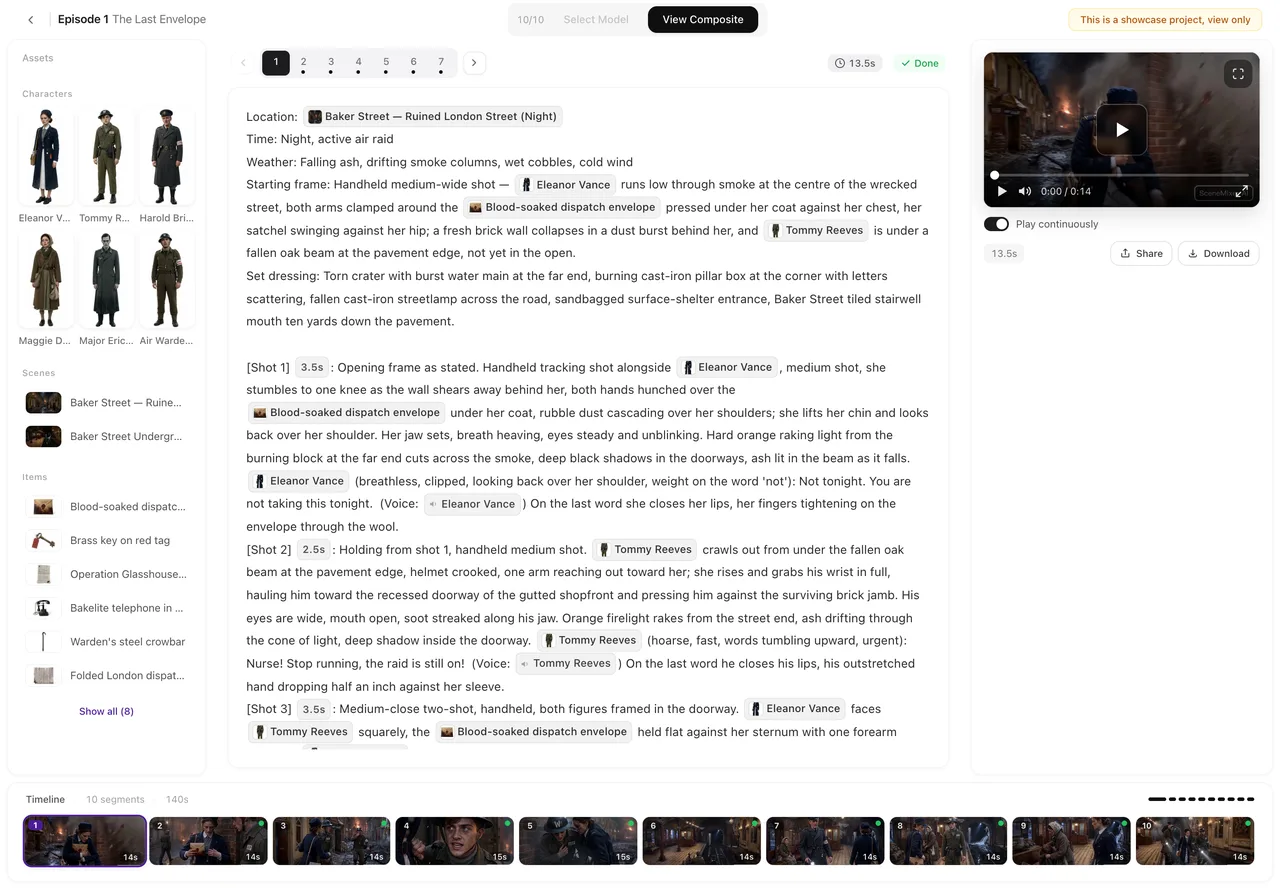
You write the same thing for both. The storyboard shots — marker and seconds, framing and camera, who is in the picture, one thing that happens, the line, the ambience — are the input, and dialogue and ambient sound come out with every render on both families. Nothing in a shot list has to be rewritten to move between them; the setting that decides is the tier button in the editor’s top bar, and it applies to what you render next. Segments already made keep their tier, and each version records it, so a project can use both without losing track.
Side by side
The numbers on the site today, from the same table the pricing page prints:
| Seedance 2.5 | MiniMax H3 | |
|---|---|---|
| Tiers | Seedance 2.5 Pro, Seedance 2.5 Lite, Seedance 2.5 · 480P | MiniMax H3, MiniMax H3 Fast |
| Resolution | 1080P, 720P, 480P | 2K, 768P |
| Credits per second | 75 / 38 / 19 | 25 / 16 |
| About, at the lowest credit price | $0.47 / $0.24 / $0.12 | $0.16 / $0.10 |
| Longest take | 30 seconds | 15 seconds |
| Images per generation | Up to ten | Up to nine |
| Voice clips per generation | Up to five | Up to three, and an image is needed alongside |
| Sound | Dialogue and ambient sound with every generation | Dialogue and ambient sound with every generation |
Read the table as limits, not as quality. The families draw the picture differently and the tier pages describe what each is for; what the table settles is how long a take can run, how many references a segment can carry, and what a second costs at the resolution you pick.
Where each one fits

The still above is from Rust City Knockout, an episode this site took from script to composite on Wan 3.0 · 720P. The same storyboard would render on either family here; what would change is the take length and the references available to each segment.
When the take decides. A beat that must run in one unbroken shot for longer than 15 seconds has only one home of the two: Seedance 2.5 Pro, Seedance 2.5 Lite and Seedance 2.5 · 480P go up to 30. A beat that fits comfortably inside 15 — an exchange and its reaction, a reveal — fits either, and MiniMax H3 is where the cuts inside a generation are the point.
When the cast decides. A segment with several speakers wants its voices attached, and the two families cap them differently: five clips on Seedance 2.5 Pro against three on MiniMax H3, with an image needed alongside on the latter. A scene with a crowd of named faces is easier to carry with the larger budget.
When the picture decides. MiniMax H3 renders at 2K and MiniMax H3 Fast at 768P; the Seedance 2.5 tiers render at 1080P, 720P and 480P. If the largest picture is what the finish needs, compare the price per second at the resolution you want in the table, not the names.
Drafting across the two
Nothing stops a project from drafting on one family and finishing on the other. Render the storyboard on the entry tier of either, read the pacing, then re-render only the keepers on the tier the viewers will see; both versions stay listed on the segment and the composite uses the active one. The only thing to check first is the cast: if a segment relies on more than three voices or more than nine images, it has to be trimmed before it moves to MiniMax H3. The draft-then-finish pattern works through the mechanics, and each family has its own page: Seedance 2.5 and MiniMax H3.
FAQ
What is the difference between Seedance 2.5 and MiniMax H3 on SceneMixer?
The limits. Seedance 2.5 Pro takes run up to 30 seconds with up to ten images and five voice clips; MiniMax H3 takes run up to 15 seconds with up to nine images and three voice clips, at 2K. Both render dialogue and ambient sound with every generation.
Which one is cheaper per second?
Compare at the resolution you need. The table lists 19, 38 and 75 credits per second for the three Seedance 2.5 tiers and 16 and 25 for the two MiniMax H3 tiers, with the resolutions beside them.
Can I use both in one project?
Yes. The tier you set applies to the segments you render next, and every version remembers the tier it was made with, so segments from both families can sit in the same episode.
Do I have to rewrite my shots to switch?
No. Both families take the same shot text. The one thing to check is the cast: a segment that carries more than three voice clips or nine images has to be trimmed before it moves to MiniMax H3.
Which should I draft on?
Whichever family has the entry tier you want: Seedance 2.5 · 480P at 19 credits a second, or MiniMax H3 Fast at 16. Draft there and re-render only the keepers on the finishing tier.
Render the same segment on both and compare
Paste a script, render one segment on an entry tier of each family, and keep the version you prefer.
Updated October 14, 2026
Pricing·Novel to Video·Guides·Samples·Alternatives·Answers·Support·Privacy·Terms·Legal·Contact·Affiliate program·© 2026 SceneMixer