Using the Site on a Phone: Same Account, Same Projects, a Stacked Editor, and a Few Things Easier on a Desktop

Open an episode on your phone: swipe between preview, timeline and text; tap the model name to open the tier sheet.
The editor on a phone
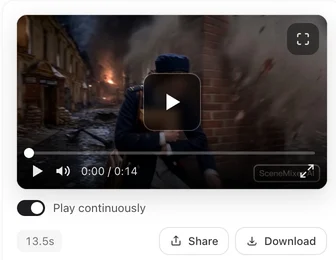
Three views instead of three columns: preview (the clip, play controls, download, share), timeline (segment cards with their prices and states), and the storyboard text of the selected segment with its edit button. The cast and scene rail is behind a button. Everything the desktop editor does is reachable; it is arranged for one hand. The Episode Editor: A Tour.
Model picker and badge switch
Tap the model name to open the tier sheet; the AI-badge control sits at the bottom of that sheet. Choices are saved to your account and apply on the desktop too.
Sharing and downloading
Share shows the same platform list as on the desktop, plus a Share… entry that opens the phone’s own share menu with the link. Download saves the original-quality file; the preview plays the lighter play version. Download: Original vs Play Version.
Uploads
Sheets and reference photos (a paid-plan feature, as on the desktop) and ad photos upload from your camera roll or files app; the size and format rules are the same as on the desktop. Scripts can be pasted from any app; .docx and .txt files from your files app work too.
Easier on a desktop
Pasting and reading a long script, editing several storyboard segments in a row, comparing versions of a clip side by side, and reading the Step 1 summary. Nothing is blocked on the phone; these are just faster with a keyboard and space. What follows you between devices: What Follows Your Account.
| Task | Phone | Desktop |
|---|---|---|
| Watch, download, share clips | Preview view | Right column |
| Start a generation | Timeline card | Timeline card |
| Pick a tier, badge switch | Bottom sheet | Selector in the top bar |
| Edit storyboard text | Text view (fine for a line or two) | Middle column (better for long edits) |
| Paste a long script | Works | Easier |
FAQ
Is there anything I cannot do on the phone?
No feature is phone-only or desktop-only.
Where is the badge switch on the phone?
At the bottom of the model sheet.
Can I start a generation on the phone and download on the desktop?
Yes; the clip is in the account.
Why does share look different?
It adds a Share… entry for the phone's own share menu; the platform list is the same.
Does the phone use more credits?
No. Prices are the same everywhere.
Updated September 27, 2026
Pricing·Novel to Video·Guides·Samples·Support·Privacy·Terms·Legal·Contact·© 2026 SceneMixer