An AI Ad for a Physical Product

The whole flow from one product photo is the canonical case; this page adds the details.
The photo
The product alone on a plain surface, front three-quarter, large in frame, in even daylight. Packaging on if the packaging is what people recognise; out of the box if the object is. Extra images: the back, the product in use (people are removed; the object is read), a detail. A lifestyle photo with the product small in a busy scene reads badly as a first image.
What the reading does
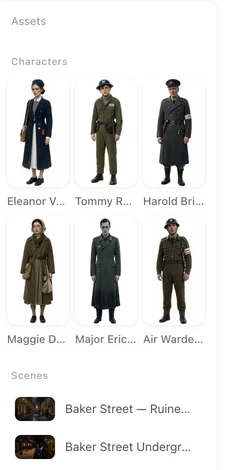
The photo is cleaned into a product shot: the object on a clean background with its shape, colour, material and labels kept. The name printed on the package is read for the end card. That shot is then a prop in the ad’s cast list, and every shot that shows the product shows that object. Why a prop stays the same.
What the ad shows
Someone using it. A generated person in a real place takes the product out, opens it, pours it, switches it on, and something changes. The object stays your object throughout. Labels and text on it are what your photo shows; generated video does not write new legible text, so the shots do not invent a slogan on the box.
Which ad type
Show how it works: the honest demo — use it, see the result — for gadgets, tools, cosmetics. Mouth-watering close-ups for anything edible or drinkable. Launch / promo for a launch, Giant product for one with a bold colour or shape, Creator unboxing for an online-shop find. Twist and Funny when the product has a story. Minimal for a design object. Fifteen seconds for one idea; thirty for problem and solution.
The one line
A rechargeable hand warmer for people who cycle in winter. What it is and who it is for shape the person and the moment. Keep to what can be shown; efficacy claims, superlatives and guarantees are removed from ad scripts.
The end card
Brand from the package or your line; product name from the reading; a tagline (spoken in the ad before the freeze); and a call to action — Shop now, Find it in stores. The card’s main image is the cleaned product shot. The end card.
Review each step for products
If you want a specific sequence — unbox, first use, the result — choose Review each step: read the script AI wrote and edit it at the first stop, check the product and the sets at the second, and check every shot at the third, before anything is filmed. The price is the same as one-click. One-click or review each step.
| Product | First photo | Ad type | Length |
|---|---|---|---|
| A gadget or a tool | Out of the box, three-quarter | Show how it works | 15–30s |
| Cosmetics or skincare | The bottle or jar, front | Show how it works / Minimal | 15s |
| A drink or a snack | The pack, front | Mouth-watering close-ups | 15s |
| A toy | The toy, three-quarter | Funny / A day in the life | 30s |
| A design object | On a plain surface | Minimal | 15s |
FAQ
Will the product look like my product?
Yes. SceneMixer cleans the photo into a product shot, and that object appears in every shot.
Should I photograph it in the box?
In the box if the packaging is what people recognise; out of the box if the object is.
Will the label be readable in the shots?
The label is what your photo shows; the shots do not add new text. The name is delivered on the end card.
Can I show it being used?
Yes. That is what the ad does: a generated person uses it in a real place. Show how it works is built for this.
Can I claim it works better than others?
SceneMixer removes comparative and efficacy claims. Show what it does; let the viewer judge.
How to make product videos with AI?
Start from one clear photo of the product, write the shots around it and generate them with the product as a reference; this guide shows the steps in SceneMixer.
One photo, one product, one ad
Shoot it alone in daylight, pick Show how it works, and make the ad.
Updated November 18, 2026