One-Click Generate or Expert Mode

The drama editor is what expert mode opens, renamed for ads.
The dialog
AI has read your product. How do you want to make the ad? A Product or place name field to correct, then two cards. Left: One-click generate — Fully automatic — ready in about N min, with All-in ✦ N. Right: Expert mode — The AI prepares the images and writes the ad script first; characters, scenes, props and shots are then yours to run step by step, paid per step, with ✦ N to start.
One-click generate
Everything runs on its own: the product shot is prepared, the ad script written, the story broken down, the cast and set made, the shot list built, each shot filmed, the final cut assembled with the end card. The progress page shows each stage and an estimate. The all-in price is the most you will be charged; if the ad finishes for less, you pay less.
When it is done: Download, Make another, or open the finished ad in the editor to fix one shot (Fix this shot in the editor) and Rebuild final cut. The ad script of a one-click ad is not editable afterwards; the shots are. The progress page.
Expert mode
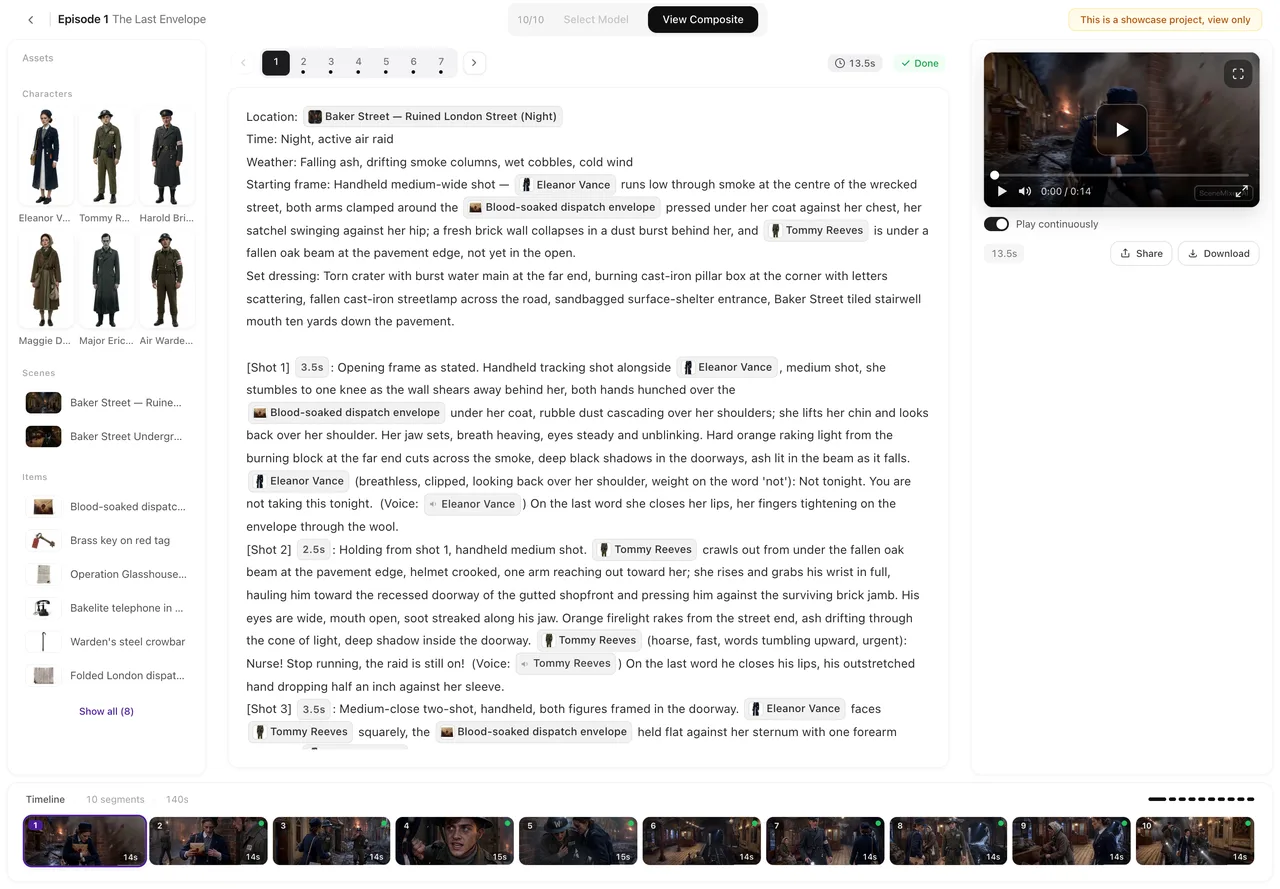
Two automatic steps, then it is yours. AI prepares the images and writes the ad script; the progress page says so: when these two steps finish, you go straight to the ad workbench. There the ad is a three-step project like a drama, renamed: Ad script (read it, Edit it, or Rewrite with AI), Cast & set (generate or upload the people, places and props), then Shots in the editor, where you write and shoot each shot and Assemble the ad with its end card.
Every step after the handoff is priced on its button, exactly as in a drama. There is no all-in cap; you spend what you generate. The script is editable until it has been broken down into cast and shots; after that, change the shots instead.
Which to pick
One-click when you want an ad today, do not want to write, and are happy to fix a shot or two afterwards. Expert when the script matters — a specific claim, a specific order of shots, a particular cast — or you want to reuse a cast you already have. You cannot switch a one-click ad into expert mode or back; each is a fresh ad.
Cancelling
Cancel this ad works before shooting starts. The confirmation says it: credits spent on steps that have started are not refunded, and a cancelled ad cannot be resumed. In expert mode, cancelling the two preparation steps also means the images and script cannot be used further. Once shooting has started, let it finish and decide then.
Language
Both modes show which language the dialogue will be in (Dialogue: …), and for some languages a note that voices may occasionally mispronounce a word at the current quality setting. The end card follows the same language. The end card.
| One-click generate | Expert mode | |
|---|---|---|
| Who writes the script | AI | AI first draft; you edit or rewrite |
| Who runs cast, sets, shots | AI | You, in the workbench |
| Price | All-in cap on the button | A start price, then per step |
| Time | About ten minutes | As long as you take |
| Fix a shot afterwards | Yes, in the editor | Yes — it is your editor |
| Edit the script afterwards | No | Until it is broken down |
FAQ
Is the all-in price what I will pay?
It is the most you will pay for a one-click ad. If it finishes for less, you pay less.
Can I edit the script in one-click mode?
No. You can fix individual shots in the editor afterwards and rebuild the final cut.
What is the ad workbench?
The same three-step project and editor a drama uses, with ad wording: Ad script, Cast & set, Shots.
Can I switch modes halfway?
No. Each is a separate ad; start another with the other mode.
What happens to credits if I cancel?
Steps that have started are not refunded; steps that have not are not charged. The confirmation says so.
Updated September 26, 2026
Pricing·Novel to Video·Guides·Samples·Support·Privacy·Terms·Legal·Contact·© 2026 SceneMixer