How to Make an AI Christmas Romance Movie or Series

Brief for AI Create: A Christmas romance: a big-city developer is sent to her hometown to close the sale of the old inn before Christmas Eve; the innkeeper's son is running the tree-lighting festival to save it; she falls for the town before she falls for him; warm, funny, snowy.
The beats of a holiday romance
- The arrival. A city person, a car that breaks down or a train that stops, and a town that is far too cheerful.
- The thing to save. An inn, a bakery, a tree farm, the festival itself. It gives the couple a reason to work together.
- The traditions. Decorating, baking, a sleigh ride, the tree lighting. Each one is a scene and a step closer.
- The secret. She was sent to close it down. The audience knows; he finds out at the worst moment.
- The choice on Christmas Eve. The job or the town. Snow, lights, a crowd, a kiss the camera leaves early.
It works as a single film of a few minutes or as a series that runs through December, one episode a day.
Settings to pick in step 1
- Type: Film for one holiday movie; Short Drama for a December series with a hook at the end of each episode.
- Aspect Ratio: 16:9 Landscape for a movie on YouTube or a TV; 9:16 Portrait for a daily series on phones.
- Visual Style: Realistic HD or Soft-Mist Live Action for the warm, glowing look; Feature 3D Animation or Watercolor Storybook for a family version.
- Scene Style: American Small Town for the main street and the inn, Frozen Wilderness for the tree farm and the snowbound road, Nordic Minimal for a Scandinavian take.
- Costume Style: Soft Everyday for knitwear and coats, Outdoor Gear for the tree farm. Her city clothes go in her own description, or as a state if they change for good.
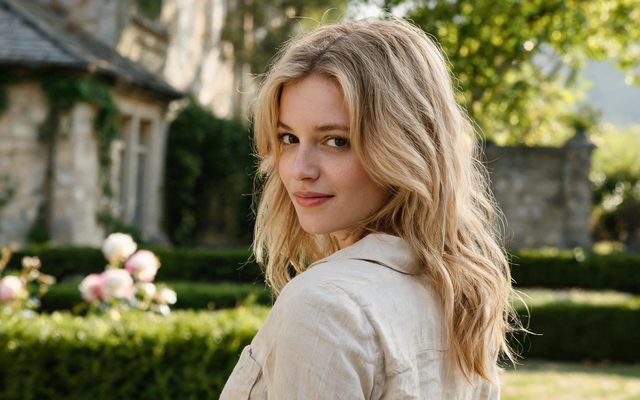
Visual Style: Realistic HD
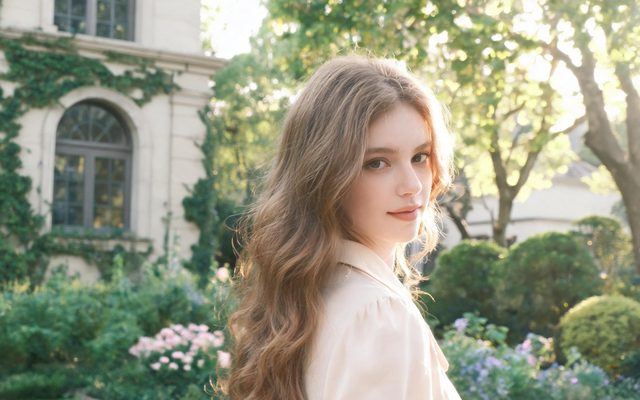
Visual Style: Soft-Mist Live Action
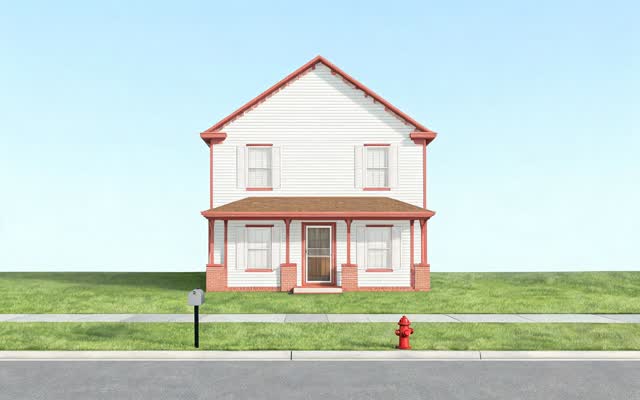
Scene Style: American Small Town
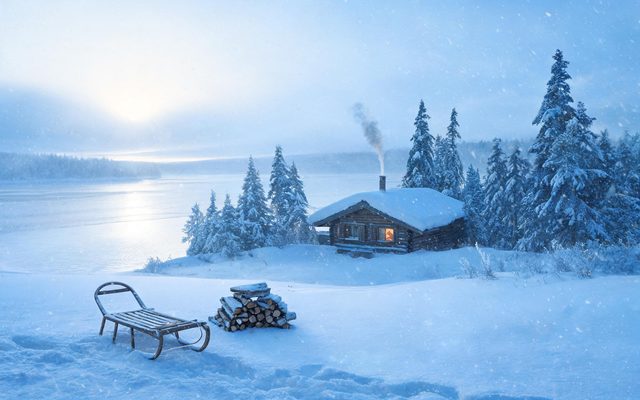
Scene Style: Frozen Wilderness
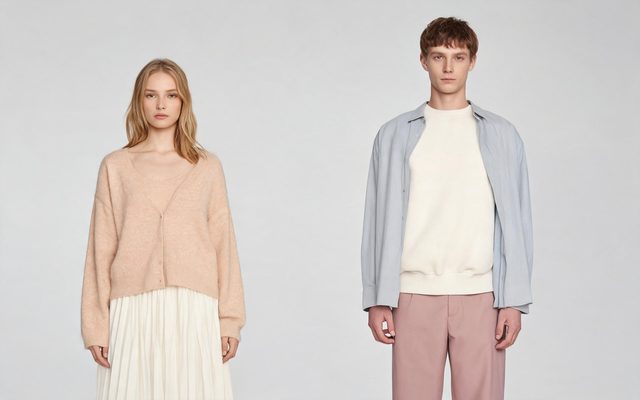
Costume Style: Soft Everyday
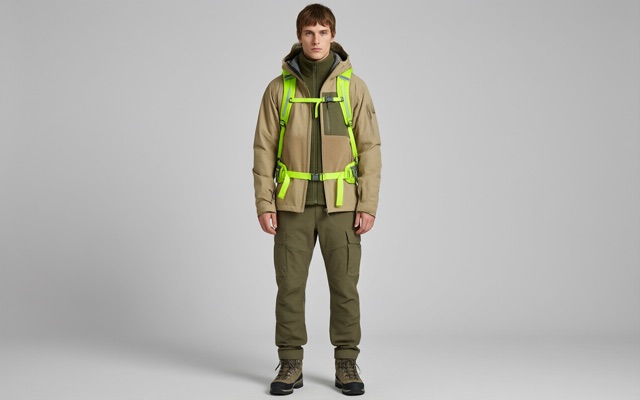
Costume Style: Outdoor Gear
Snow, lights and the fire: write them as light
The look of the genre is warm light against cold. A video model gives you that when the shot names the sources:
- String lights along the porch rail, warm against the blue dusk; snow falling slowly through them.
- The fire in the inn’s hearth lights their faces from the side; the window behind them is dark blue.
- The town tree lights up all at once; the crowd’s faces turn gold.
Snow and falling snow are written into the shot, not made into separate images: they ride on top of whatever the location image shows, like rain. Save state images for real changes — the inn after the storm damage, the main street fully decorated for the last episode. States · Describe the cause, not the result.
The festival crowd and the town’s regulars
- Name only the people with lines. The baker, the mayor, the best friend: characters with cards. The crowd at the tree lighting is the segment’s background line. Background people.
- Santa is your own character. A generic bearded man in a red suit is fine; anything that copies a film or brand version of the character is not. Describe yours.
- Children in the scene: keep them to ordinary family moments, in the background or with their parents, as a holiday film would.
- A dog by the fire is a non-human character: breed, colour, size, no clothes unless you want the jumper. Non-human characters.
Three shots to copy
| Beat | Shot |
|---|---|
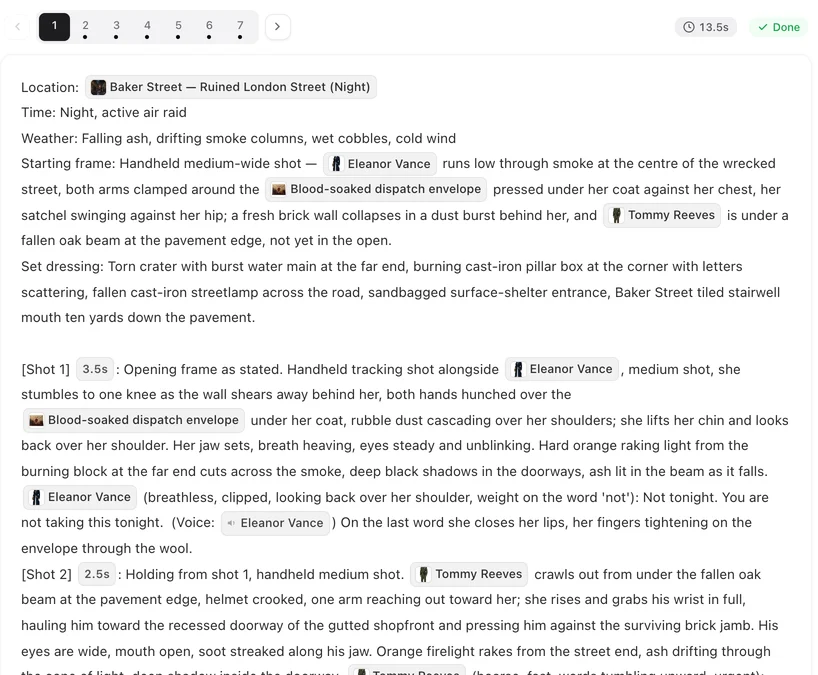
| The arrival | [Shot 1] 5s: Opening: wide shot. A sleek city car stuck at the edge of a snowy main street strung with lights. @Claire climbs out in heels into the snow. @Claire (under her breath): Of course. Ambient: carols from a shop doorway. |
| The spark | [Shot 4] 4s: Medium shot, the inn kitchen. @Ben hands @Claire a rolling pin, flour on his sleeve. @Ben (dry): You said you could bake. @Claire lips closed, no lip movement. |
| The tree lighting | [Shot 9] 5s: Wide shot. The town tree lights up; the crowd cheers; @Claire and @Ben in the foreground, not looking at the tree. No dialogue. Ambient: cheering, bells. |
Music and timing
- The score. An episode can carry its own score; the composite’s Music switch is on by default, and you can turn it off to lay your own track. Carols that are still under copyright are not yours to add unless you have a licence. Background music.
- Work backwards from the date. A series that should run through December needs its first episodes finished and its later ones storyboarded by the end of November. Generate the first three, post them, and keep going in the same project. Make the next episode.
Make it in SceneMixer, start to finish
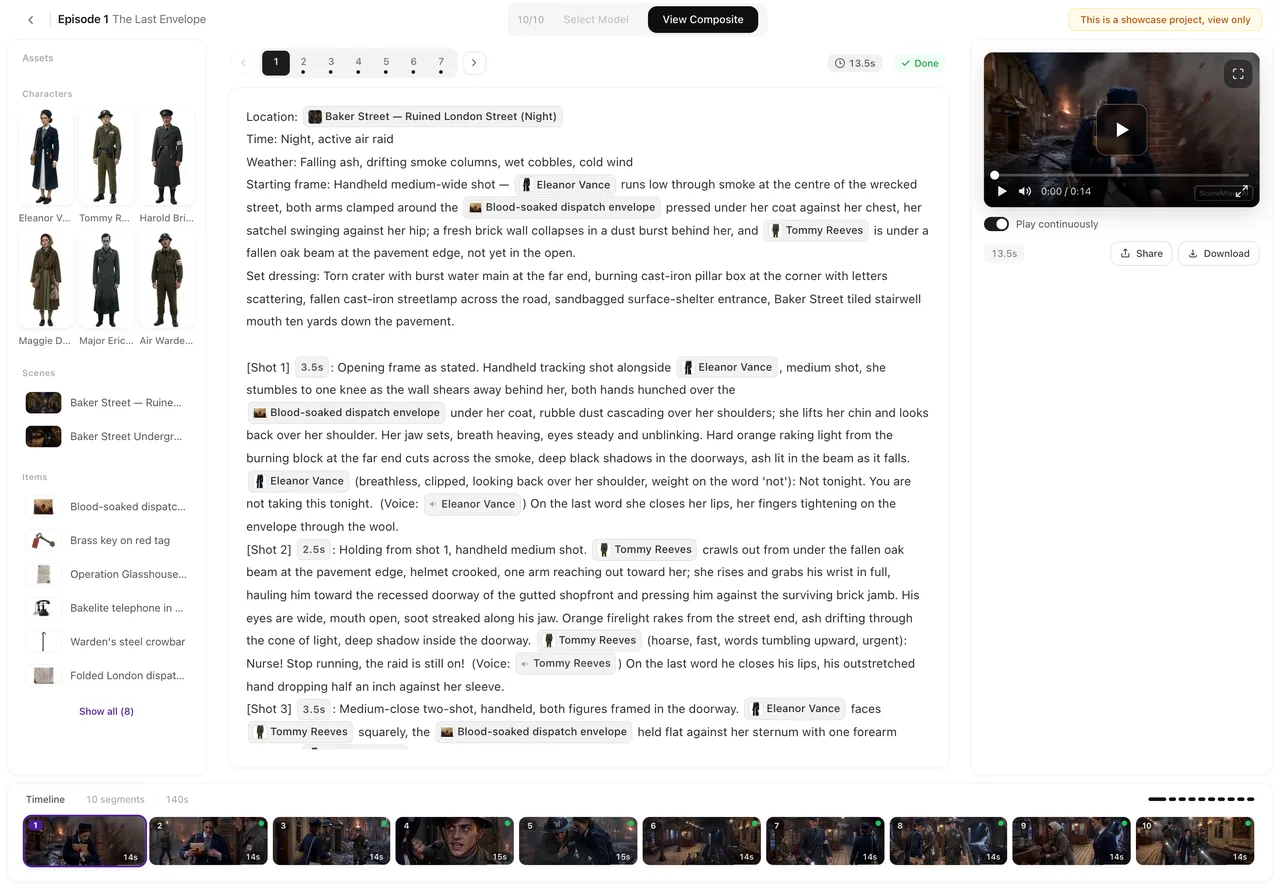
- Script: yours on Upload Script, or a brief in AI Create with the arrival, the thing to save, the secret and the Christmas Eve choice.
- Step 1: the settings above; read the script.
- Step 2: generate the couple, the regulars, the inn, the main street and the tree farm.
- Storyboard: episode 1 first (free on your first project). Add a light source to every evening shot.
- Video: generate on the default tier at 10 credits a second; composite; post.
| Episode | What happens | The hook |
|---|---|---|
| 1 | She arrives to close the deal on the inn. The car will not start. | The only room left is at the inn she is there to sell. |
| 2 | He drafts her into the festival committee. | She finds her own childhood drawing on the inn’s wall. |
| 3 | Baking night; the town adopts her. | Her boss calls: the deal closes on Christmas Eve. |
| 4 | He finds the contract. | The tree lights go out the night before the festival. |
| 5 | Christmas Eve. | She tears up the contract in front of the whole town — and he is not there to see it. |
FAQ
Can I make a full Christmas movie with AI?
Yes. Choose Film as the type, set a small-town scene style, and write or generate the script. The cast and locations stay consistent from the first scene to the last.
How do I make snow and Christmas lights look right?
Write them into the shot as light: string lights against the dusk, the fire lighting faces, the tree lighting up. Snow is written into the shot, like rain, not made into a separate image.
Can Santa Claus be in my film?
Yes, as your own character with your own description. Avoid copying a particular film's or brand's version of him.
Can I add Christmas songs?
Only music you have the right to use. Episodes can carry their own generated score, and you can switch it off on the composite to add a licensed track yourself.
How long should a Christmas movie be?
A few minutes works well as a single film; a December series can run one short episode a day.
When should I start to post in December?
Finish the first episodes by late November so the series can run through December. Storyboard ahead while the first ones are out.
Can I make it animated for families?
Yes. Pick Feature 3D Animation or Watercolor Storybook as the visual style in step 1.
Can the same story be made in another language?
Yes. Start a second project from the same script with another dialogue language and region.
Snow on the main street by December.
Start your holiday romance from one sentence.
Updated October 13, 2026
Pricing·Novel to Video·Guides·Samples·Support·Privacy·Terms·Legal·Contact·Affiliate program·© 2026 SceneMixer