How to Make an AI Movie Trailer for Your Own Film Idea

Brief for AI Create: A 90-second trailer for a sci-fi film: the last cargo pilot on a dying space station receives a distress call from a ship that was lost 30 years ago; a narrator, rising tension, the title spoken at the end.
The three-act trailer
| Part | Seconds | What it does |
|---|---|---|
| The world | 15–25 | Calm. Who, where, what is normal. A narrator or a single line. |
| The disruption | 20–30 | The thing that changes everything. One clear image. |
| The rise | 25–45 | Faster cuts, bigger moments, the stakes said out loud. |
| The button | 5–10 | Silence, one last line or image, then the title. |
Write it as a script with those beats, not as the whole film: a trailer shows moments, it does not explain the plot. Short drama, series or film.
A trailer script you can adapt
| Beat | Shot to adapt |
|---|---|
| The world | [Shot 1] 5s: Extreme wide shot, slow push in. A rusted space station turning against a red planet. @Narrator (voice-over, low): For thirty years, nothing has come to Station Kell. Ambient: deep hum. |
| The pilot | [Shot 2] 4s: Medium shot. @Ana alone in a cockpit, eating from a tin, a photo taped to the console. No dialogue. Ambient: hum, a beep. |
| The disruption | [Shot 3] 3s: Close-up. A red light blinking on the console. @Radio Voice (off-screen, crackling): Mayday. This is the Halcyon. Ambient: static. |
| The stakes | [Shot 4] 3s: Close-up on @Ana. @Ana (whisper): The Halcyon was lost before I was born. Ambient: static. |
| The rise | [Shot 5] 2s: Wide. A ship emerging from dust. [Shot 6] 2s: @Ana running a corridor. [Shot 7] 2s: An airlock opening on darkness. Ambient: alarms rising. |
| The button and title | [Shot 8] 4s: Black, then @Ana’s face lit red. @Narrator (voice-over): Halcyon. Ambient: silence. |
Short shots in the rise are what make a trailer feel like one; one action per shot. Shot seconds and timing · How to write one shot.
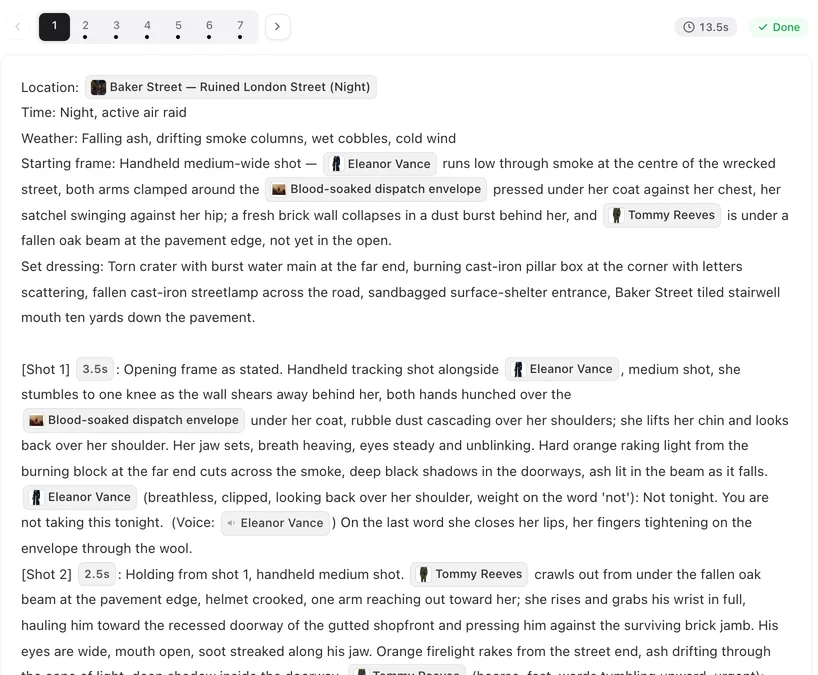
The cast, the look and the voice
- Cast: two or three characters at most; each is drawn once and every shot is matched to that sheet. Same face in every shot.
- Look: Shot on Film or Digital HD for live action, Game Engine Realism for sci-fi and action, Painterly Anime or Family 3D Animation for an animated film. Visual style presets.
- The trailer voice: an Off-screen narrator with a voice description such as deep, slow, gravelly male voice. Voice-only characters.
- Score: projects can carry their own generated score. Add background music.
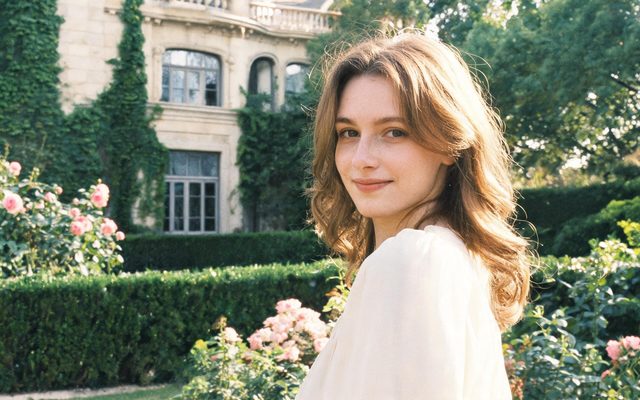
Visual Style: Shot on Film
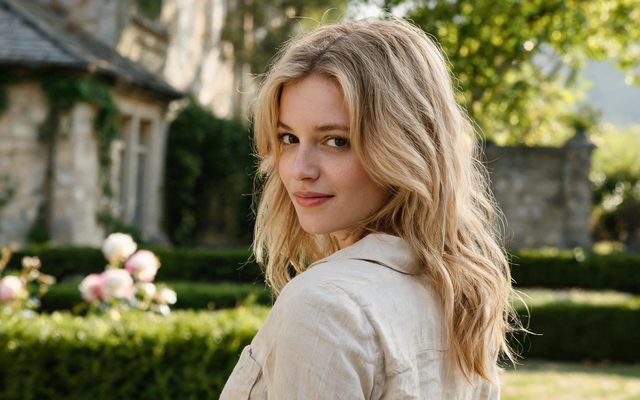
Visual Style: Digital HD
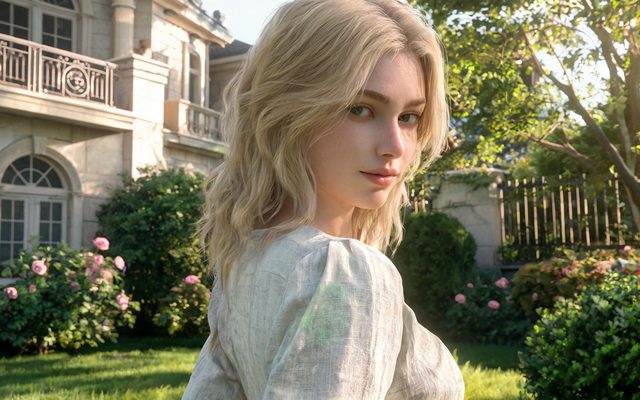
Visual Style: Game Engine Realism
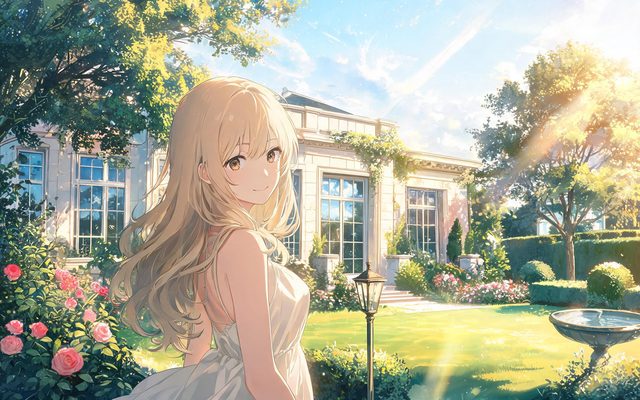
Visual Style: Painterly Anime

Visual Style: Family 3D Animation


Getting the title on screen
Generated video does not draw legible text, so do not ask for the title inside a shot. Two ways that work: the narrator says the title over the last image, or you download the trailer and add the title card in any video editor. Leave a few seconds of a clean final shot for it. On-screen text · Download the original.
Original films only
Fan trailers for real films, real actors’ faces and known characters are refused by the IP check. A trailer for your own story, with your own characters, is what this is for. IP check.
Make it in SceneMixer, start to finish
- Script: the trailer script on Upload Script, or a brief in AI Create with the premise, the length and the ending beat.
- Step 1: Type Film; 16:9; the visual style; the dialogue language. Read the script.
- Step 2: check the leads’ sheets; add the narrator. The first 15 setup images on an account are free.
- Storyboard: keep the rise in short shots; one action each.
- Video: draft on the default tier at 10 credits a second, then regenerate the keepers at a higher tier; composite and download. Draft at 480P, finish at 1080P.
For a sci-fi sample, watch Starfall Command. For a book rather than a film: make an AI book trailer.

FAQ
How do I make an AI movie trailer?
Write a 60-to-120-second trailer script in four parts, set the Type to Film and the aspect to 16:9 in step 1, add an off-screen narrator, and render; the cast stays consistent across every shot.
Can it put the title on screen?
Not as text inside a shot: generated video does not draw legible text. Have the narrator say it, or add a title card in an editor after downloading.
Can I make a trailer for a real movie?
No. Real films, actors and known characters are refused by the IP check. It is for trailers of your own stories.
Does the trailer have music?
Projects can carry their own generated score; you can also add your own licensed music in an editor afterwards.
How long should a trailer be?
Sixty to ninety seconds for a pitch or social post; up to two minutes for a full trailer.
Can I get a deep trailer voice?
Yes. Add an off-screen narrator and describe the voice, for example deep, slow and gravelly.
Can it be animated?
Yes. Pick an animation visual style in step 1, such as Painterly Anime or Family 3D Animation.
What does a trailer cost?
Video is priced per second of the tier you pick, so a 90-second trailer on the default tier is about 90 seconds at that rate; the generate button shows the price first.
Updated October 20, 2026