How to Make an AI Sci-Fi Short Drama

Brief for AI Create: A sci-fi thriller: a disgraced fleet commander steals the command core of an orbital station under siege; the empire sends her former second-in-command to bring it back; she has until the station's orbit decays; tense, cold, one twist per episode.
Sci-fi that works as a short drama
- A clock. Oxygen running out, an orbit decaying, a signal arriving in six hours. Science fiction gives you deadlines for free; use one per arc.
- A small cast in a closed place. A ship, a station, a corporate floor. Few locations, each with its own reference image, kept the same every episode.
- A question about people. Who is human, who is loyal, who remembers what. The technology is the setting; the episode endings are about the characters.
- A world seen through a window. The city below, a planet turning, a fleet on the horizon. Scale lives in the background of a shot about two people.
Settings to pick in step 1
- Visual Style: Realistic HD or Filmic Live-Action for live-action sci-fi; Game Engine Realism or Realistic 3D CG for a CG look; Cel-shaded 3D or 2D Cel Shading for anime sci-fi.
- Scene Style: Starship for bridges and corridors, Mars Base for a colony, Cyber Metropolis or Neon Nights for a cyberpunk city, Wasteland for after the collapse.
- Costume Style: Starship Uniform for a fleet, Space Explorer for suits and EVA gear, Cyberpunk Augment for implants and street armour, Near-Future Techwear for the day after tomorrow, Wasteland Scavenge for survivors.
- Type and Aspect Ratio: Film and 16:9 Landscape for a sci-fi short; Short Drama and 9:16 Portrait for a feed series.
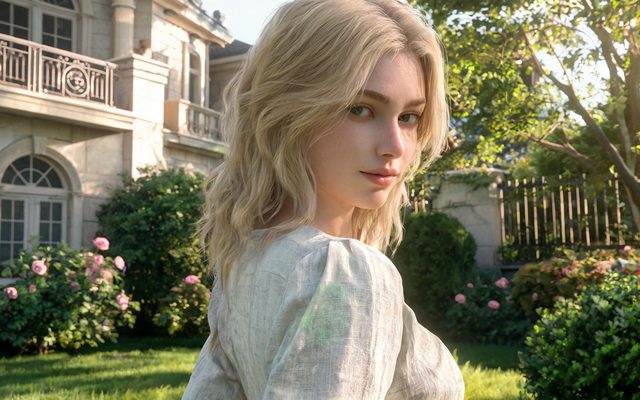
Visual Style: Game Engine Realism
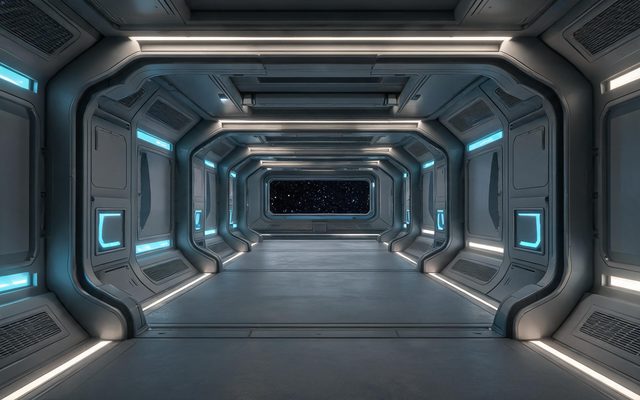
Scene Style: Starship
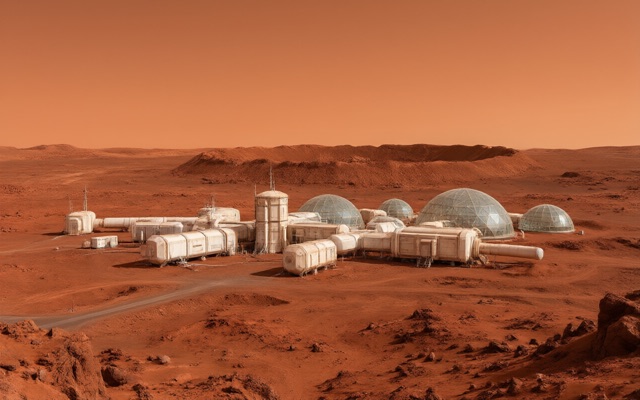
Scene Style: Mars Base
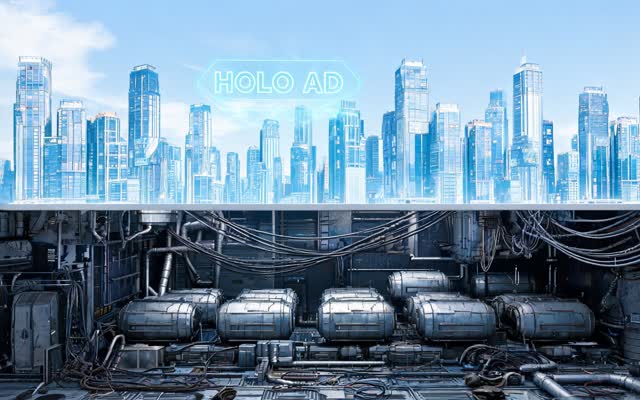
Scene Style: Cyber Metropolis
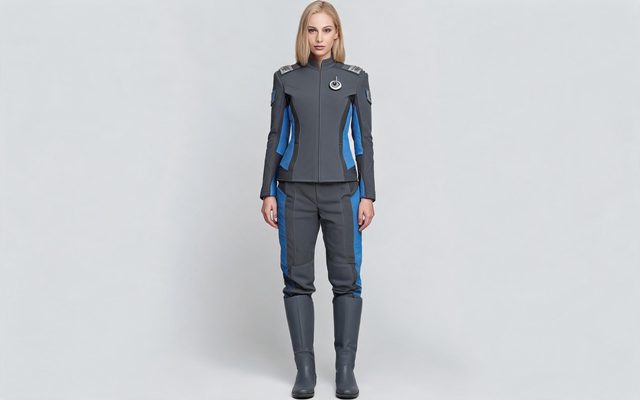
Costume Style: Starship Uniform
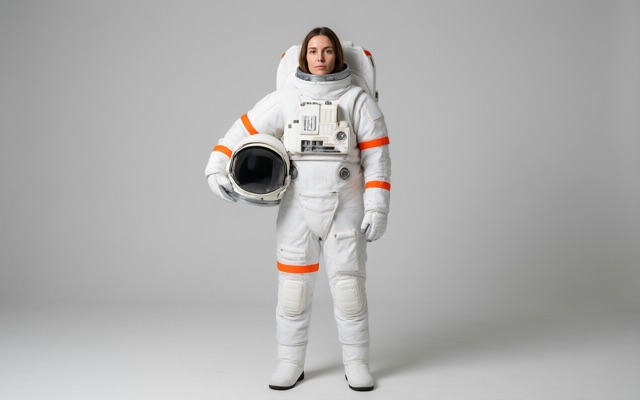
Costume Style: Space Explorer
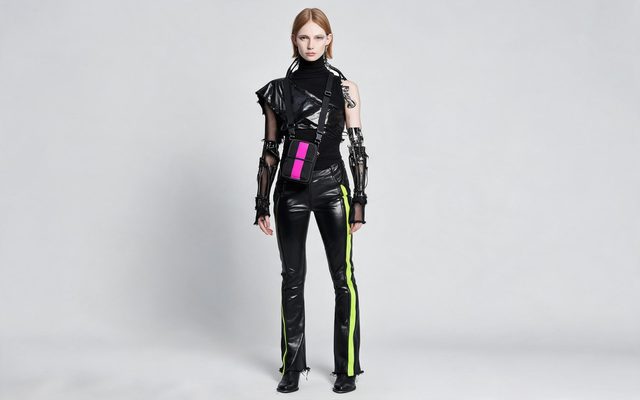
Costume Style: Cyberpunk Augment
Helmets, visors and masks
A helmet hides the one thing that keeps a character recognisable. Make it a choice, not a default:
- Generate the character’s main image with the face visible: the uniform or suit, no helmet.
- On their card choose Add a state, name it Helmet on, and describe only the difference: a matte white helmet with a gold-tinted visor down; the blue stripe of the uniform visible on the collar.
- Pick the state only in the shots where the helmet is on. The shot where it comes off is the shot that gets the face back — often the best reveal in the episode.
Give helmeted characters something the audience can still read: a coloured stripe, a callsign on the shoulder, a damaged visor. Use a character state in one scene · My character’s face changed.


Screens, readouts and holograms
Sci-fi is full of displays, and a generated display will not hold readable text or numbers. Use screens as light and shape; put the information in the dialogue:
- The console throws red warning light across her face — then she says Orbit decays in forty minutes.
- A hologram of the station turns slowly above the table, one section pulsing — then the engineer points and says which one.
The same goes for signs in a cyberpunk city: they are colour and glow, not words. Text in the picture.
Battles you can afford
A fleet engagement with hundreds of ships, or a mech fight with complex moving parts, is the kind of shot that fails most often. Stage it as cinema has always staged it on a budget:
| Beat | Shot to adapt |
|---|---|
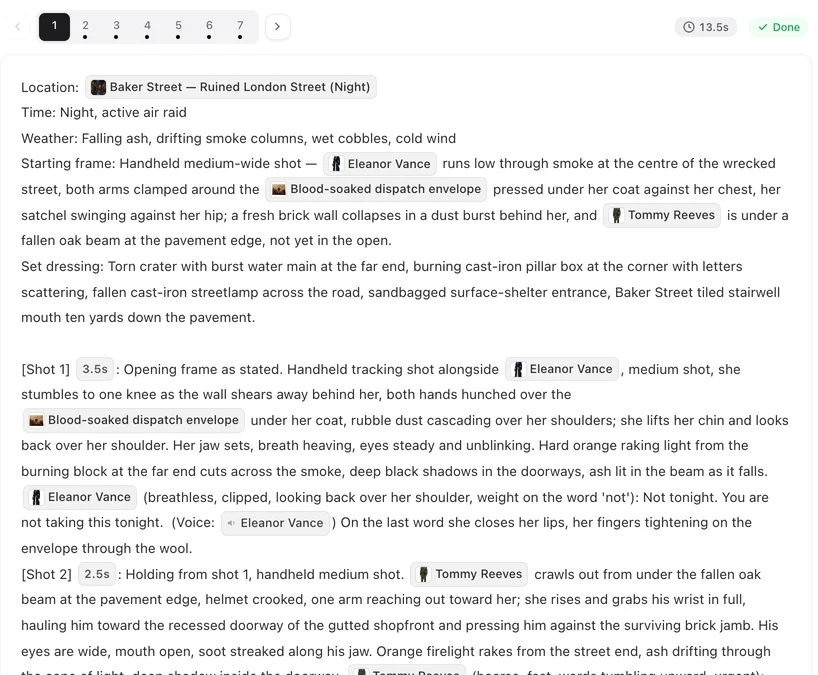
| The threat | [Shot 2] 4s: Wide shot through the bridge window. Lights of a fleet spread across the black, closing. In frame only: @Kira, back to camera. No dialogue. Ambient: a low alarm. |
| The hit | [Shot 3] 3s: Medium shot, handheld. The bridge shakes; @Kira grabs the rail; sparks from a panel behind her. No dialogue. Ambient: a deep metallic boom. |
| The decision | [Shot 4] 4s: Close-up. In frame only: @Kira, red warning light on her face. @Kira (calm, too calm): Turn every turret on their flagship. |
The battle is in the window, the shaking and the sound; the drama is in the close-up. Fights, crowds and group scenes.
Robots, androids and AIs
- An android who passes as human is a character like any other. If there is a reveal — a panel opening, a seam of light at the jaw — make that a state.
- A robot is a non-human character: describe shape, material, how it moves, whether it has a face or a screen. Non-human characters.
- A ship’s AI that is only heard is set to Voice only (off-screen) in step 2: no image, a voice. Describe it as you would any voice: neutral, warm, slightly too patient.
Make it in SceneMixer, start to finish
- Script: yours on Upload Script, or a brief in AI Create with the clock, the closed place, the lead and the twist.
- Step 1: the sci-fi settings above; read the script.
- Step 2: generate the cast and the few locations; add helmet states; set the ship’s AI to voice only.
- Storyboard: episode 1 first (free on your first project). Move readouts into dialogue; turn battles into bridge reactions.
- Video: generate on the default tier at 10 credits a second; regenerate what misses; composite.
Watch Starfall Command, a siege on an orbital station, and Neon Debt, a cyberpunk chase through a vertical megacity.
| Story | Scene style | Costume style | Visual style |
|---|---|---|---|
| Space opera on a warship | Starship | Starship Uniform | Realistic HD |
| First colony on Mars | Mars Base | Space Explorer | Filmic Live-Action |
| Cyberpunk thriller | Cyber Metropolis / Neon Nights | Cyberpunk Augment | Game Engine Realism |
| Near-future corporate | Corporate Cold | Near-Future Techwear | Realistic HD |
| Post-apocalypse | Wasteland | Wasteland Scavenge | Filmic Live-Action |
FAQ
Can AI make a sci-fi short film?
Yes. Pick Film as the type and a sci-fi set and wardrobe in step 1, then write or generate the script. Keep the cast small and the locations few, and the world stays consistent.
How do I keep a character recognisable in a helmet?
Generate the main image without the helmet, add the helmet as a state, and pick it only in the shots that need it. Give the helmet a mark the audience can read.
Can the screens show readable data?
Not reliably. Generated text and numbers on displays are not legible. Use the screen as coloured light and let a character say the information.
Can AI video do a space battle?
A battle with hundreds of ships is unreliable. Show the fleet through a window, shake the bridge, use the sound, and keep the drama in the close-ups.
How do I make a ship's computer that talks?
Create it as a character set to Voice only (off-screen). No image is made; its lines are spoken in the voice you describe.
Which style suits cyberpunk?
Cyber Metropolis or Neon Nights for the set, Cyberpunk Augment for the wardrobe, and Realistic HD or Game Engine Realism for the visual style.
Can I use a famous franchise's ships or uniforms?
No. Known franchises and their designs trigger the IP check. Invent your own fleet, insignia and ships.
Does sci-fi cost more to generate?
No. Video is priced by the second at the tier you pick, whatever is in the shot.
Updated October 13, 2026
Pricing·Novel to Video·Guides·Samples·Support·Privacy·Terms·Legal·Contact·Affiliate program·© 2026 SceneMixer