Turning a Web Novel Into an AI Drama Series

Paste the first three chapters of your novel into a new project and read the summary in step 1 before generating anything else.
Rights first
Adapting a novel you did not write needs the author’s or the publisher’s permission, even for a free web novel, and even if every frame is newly generated. Your own novel, a licensed one, or a public-domain work are safe starting points. What you get to keep · AI short drama compliance.
How much to paste
A web novel is usually far longer than one project reads at once. If you paste more than the limit, the box says so and asks you to split it into volumes. A good first project is the opening arc: the chapters that introduce the leads and end on the first big turn. Longer stretches are read in stages, and later episodes become ready a little after the first. Length caps and how characters count.
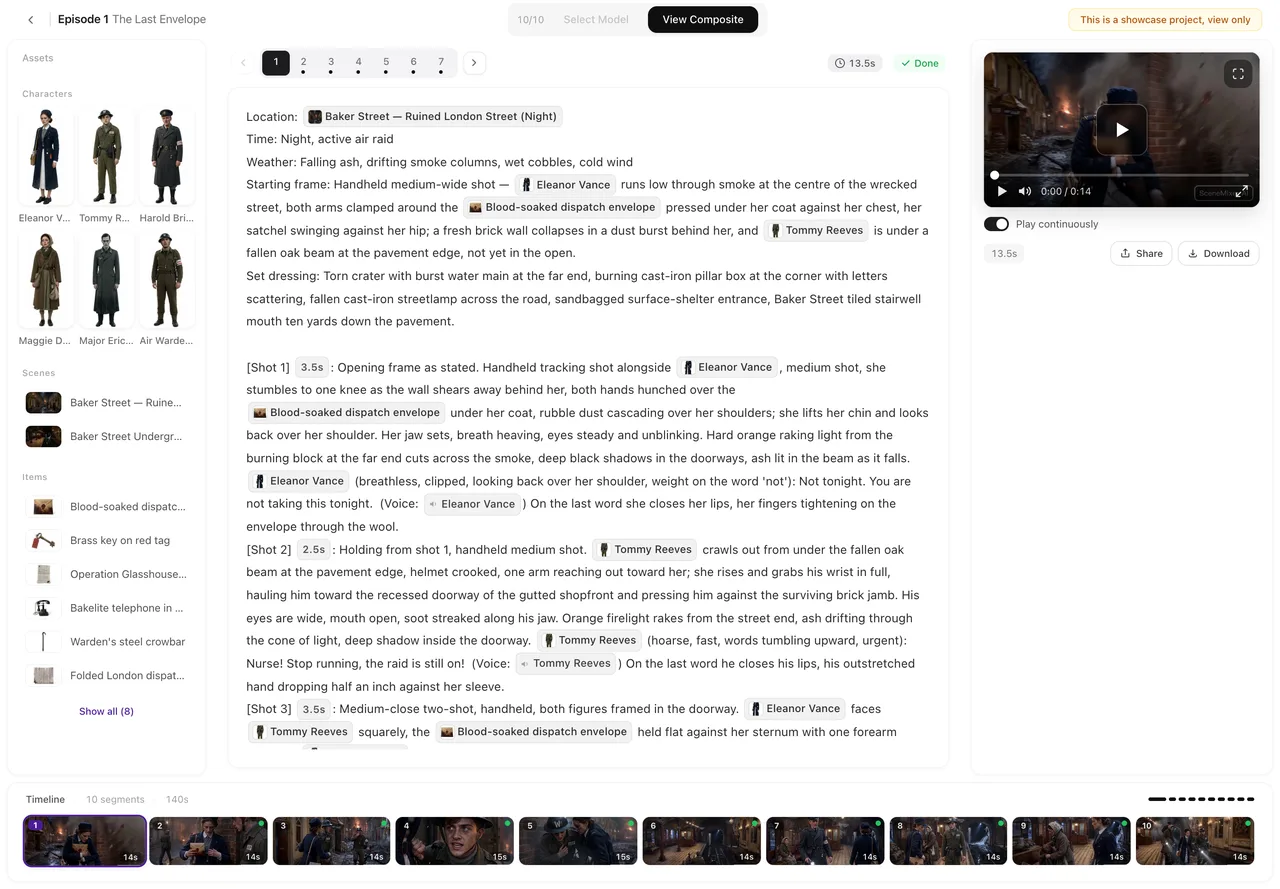
How chapters become episodes
The reading does not keep your chapter breaks. It splits the text into episodes by story, giving each one a turn of its own, and lists them in step 3. Chapters full of inner monologue get condensed; scenes with conflict and dialogue carry over best. For lines you want spoken word for word, put them on their own line as Name: words before pasting. Write dialogue so it is picked up.
Settings to choose before the reading
- Drama type. Short Drama for a fast vertical series; TV Series for a slower ensemble; Film for one long story. Short drama, series or film.
- Target region. Keep the novel’s setting, or move the story to another region with local names and places. Target region.
- Dialogue language. The language the characters speak in the videos. Choose a dialogue language.
- Visual style. Realistic, anime and other looks; it cannot change after you continue. Visual style presets.
The next volume
When the first project is done, paste the next arc into a new project with the same settings, and bring the cast across with Pick existing in step 2 so faces and voices stay the same. Make the next episode.
Cost, roughly
Reading is priced by the length of the text, each episode’s storyboard by its share of the text, and video by the second. Your first project includes some free items. Read one project’s prices on the pricing page before pasting a whole volume. What you get for free.
| Step | What to do with a novel |
|---|---|
| Pick the text | The opening arc, not the whole book |
| Check rights | Your own work, licensed, or public domain |
| Settings | Drama type, region, dialogue language, visual style before the reading |
| Read | Check the summary and the episode list in step 1 and step 3 |
| Next arc | A new project, cast reused with Pick existing |
FAQ
Can I paste the whole novel?
Only up to the reading limit for one project. Split a long novel into arcs and make each a project.
Will my chapter titles become episode titles?
No. The reading cuts episodes by story and titles them itself; you can read and rename them afterwards.
Can I link to the novel's web page?
No. Paste the text itself; links are not opened.
Does the AI change the plot?
It condenses and rewrites for the screen, keeping the events and the characters. Read the summary in step 1 before generating anything.
Can I adapt a translated novel?
Yes, if you have the rights. Pick the dialogue language you want the characters to speak.
Start with the first arc
Paste the opening chapters, read the summary, and see your leads on screen.
Updated October 2, 2026
Pricing·Novel to Video·Guides·Samples·Support·Privacy·Terms·Legal·Contact·© 2026 SceneMixer