An AI Ad for Clothing
Which photos work covers the general rules; this page is the clothing case.
The photo
The piece alone: flat-lay on a plain surface, or on a mannequin or hanger, front on, in even light so the true colour shows. Fill the frame. As extra images: the back, a fabric close-up, the piece worn (a real model is fine here — people are removed and the garment is what is read). Shoes: three-quarter, the pair. Accessories: on a plain surface, large in frame.
What the reading does
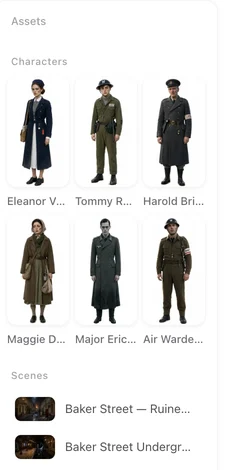
The garment is cleaned into a product shot on a clean background: the cut, the colour, the fabric, the details kept. That shot is the featured product every shot of the ad dresses its people in. If the colour came out wrong, it is usually the photo’s light; reshoot in daylight and pick different images.
Who wears it
The ad’s cast is generated to fit the piece and the audience in your line: a linen shirt for men who hate ironing gets a man in a hurry; a school-run parka gets a parent at the gate. You do not supply a model. If the piece is for a specific body or age, say so in the line.
What the ad shows
The piece in motion: a walk, a turn, a sit-down, a coat going on. Fabric moving is what sells clothes on video, so the ad types that give the cast something to do work best. Close-ups of a seam or a print come from your extra photos.
Which ad type
Outfit showcase: one piece worn on the body — walking, turning, in motion; it takes clothing photos only. A day in the life: the piece worn through a morning. Minimal: the garment, light, one line — for a brand with a look. Twist: it looks formal, then it is not. Funny: a hoodie with a personality. Portrait for feeds; thirty seconds for one piece, sixty for a small collection with several photos.
The one line
A wool overcoat for city winters, for people who walk to work. Material, occasion, wearer. Sizes and prices belong on the end card or the landing page, not in the shots; SceneMixer removes claims like “best quality”.
The end card
The brand from the label in your photo or your line; the product name from the reading; a tagline; and Shop now or See the collection. The main image on the card is the cleaned product shot. The end card.
| Piece | First photo | Extra photos | Ad type |
|---|---|---|---|
| A coat or a dress | On a mannequin, front on | Back, fabric close-up | Outfit showcase / A day in the life |
| A T-shirt or a hoodie | Flat-lay | The print up close | Funny / Minimal |
| Shoes | The pair, three-quarter | Sole, detail | Minimal / Show how it works |
| A bag or jewellery | On a plain surface, large | Worn, detail | Minimal / A day in the life |
FAQ
Do I need a model in my photo?
No. SceneMixer generates the cast. Photograph the piece alone so the cut and colour are read right.
There is a model in my photo already.
Fine. People are removed and the garment is what is read; the ad dresses its own cast in it.
Will the colour be right?
If the photo is lit evenly, yes. A yellow-lit photo reads as a yellow-tinted garment; reshoot in daylight.
Can I show a whole collection?
Add up to four pieces to SceneMixer as separate photos; the first is featured and the others appear. Sixty seconds gives them room.
Can the ad show sizes and prices?
Put them on the end card or your landing page. Generated shots do not write legible text.
Updated November 15, 2026