Answers · Directing
Can AI Direct a Movie?
Published November 6, 2026

Where people already see direction
When an AI video works, viewers tend to credit the person, not the tool. Under an action series in r/aivideos, the comment that best described what had been done read like a review of a director:
The precision that's required in your prompts to get that kind of continuity is top director level.
That is the right framing. Directing is a set of decisions — what each shot shows, how long it lasts, where the camera is, who is in frame, how a line is said — and continuity is the proof that those decisions were made consistently. Camera and shot craft is one of the largest topics in the community corpus, about 22,000 posts. The question is which of those decisions a tool can take off your hands.
What the AI decides on SceneMixer
Quite a lot of the mechanical half. When a script is read, each episode becomes a storyboard of segments and numbered shots, each with its own duration, framing change and action. Shot length is derived from the dialogue, so no actor gets a second and a half for a nine-word line. Who is on screen is marked per shot, and anyone only being looked at or spoken to is written as a direction instead of a name, so their face does not appear in a single-person shot.
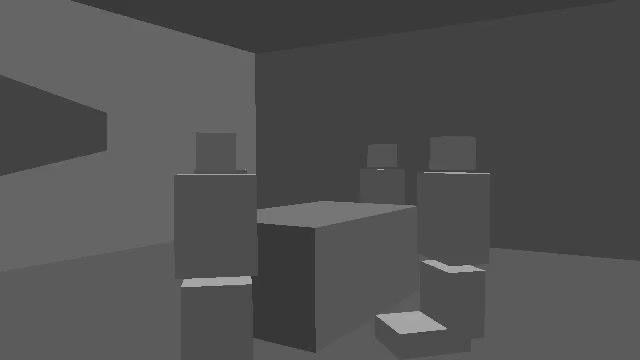
Staging is handled too. SceneMixer builds an automatic AI 3D model of each scene, and every shot in the scene is generated against that one model, so the wide shot, the close-ups and the reverse shot describe the same room from different positions. You do not have to write camera positions: say who faces whom and the staging puts the camera where that is true. You never see the model and you never touch it.
What stays with you
- Casting. You approve every character sheet and location image. The faces are a decision, and they are yours.
- The story. The read adapts what you give it; what happens, in what order, and why, is your script.
- The performance. Delivery is steered by the note on each line — angry, tired, barely audible — and you decide which take to keep.
- The camera you care about. The storyboard proposes framing and movement shot by shot; edit the words where the camera should do something else. Short shots, a different framing every cut, one move each.
- The cut. Every regeneration is kept as a version; which one goes into the episode is your call.
A director's workflow, at AI speed
Treat the storyboard as the shooting script and the rendering as the shoot. Read every segment before generating: one clear action per shot, enough seconds for each line, the right person in frame. Then render one segment and judge it like dailies. On the site over the 30 days to November 6, 2026, a segment came back in a median of about 4 minutes and a whole episode was finished 24 minutes after its first segment started, so the loop between a note and a new take is minutes, not a day.
The division of labour is the useful part. A first-time director here does not need to know how to block a three-person conversation or where to put the camera for a reverse shot; the staging does that. What they do need is a point of view — what the scene is about, whose face the audience should be watching when the line lands — and the patience to reject a take that is merely fine. That half is not automatable, and it is the half that makes two films from the same script different.
For the camera vocabulary that works, see how to write camera movement prompts and writing cinematic camera moves; for how the staging keeps people in place, spatial consistency explains the 3D model behind each scene.
Limitations of automatic direction
- Very slow camera moves can come out still; make the moves you care about clear and quick enough to see.
- Lens numbers, camera brands and strings of style tags do little. Describe what the camera does and what the viewer should feel.
- Complex blocking — several people each doing something different while the camera moves through rooms — needs more attempts than a dialogue scene.
- The site figures are one month of SceneMixer tasks, refreshed monthly; the community count is a keyword approximation.
FAQ
Does the AI choose the camera angles?
It proposes them shot by shot in the storyboard and places the camera inside a 3D model of each scene; you edit the words wherever you want something else.
Do I have to write camera positions?
No. Say who faces whom and SceneMixer's staging puts the camera where that is true.
Can I direct the acting?
Yes, through the bracketed note in front of each line and by choosing which take to keep. Every regeneration is kept as a version.
Does the staging cost extra?
No. Every scene gets its 3D model as part of the normal process, and it adds nothing to the price.
Related: how to make a storyboard with AI covers the shooting script, planning a one-take action shot is direction at its hardest, and the community counts follow the collection method.
Direct your first scene
Read a scene, check the shots and the staging as text, and render the first take in minutes.
Sign up freePer-second video rates are on the pricing page with the same numbers.