How to Change a Segment’s Duration, and Which Tiers Accept 30 Seconds

Open a segment, change one shot from 4 seconds to 6, and watch the segment total and the price tag update before you generate.
Where the seconds live
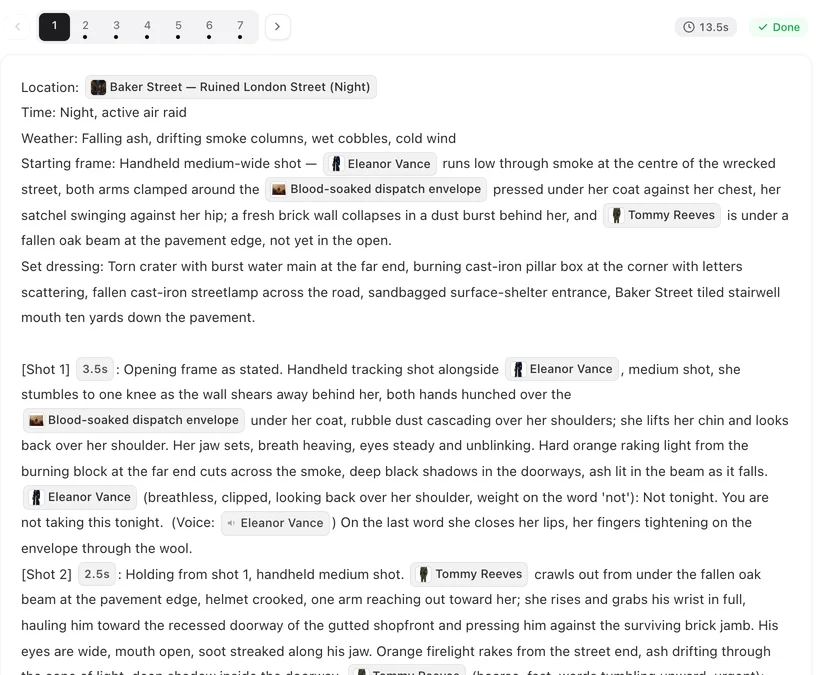
Each shot line starts with its number and its seconds. Edit the number, save, and the segment’s total and its price tag on the timeline card change immediately; nothing is generated until you press the button. The @ menu offers the same edit with a preset list. The segment total stays between 4 seconds and the episode’s segment length; the editor shows the total in red when the shots add up to more. It does not check whether a line fits its seconds, so give a spoken shot the time it takes to say. Details of the timing rules: Shot Seconds and Timing.
The tier’s cap
One segment is one request to the video model, and each model accepts a maximum length per request: Wan 3.0 (480P, 720P, 1080P) and Seedance 2.5 (480P, Lite, Pro) take up to 30 seconds; Seedance 2.0 (480P, Fast, standard) and MiniMax H3 (H3, H3 Fast) take up to 15. Switch tiers in the model selector in the editor’s top bar and the cap switches with it. A segment longer than the tier’s cap is refused when you press generate, with a message naming the cap; it is not cut, and nothing is charged.
The episode’s segment length
Each episode’s storyboard is written to a segment length you pick in Step 3 before generating it: Standard 15s (the default) or Long take 30s. It shapes how shots are grouped into segments, and it is also the ceiling for editing: in a 15-second episode a segment stops at 15 seconds whatever you type. To get 30-second segments, generate the episode’s storyboard in Long take 30s and generate them on a Wan 3.0 or Seedance 2.5 tier. What the two modes change in practice: 15-Second or 30-Second Segments.
Making a segment longer without making it worse
Longer is not automatically better: one 30-second generation has to hold the same faces and the same room for twice as long, and a mistake in second 25 costs the whole take. Add seconds to shots that need them (a spoken line, a slow reveal), not to every shot; if you want more story, add a segment rather than stretching one — Insert or Delete a Segment. Leave a couple of seconds under the cap on the 30-second tiers.
What it costs
Price is per second of the tier: the default tier is 10 credits a second, so a 12-second segment and a 24-second segment differ exactly by that ratio. The timeline card shows the price before you generate; regenerating a longer version is a new charge. Where your credits go in one episode.
| Tier family | Max seconds per segment | Typical use |
|---|---|---|
| Wan 3.0 · 480P / 720P / 1080P | 30 | Default; drafts to finals |
| Seedance 2.5 · 480P / Lite / Pro | 30 | Longer single takes |
| Seedance 2.0 · 480P / Fast / standard | 15 | Short punchy shots |
| MiniMax H3 / H3 Fast | 15 | Short takes, no 480P |
FAQ
Can I make a segment 30 seconds?
Yes, if the episode's storyboard was generated in Long take 30s mode in Step 3 and you generate on a Wan 3.0 or Seedance 2.5 tier. In a 15-second episode segments stop at 15.
Why does my segment total not match what I typed?
The total is the sum of the shots, kept between 4 seconds and the episode's segment length. Check every shot line.
Does a longer segment cost more?
Yes, per second, on every tier. The card shows the price before you generate.
Can I generate 4 seconds?
Yes; 4 seconds is the shortest segment. Make sure a spoken shot still has time for its line.
Will the site cut my segment to fit?
No. A segment past the tier's cap is refused when you press generate, before anything is charged; shorten it or pick a 30-second tier.
Set the seconds, then pick the tier
Seconds are yours to edit; the cap and the price come from the tier you generate with.
Updated September 27, 2026
Pricing·Novel to Video·Guides·Samples·Support·Privacy·Terms·Legal·Contact·© 2026 SceneMixer