Where a Character’s Personality Goes, and How to Make the Acting Show It

Open a segment with your character in it, press Edit, and read only what they do and how they say it. If the shots could belong to anyone, that is why the clip does not show who they are.
Why the character sheet does not show personality
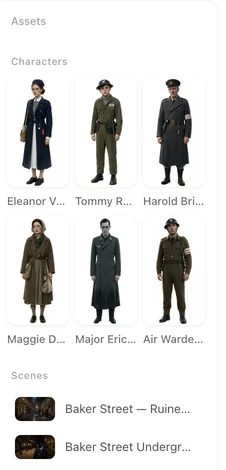
The sheet is a reference image: plain background, even light, a neutral pose, so that the same face can be placed into every shot. It is drawn from the card’s Description, which is about appearance. Words like brave, kind or arrogant have nothing to draw; at best they are ignored, at worst they turn into a fixed expression that follows the character into every scene, including the ones where she should be laughing. Why sheets are plain · Describe a face so it is not a generic face.
What a description can carry is a physical habit that shows who they are without a word: posture, how they stand, a resting expression in the face’s structure. Stands very straight, shoulders back, chin slightly raised reads as pride and still works in a sad scene; always smiling does not.
Where personality actually comes from
| Where | What it carries | Can you edit it? |
|---|---|---|
| Your script | The reading writes a short personality note for each character from what the story shows. It is used when storyboards are written and when a voice is matched. | Not on the card; it comes from the script as it was read |
| The storyboard | What they do in each shot, the delivery note, the words of each line, how others react to them | Yes, freely, or with AI edit |
| Voice description | How they sound: pitch, pace, texture, an accent | Yes, on the card |
| Description | How they look, including posture and resting expression | Yes, on the card; regenerate the sheet |
The personality note is the reason a cold character is often written cold in the storyboard without you asking. It is also why a character you added by hand, with no script behind them, comes out flatter: the storyboard has only their description to go on. For those, put the personality into the storyboard yourself.
Write it into the script
The strongest place is the story itself, before it is read. Readers learn who someone is from what they choose and how they say it, and so does the reading:
- Give them a choice that costs something. “She hands back the envelope without opening it” tells more than “she was honest”.
- Give them a way of speaking. Short sentences, never a question; or a joke at the worst moment.
- Let others react to them. The room going quiet when he walks in defines him better than an adjective.
- A character list at the end of a script helps, but the scenes are what the episodes are built from.
Write dialogue in your script so it is picked up · AI Create: writing the one-line brief.
Make the acting show it, shot by shot
In the storyboard, personality is behaviour. The same line said by two different people:
| Personality | How the shot is written |
|---|---|
| Cold, in control | [Shot 2] 4s: Close-up. In frame only: @Ethan. He reads the report without looking up and turns the page with one finger. @Ethan (flat, not looking up): Again. (voice: 🔊Ethan) |
| Nervous, eager to please | [Shot 2] 4s: Close-up. In frame only: @Lily. She holds two printouts against her chest, glancing from one to the other. @Lily (too fast, swallowing the last word): I did both versions, just in case. (voice: 🔊Lily) |
| Warm, teasing | [Shot 3] 3s: Medium shot. @Nora leans on the doorframe, arms folded, half a smile. @Nora (amused, slow): You’re early. That’s new. (voice: 🔊Nora) |
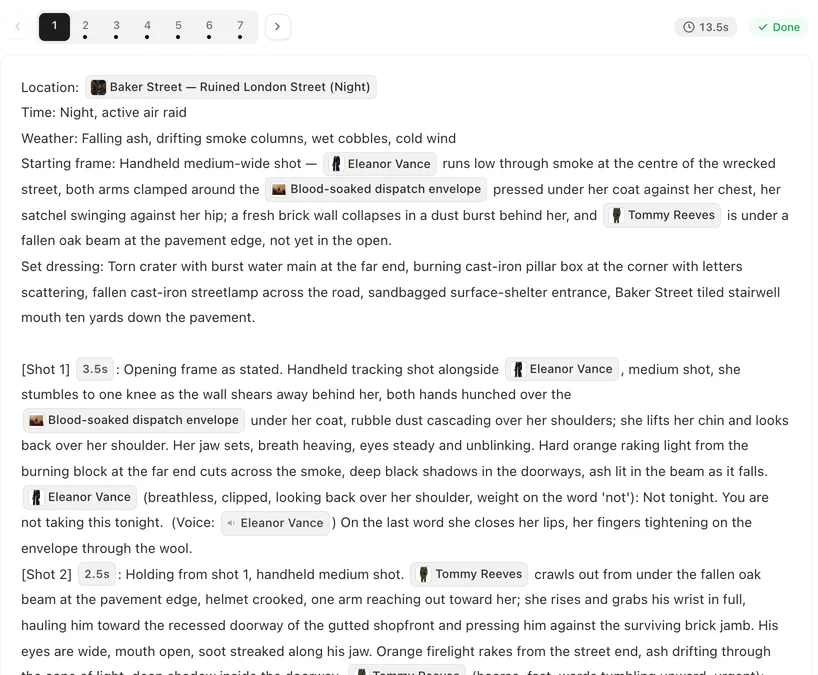
Three things carry it: the action before the line, the delivery note in brackets (how it is said, not what it means), and the words themselves. Keep thoughts out of the description; a sentence of what a character thinks in a dialogue shot can be read out loud. How to write one shot · The video says a line you never wrote.
Change a character across the whole episode
If the storyboards came out with the wrong temperament — the villain too friendly, the lead too passive — you do not have to rewrite every shot by hand. Open AI edit on a segment and use Apply to the whole episode… with one request, for example:
Make Ethan colder in every scene: fewer words, never smiles, does not look at people when he talks to them.
The same request runs on every segment you select; segments that need no change are not charged, and you review and save the results. Each revision is priced on the button (1 credit per segment revised). Then regenerate the segments you want to see acted differently. Revise the whole episode with one request.
Give the personality a voice
The Voice Description on the card is how a character sounds in every line. Write it as sound, not as character traits: low, unhurried, clipped consonants, never raises his voice rather than confident CEO. A matched preset voice is picked from that description and the character’s note; after changing the description, Re-match picks again for free. How character voices work · Give a character an accent.
Keep it consistent across a series
- Same habits, every episode. Pick two or three physical habits per lead — how she enters a room, what he does with his hands — and keep using them in the storyboards.
- Change on purpose. If a character changes over the series, make the change visible in a scene; a different temperament with no cause reads as a mistake.
- Reusing a character in another project brings their traits with them, the personality note included. Reuse a character across projects.
| You wrote | What happens | Write instead |
|---|---|---|
| “Brave and kind” in the description | Nothing to draw; may become a fixed expression | A posture or a habit, in the description; behaviour, in the shots |
| “She is furious but hides it” before her line | Can be read aloud | Her hands go still; she smiles a beat too long |
| (angry) as the delivery note on every line | Every line sounds the same | Vary it: (quiet, very slow), (clipped), (almost laughing) |
| “Confident CEO” as the voice description | A guess at a voice | low, unhurried, clipped consonants |
FAQ
Can I write a character's personality on the card?
There is no personality field on the card. The description is for how they look, and the voice description for how they sound. Personality comes from your script when it is read, and from what the storyboard has the character do and say.
Why does the character sheet not show the personality?
A sheet is a neutral reference image used in every shot; it shows appearance only. A trait like proud or shy has nothing to draw. Show it in the shots instead.
Does the site know my character's personality at all?
Yes. When the script is read, each character gets a short personality note from the story. It is not shown on the card, but it is used when storyboards are written and when a voice is matched.
My villain comes out too friendly. What do I change?
His actions, delivery notes and lines in the storyboard. AI edit with Apply to the whole episode can make the change across every segment with one request; then regenerate the segments.
Should I write adjectives like brave or arrogant in the description?
Better not. They cannot be drawn and can turn into the same expression in every scene. Write a posture or habit instead, such as stands very straight with her chin raised.
Does personality change the voice?
It helps pick a matched voice, along with the voice description. To change how someone sounds, rewrite the voice description in sound words and press Re-match.
I added a character by hand and they feel flat. Why?
A character added by hand has no script behind them, so storyboards only have their description. Write their behaviour and delivery into the shots yourself.
Do I have to regenerate after changing the storyboard?
Yes. Editing the text is free, but a finished clip only changes when the segment is regenerated.
Show who they are by what they do
Open a segment and rewrite one action and one delivery note for your lead. Then regenerate and compare.
Updated October 13, 2026
Pricing·Novel to Video·Guides·Samples·Support·Privacy·Terms·Legal·Contact·Affiliate program·© 2026 SceneMixer