How to Make an AI Cat or Pet Drama

Brief for AI Create: A cat drama told by the cat: a ginger tabby watches his owner fall for the new neighbour, whose dog he despises; he sabotages every date, until the dog saves his life; deadpan, warm, the cat narrates.
Choose the kind before anything else
| Real animals, inner voice | Cartoon animals who talk | |
|---|---|---|
| Visual Style | Realistic HD or Filmic Live-Action | Feature 3D Animation, 3D Toy Cartoon, 2D Cel Shading |
| How the animal is drawn | As itself: four legs, no hands, no clothes | As a character: can stand, hold things, wear clothes |
| How it speaks | Voice-over: its thoughts are heard while its mouth stays shut | On screen, mouth moving to the words |
| Best for | Deadpan comedy, heart-warming stories, humans in the cast | Soap operas, family stories, all-animal casts |
Pick one per project. The visual style is fixed once you continue past step 1, and mixing a photoreal cat with a cartoon dog in the same world never quite works. Visual style presets.

Visual Style: Realistic HD
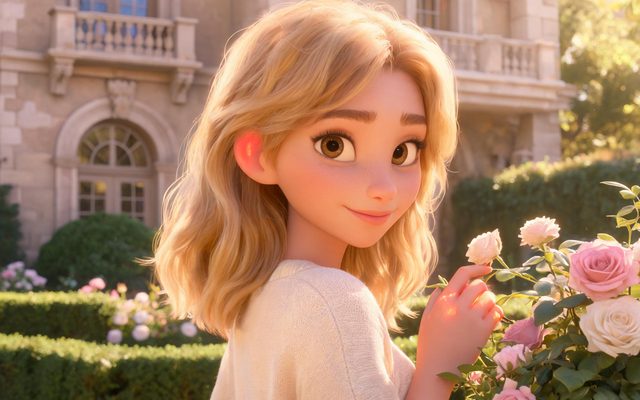
Visual Style: Feature 3D Animation

Visual Style: 3D Toy Cartoon
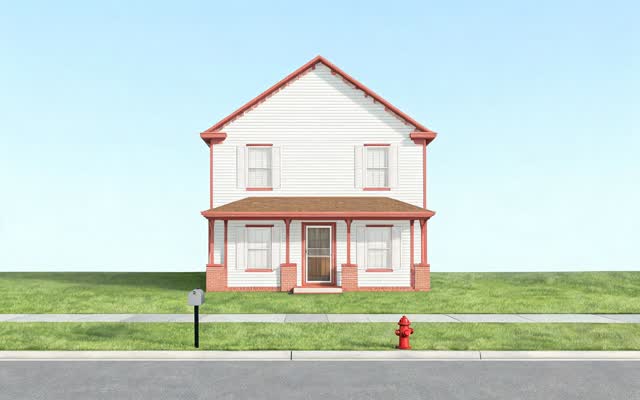
Scene Style: American Small Town

Scene Style: Pastoral Healing
Write the animal’s card
The card description is what the sheet is drawn from. Say what the animal is and how much of a person it is.
- A real cat: A large ginger tabby tom, green eyes, white chest and white front paws, a notch in his left ear, thick fur, heavy and slow-moving. Leave the clothing empty: on a person an empty field is a problem; on a cat it is correct.
- A talking cartoon cat: A small grey cat who walks upright, oversized yellow eyes, a pink nose, wears a red knitted scarf and a tiny satchel; expressive eyebrows.
- A dog beside it: breed, colour, size against the cat or a person, one mark: a golden retriever, a white patch on his chest, waist-high to an adult, always carrying a tennis ball.
The one mark — the notched ear, the white paws — is what keeps a tabby recognisable across fifty shots, because tabbies otherwise look alike. Non-human characters · Make a face specific.


Lines: inner voice or on-screen speech
For real animals, the cat’s thoughts are a voice-over line: the shot shows the cat, its mouth stays shut, and the voice carries the joke. Start the delivery note with (inner voice) — it is read the same way as (voice-over): the words are heard over the shot and nobody mouths them — and write what the animal does in plain words.
| Beat | Shot to adapt |
|---|---|
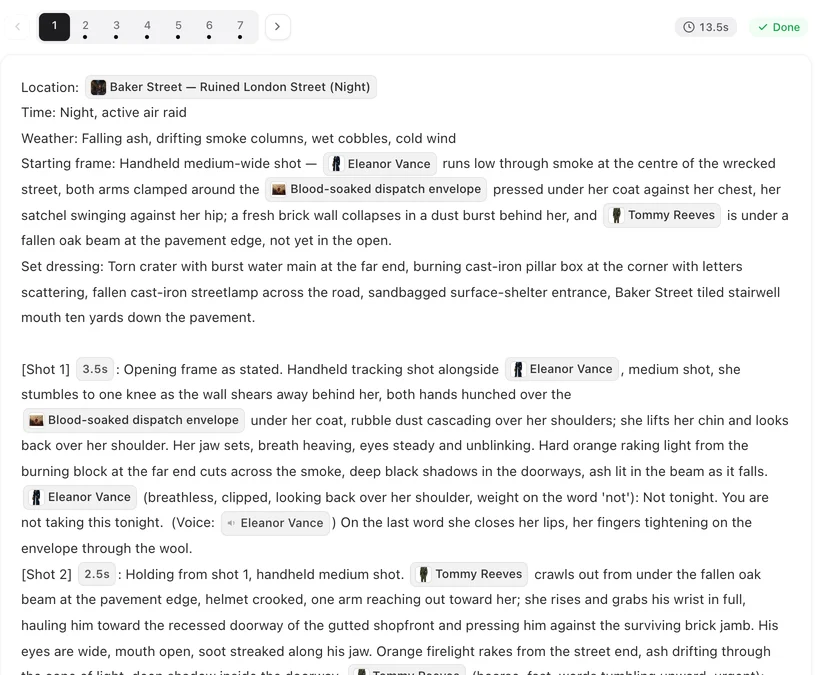
| The stare | [Shot 2] 4s: Medium shot, fixed camera. In frame only: @Biscuit, sitting on the windowsill, watching the street. @Biscuit (inner voice, deadpan): The dog is back. The dog has brought flowers. Ambient: birds, a car door. |
| The sabotage | [Shot 3] 3s: Close-up. @Biscuit pushes the glass of wine off the table with one paw, slowly, looking at the camera. No dialogue. Ambient: the glass breaking. |
| The human | [Shot 4] 3s: Medium shot. @Anna turns from the stove. @Anna (exasperated): Biscuit! Ambient: a dog barking next door. |
For cartoon animals, write lines exactly as for people, with a voice tag, and give the animal a mouth in its description. Lines, voice-over and captions · How to write one shot.
People and animals in the same shot
- Name both with @ and say who is where: @Biscuit on the sofa arm, @Anna sitting below him.
- Keep the size in the animal’s description — knee-high, fits on a lap, waist-high — so it is scaled right next to people.
- One action per shot. An animal jumping, landing and knocking something over is three shots, not one.
- Animals who never appear — a dog barking next door, a cat heard through a wall — are sounds in the Ambient line, not characters.
Voices that sell the joke
The voice does most of the comedy. Cast against the animal: a tiny kitten with a weary, deep, unhurried voice; a huge dog with a high, breathless, delighted one. Write it in each animal’s Voice description and it applies to every line they speak. How character voices work.
Settings and series
- Type and Aspect Ratio: Short Drama and 9:16 Portrait for TikTok, Reels and Shorts; one situation per episode, a punchline or a hook at the end.
- Scene Style: American Small Town or Soft Romance for a home-and-neighbourhood story, Pastoral Healing for a farm or countryside one.
- Same home, every episode. The flat, the windowsill and the garden are locations with their own images. Same room in every episode.
- Keep going. Post the first episodes and add new ones to the same project, so the cast and the rooms carry over. Make the next episode.
Make it in SceneMixer, start to finish
- Script: your own on Upload Script, or a brief in AI Create naming the animal, what it wants, who is in its way and how it is told.
- Step 1: the style for the kind you chose; read the script.
- Step 2: check each animal’s description says what it is, its size and its one mark; regenerate any sheet that looks generic. The first 15 setup images on an account are free.
- Storyboard: episode 1 first (free on your first project); make the animal’s thoughts voice-over lines if it is a real animal.
- Video: generate on the default tier at 10 credits a second; composite; post.
For a cartoon animal lead, watch Rocket Pup, a 3D animated family adventure with a dog at its centre.
| Episode | The situation | The punchline or hook |
|---|---|---|
| 1 | A new neighbour moves in. With a dog. | The cat’s inner voice: “This means war.” |
| 2 | The first date dinner. | The cat knocks the wine over at exactly the wrong moment. |
| 3 | The dog brings the cat a gift: a tennis ball. | The cat hides it. Then sleeps on it. |
| 4 | The cat is stuck on the roof in the rain. | The dog will not stop barking until someone comes. |
| 5 | The two humans and the two animals on one sofa. | “Fine. He can stay.” |
FAQ
How do I make AI cat story videos?
Write a short script with the cat as a character, or give AI Create a brief. Choose Realistic HD for a real cat with a voice-over, or a 3D animation style for a talking cartoon cat, then generate episode by episode.
Will my cat look the same in every episode?
Yes, if its card describes it precisely, with one mark such as a notched ear or white paws. The same image is used in every shot where the cat is named with @.
Can a realistic cat talk?
It works better as a voice-over: the cat's thoughts are heard while its mouth stays shut. If you want animals that talk on screen, use an animation style and give them mouths.
Will my cat be drawn as a person in a cat costume?
Not if the description says it is a cat and gives it no clothes. The sheet follows the description.
Can people and animals share a shot?
Yes. Name both with @, say where each one is, and keep the animal's size in its description.
How long should a pet drama episode be?
Short: one situation and one punchline or hook, about a minute, for feeds. Pick Short Drama and 9:16 in step 1.
Can I use my own pet's photo?
On a paid plan you can upload your own photo as a character's reference image. Otherwise describe your pet on the card: breed, colouring, size and one mark.
Do animal characters cost more?
No. Images and video are priced the same for every character, animal or human.
Updated October 13, 2026
Pricing·Novel to Video·Guides·Samples·Support·Privacy·Terms·Legal·Contact·Affiliate program·© 2026 SceneMixer