How to Make an AI Bible Story Series

Brief for AI Create: The story of Joseph for children, in four episodes: the coat, the pit, the dream of the king, the brothers in Egypt; a warm narrator, short lines, every episode ends on a question.
Choose who it is for, then the look
| Family and children | Adult audience, epic | |
|---|---|---|
| Visual Style | Watercolor Storybook, Family 3D Animation, 3D Toy Cartoon | Digital HD, Shot on Film, Classical Oil Painting |
| Episode length | One to two minutes, one story beat | Two to four minutes, a full scene |
| Telling | A warm narrator carries it; short lines | Mostly dialogue; narration for time jumps |
| Violence | Implied, off screen | Shown briefly, never in detail |
The visual style is fixed once you continue past step 1, so decide the audience first. Visual style presets.
Set the world in step 1
- Scene Style: Ancient Egypt for the Exodus and Joseph in Egypt; Middle Eastern Souq and Silk Road City for towns and markets; Frontier Vastness for the desert and the wilderness; Greco-Roman for the New Testament’s Roman world; Epic Scale for armies and temples.
- Costume Style: Middle Eastern Robes for most stories; Ancient Egyptian Attire for Pharaoh’s court; Greco-Roman Attire for Roman soldiers and officials.
- Target Region: Middle East so faces, names and places stay in the story’s world, or Follow script if your retelling decides.
These are starting directions, not costumes for one person: each character’s own clothing is still written on their card. Scene style and costume style.

Visual Style: Watercolor Storybook
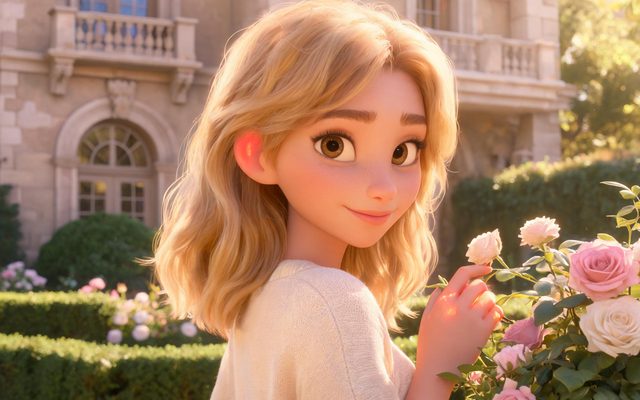
Visual Style: Family 3D Animation
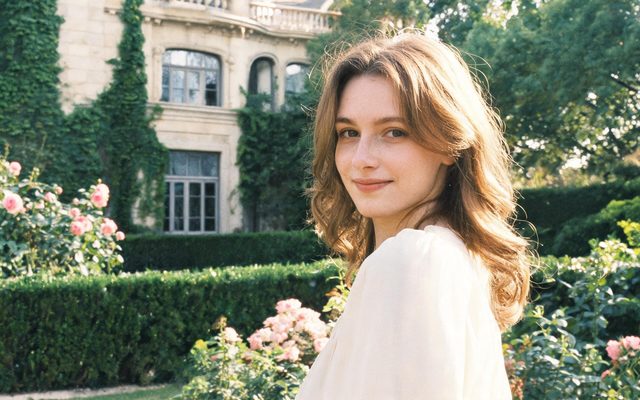
Visual Style: Shot on Film
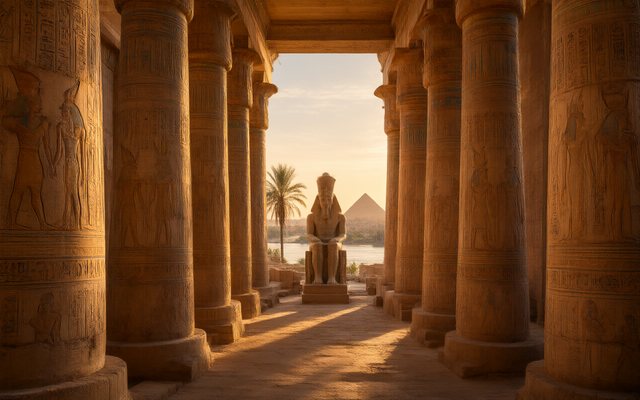
Scene Style: Ancient Egypt
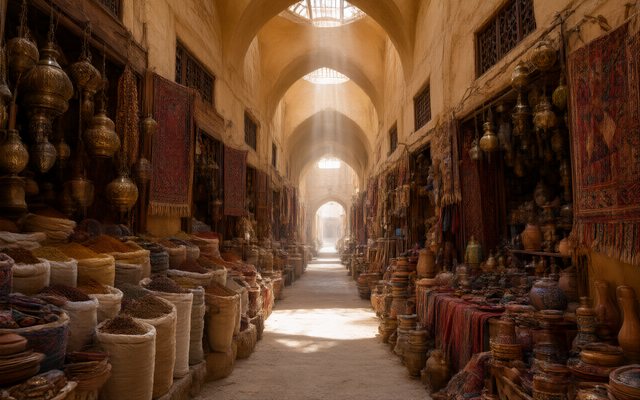
Scene Style: Middle Eastern Souq
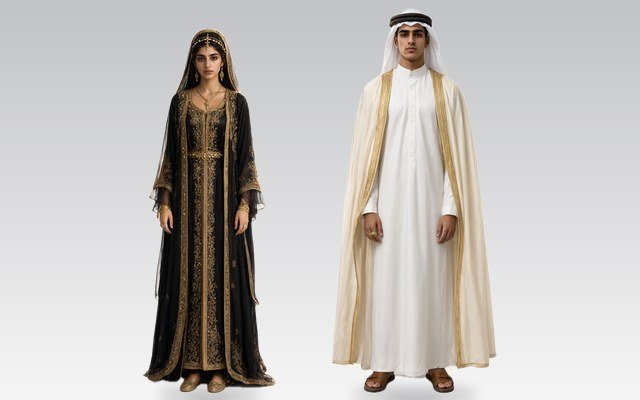
Costume Style: Middle Eastern Robes
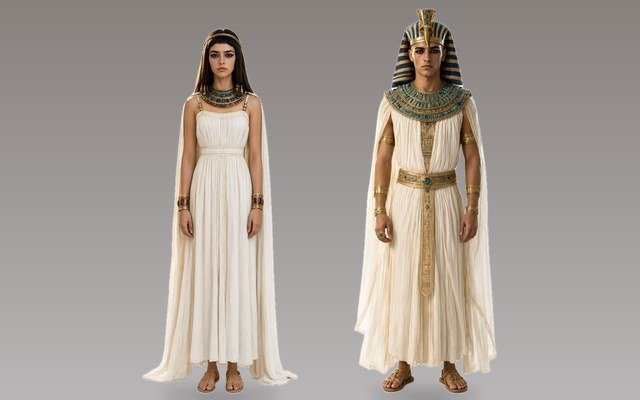
Costume Style: Ancient Egyptian Attire
Characters who stay the same for the whole series
A series that follows Joseph from boy to governor needs him recognisable in every episode. Give each character a face that can be drawn and one mark: a lean young man, olive skin, dark curly hair to the shoulders, a narrow face with heavy brows, a small scar on his chin; a long robe of many coloured bands. Older or changed versions of the same person — Joseph in Pharaoh’s court, years later — are states of the same character, drawn from the main sheet, so the face carries over. Costume changes and scene states · Make a face specific.
For a children’s series, keep the cast small — four or five named characters per story — and let crowds stay crowds. Background people in a scene.
Narration and lines
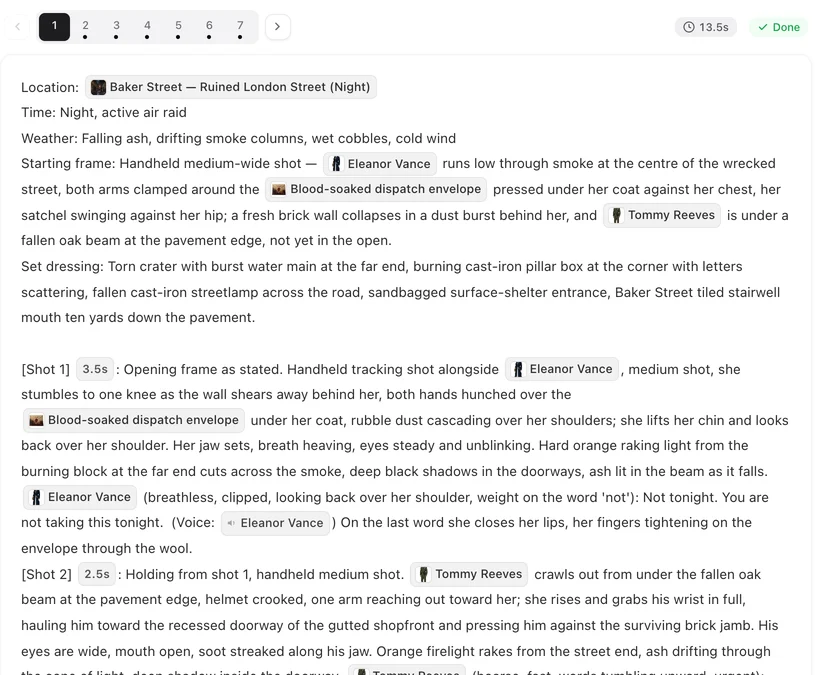
Bible stories are usually told, not only acted. Write the narrator as a voice-over line and keep the characters’ own words short. A voice-over is heard over the shot and nobody on screen mouths it.
| Beat | Shot to adapt |
|---|---|
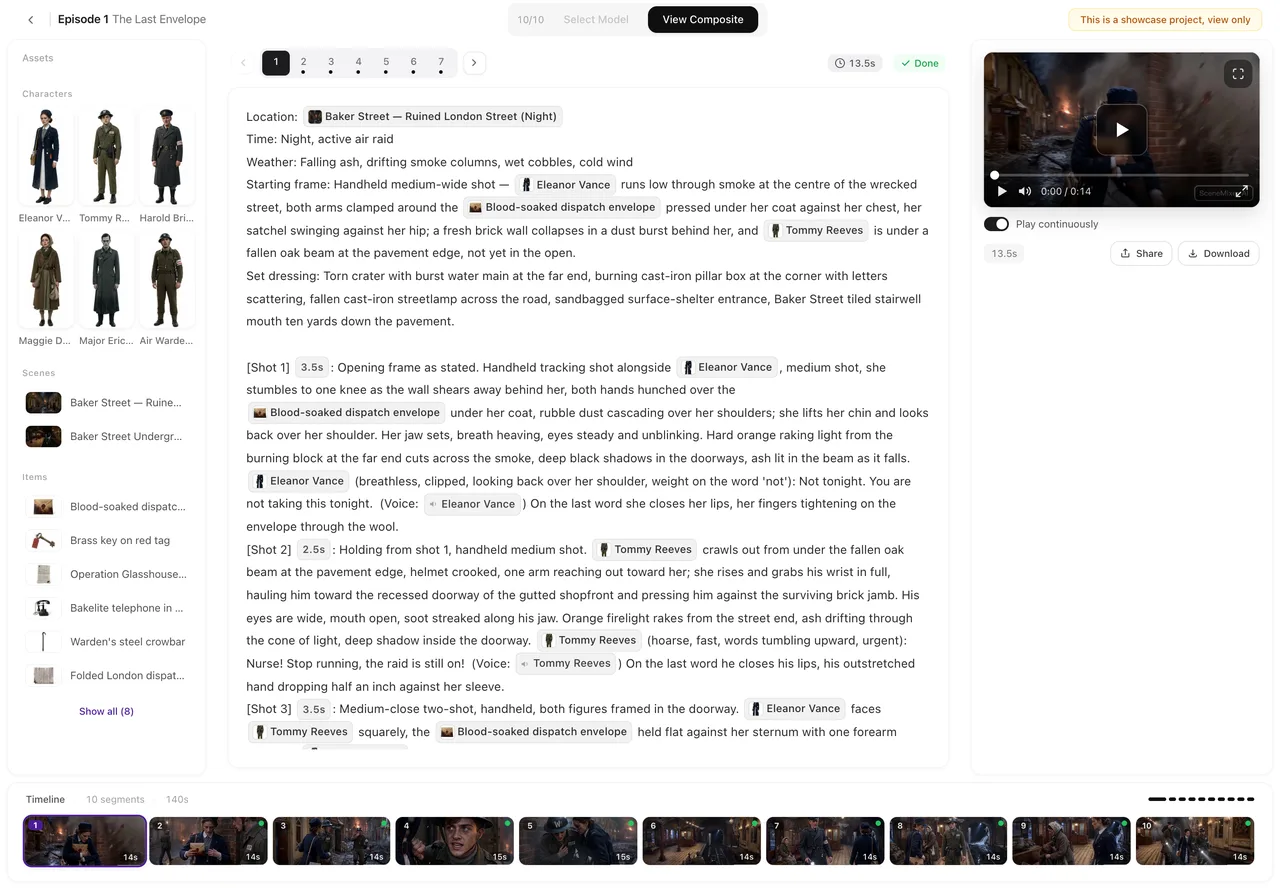
| The narrator sets it up | [Shot 1] 5s: Wide shot, slow push in. A dusty well in an empty plain at noon. In frame only: @Brothers, gathered around the well. @Narrator (voice-over, warm): His brothers saw him coming from far away. Ambient: wind, sheep bells. |
| One spoken line | [Shot 2] 3s: Medium shot. @Reuben steps forward, hand raised. @Reuben (urgent, low): Do not hurt the boy. Ambient: wind. |
| The image that ends the episode | [Shot 3] 4s: Close-up. The coat of many colours lies in the dust. No dialogue. Ambient: wind dropping to silence. |
The narrator is a character like the others, marked Off-screen: it gets a voice and no image, and the same voice tells every episode. If the reading does not create one, add it on the Characters tab. Leads, supporting and voice-only characters · Lines, voice-over and captions · Character voices.
Miracles and set pieces
Big moments — the sea parting, the walls falling, the burning bush — work as a sequence of short shots rather than one long one: the people reacting, the thing itself in a wide shot, a detail, the people again. Describe what is physically there (two walls of water, the dry sea bed, the people walking between them), not what it means. Writing crowds and group scenes · Say what is there, not what is not.
Content checks to know about
Every shot and description is checked. The checks look at violence shown in detail, sexual content, real public figures and political slogans; the brutal parts of some stories — battles, the flood, the crucifixion — should be implied or shown at a distance, not in close detail. We have not tested every biblical name against the checks: if a description or a shot is refused, it is not charged, and rewording it as a description (the shepherd boy, the old prophet) is the usual fix. Content rules and checks · Blocked by moderation.
Make it in SceneMixer, start to finish
- Script: paste your retelling or the passage on Upload Script, or give AI Create a brief that names the story, the audience and how many episodes.
- Step 1: Type TV Series for a multi-story run or Short Drama for one story in episodes; the visual, scene and costume styles above; 9:16 Portrait for Shorts and Reels, 16:9 for YouTube; the dialogue language. Then read the script.
- Step 2: check every character has a drawable face and one mark; regenerate any sheet that looks generic. The first 15 setup images on an account are free.
- Storyboard: episode 1 first (free on your first project); make the narrator a voice-over line.
- Video: generate on the default tier at 10 credits a second; composite; post.
To keep going, add the next story to the same project so the cast carries over. Make the next episode · Post to YouTube, TikTok and Reels.
| Episode | The story beat | How it ends |
|---|---|---|
| 1 | Joseph’s dreams and the coat | The brothers watch him walk away in it. |
| 2 | The pit and the caravan | The coat in the dust; Jacob’s cry heard far off. |
| 3 | Prison and the king’s dream | “Bring me the one who reads dreams.” |
| 4 | The brothers in Egypt | Joseph turns away so they will not see him weep. |
| 5 | “I am Joseph.” | The whole family on the road to Egypt. |
FAQ
How do I make AI Bible story videos?
Paste a passage or your own retelling as a script, or give AI Create a short brief. Choose a storybook or 3D style for children, or a live-action style for an epic, then generate episode by episode.
Can I make Bible stories for kids?
Yes. Pick Watercolor Storybook or Family 3D Animation in step 1, keep episodes short, let a warm narrator carry the story, and keep any violence off screen.
Will Moses look the same in every episode?
Yes, if his card describes a specific face and one mark. The same image is used in every shot where he is named with @; older versions of him are states drawn from that sheet.
Can a narrator tell the story?
Yes. Write the narrator's lines as voice-over: they are heard over the shot and nobody on screen mouths them.
Which aspect ratio for YouTube?
16:9 for regular YouTube videos, 9:16 Portrait for Shorts, TikTok and Reels. It is set in step 1.
Will biblical names be blocked?
We have not tested every name. The checks target real public figures, political slogans, sexual content and detailed violence. If something is refused it is not charged; describing the person instead of naming them usually passes.
Can I make it in another language?
Yes. Choose the dialogue language in step 1 and the lines and narration are spoken in it; 15 languages are available.
How much does an episode cost?
Video is priced per second of the tier you pick; the default tier is the cheapest. The generate button shows the price before you spend anything.
Updated October 20, 2026