What Runs Underneath

A tier is configuration, not a product name
Every generation goes through a tier. The tier says which service to call, which model on it, what resolution to ask for, the longest a single segment may be, and a multiplier that turns a baseline price into that tier's price per second.
All of it is configuration we can change without shipping code. That is deliberate — model services add, rename and retire models on their own schedule, and a platform that needed a release to follow them would always be a month behind.
It is also why this page does not list model names. Anything printed here would be a snapshot. The picker in the editor and the pricing page read the live configuration; they are the answer, and this page is the explanation.
All three are yours, but video is the one that matters
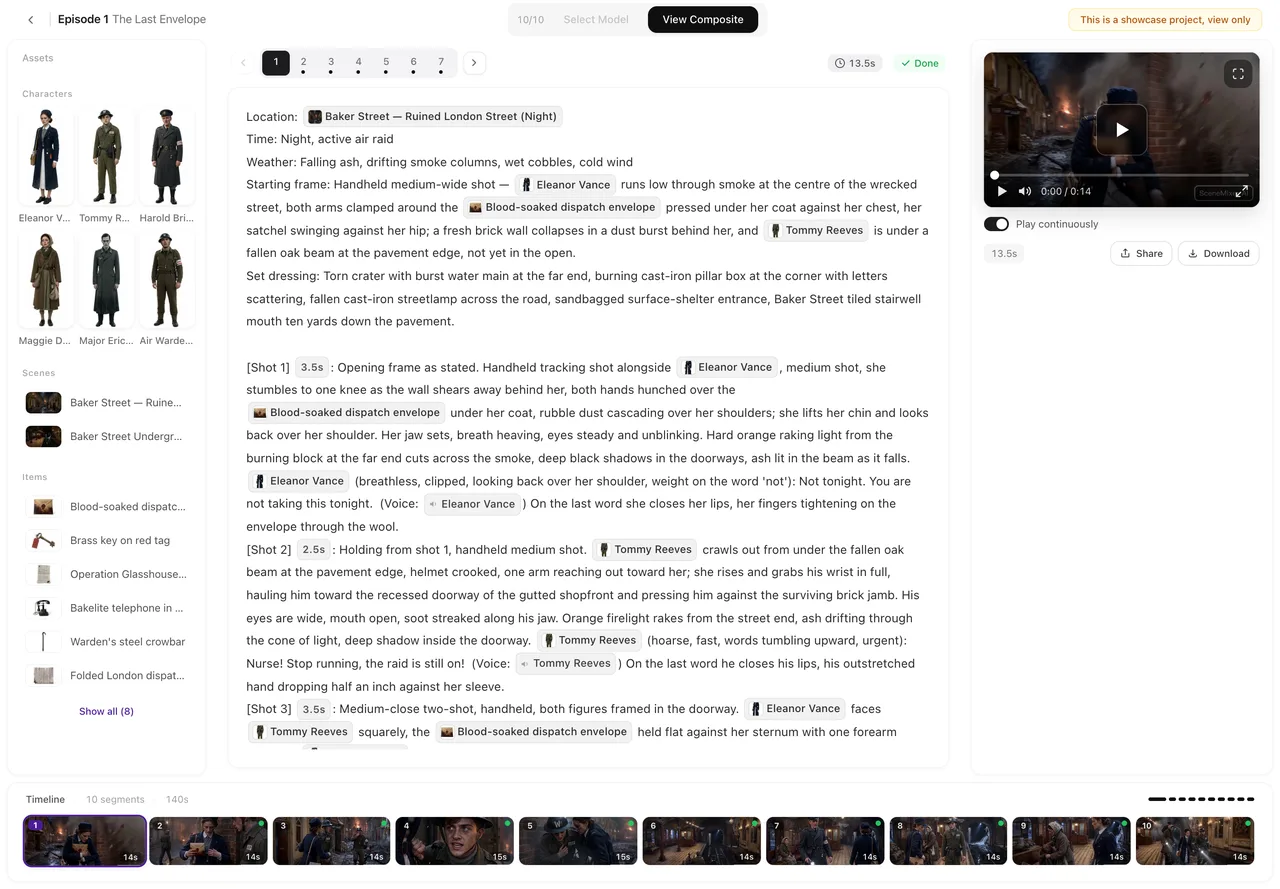
Video is where the cost is, by an order of magnitude, and where the difference is visible. Its picker is in the editor's top bar, next to the progress counter, and lists each tier's resolution and the longest segment it will take; the credit cost of the shot you are about to generate is on the generate button itself. The default is a low-resolution tier, because that is the sane place to find out whether a shot works.
The text and image tiers live in Settings, under Model Preferences, and you can change them too. We would gently suggest not to. The text model breaks your script into episodes and writes the storyboards, and a storyboard is a format the rest of the system parses literally — shot markers, durations, asset references. The image model produces the setup images every later segment references for consistency. Both defaults are the ones the pipeline's rules were written and tested against, and a mismatch there shows up as a project that behaves oddly rather than as an error message.
What the multiplier means
One tier is the baseline at one hundred. Every other tier's number is its cost relative to that: roughly what the upstream price ratio is, so a tier that costs us twice as much costs you about twice as much. It is a ratio, not a quality score.
The number on the button and the amount actually taken come from the same function, so a quoted price is the price. There is a safety cap on the multiplier and one on segment length, so a bad configuration cannot quietly produce a bill ten times what anyone intended.
What happens when a call fails
If a call fails in a way that looks transient — the service says it is busy, rate-limits us, or returns something retryable — it is retried once on a different account for the same model. Most transient failures are per-account, so this clears them without changing what you asked for.
Two kinds are deliberately not retried. A content-moderation refusal is a judgement, and sending it again is asking the same question twice. A parameter error will fail identically the second time. Both end the job rather than burning another call.
A retry does not change your tier. You get what you picked, or you get a failure and the credits handled as described on the failures page.
How to choose
Use a low tier for everything until the shot is right, then re-generate the keepers on a higher one. Both takes stay in that segment's history, so the comparison costs you one extra generation and nothing else. One caveat if you do this: re-shoot every segment in the episode on the final tier rather than some of them, because compositing an episode whose segments have different resolutions has to re-encode instead of copying them.
The resolution is the honest headline. A higher tier is more pixels and usually a longer maximum segment; what it is not is a guarantee of a better take, because the thing that most determines whether a shot reads correctly is the text you gave it, not the tier you paid for.
Why there is no league table here
We do not score or rank other companies' models, and you will not find a “best model” claim anywhere on this site. Scoring a competitor's product on our own storefront is not a comparison anyone should trust, and in several of the markets we operate in it is also a legal problem.
What we will publish is our own parameters — resolution, segment length, price per second — and those are on the pricing page. The only benchmark that answers your question is your own shot, run twice, which is exactly what the cheap tier is for.
| Tier kind | Where you change it | What it controls |
|---|---|---|
| Video | Editor top bar, per segment | Resolution, maximum segment length, price per second |
| Text | Settings → Model Preferences | Script breakdown, episode outlines, storyboards |
| Image | Settings → Model Preferences | Character sheets, location plates, prop and state images |
FAQ
Can I choose the text or image model?
Yes, in Settings under Model Preferences. The defaults are what the rest of the pipeline was written and tested against — the storyboard is a format later steps read literally, and the setup images are what every later segment references — so most people are better off leaving them alone.
Why does the page not name the models?
Tiers are live configuration we change as services add and retire models. Any name printed in a static page would be a snapshot. The picker in the editor and the pricing page read the current configuration.
Is the most expensive tier the best one?
It is more pixels and often a longer maximum segment. Whether a shot reads correctly is decided far more by the storyboard text than by the tier.
If a model fails, do you fall back to a different one?
A transient failure is retried once on a different account for the same model. Moderation refusals and parameter errors are not retried. You are not silently switched to something you did not pick.
Which companies' models are these?
The privacy policy is where the processing disclosure lives. We do not publish rankings or comparisons of third-party models on this site.
Does a higher tier generate faster?
Not reliably either way — run time depends on the model and on how busy it is, not on the price. What a cheap tier reliably saves you is credits, which is the reason to iterate on one.
Iterate cheap, finish expensive
Get the shot right on a low tier, then re-generate the ones you are keeping. Both takes stay in the history.
Updated September 21, 2026
Pricing·Novel to Video·Guides·Samples·Support·Privacy·Terms·Legal·Contact·© 2026 SceneMixer