How to Make an AI Mystery or Detective Drama

Brief for AI Create: A murder mystery: a violinist returns to the street she fled seven years ago when her teacher is found dead in his shop; four neighbours each lie about one hour; each episode closes on one piece of evidence that rewrites the last; noir, quiet, precise.
How a fair mystery is built
- One victim, a closed circle. Four or five suspects who all had a reason. Fewer and the answer is obvious; more and the audience stops tracking faces.
- Every suspect lies about one thing. Most lies are innocent secrets. The audience has to sort them.
- Clues shown, not explained. A clue appears in frame without comment. The detective’s attention to it can be a look, not a speech.
- A false solution. Two thirds of the way through, the obvious suspect is arrested. Then the clue that does not fit.
- The reveal uses only what we saw. The detective walks back through the clues; each one we remember.
For a series, end each episode on a new piece of evidence that changes what the previous one meant.
Settings to pick in step 1
- Visual Style: Filmic Live-Action for noir shadows, Realistic HD for a modern procedural, Black & White Film for a classic whodunit.
- Scene Style: Forensic Cold White for labs and interview rooms, Neon Nights or New York Metropolis for city noir, Gothic Dark for a country house, American Small Town for a town where everyone knows everyone.
- Costume Style: Professional Uniforms for police and lab staff, Smart Casual for the suspects, Jazz Age or Vintage Hollywood for a period mystery.
- Type: Short Drama for an evidence-a-day series, Film for a single whodunit.
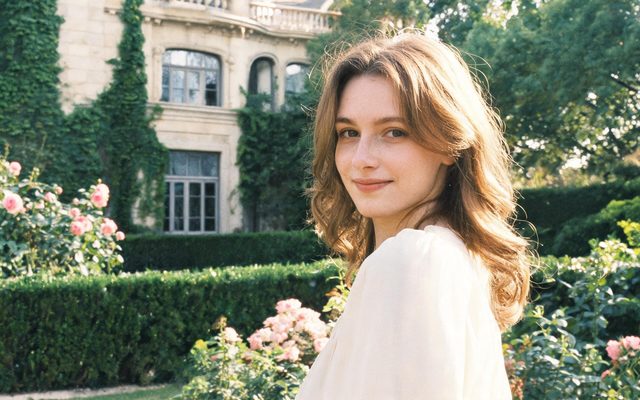
Visual Style: Filmic Live-Action
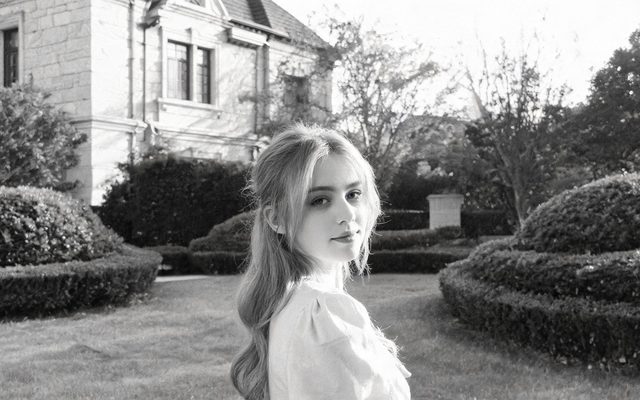
Visual Style: Black & White Film
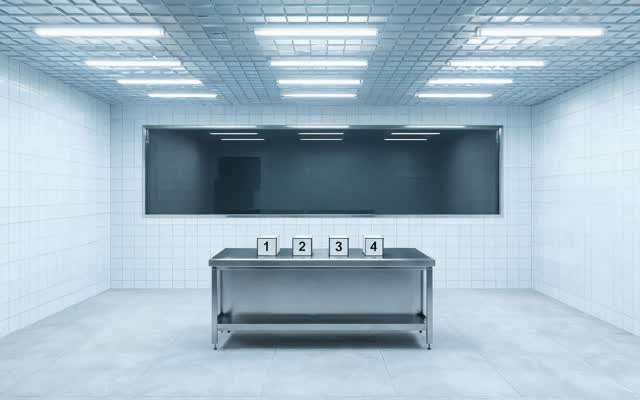
Scene Style: Forensic Cold White
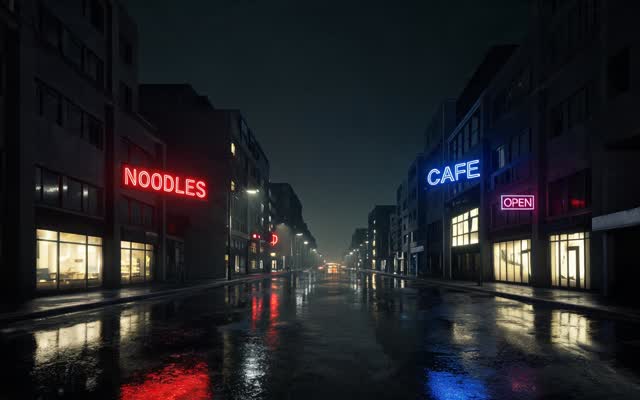
Scene Style: Neon Nights
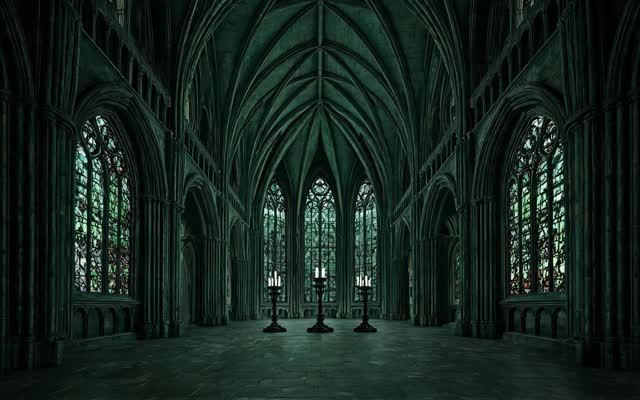
Scene Style: Gothic Dark
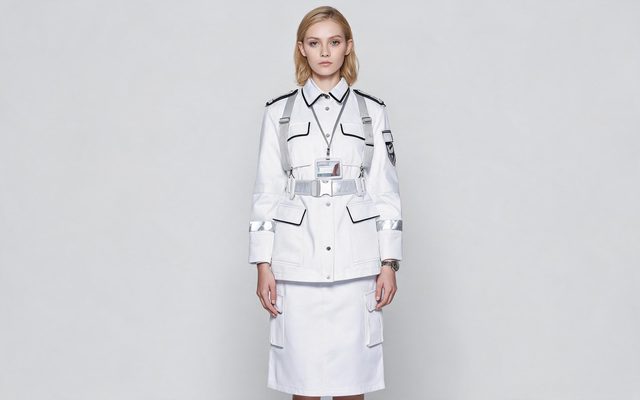
Costume Style: Professional Uniforms
Clues that look the same every time
A clue that changes design between episodes is not a clue. For each object the solution depends on:
- Check it has a card in step 2 with its own image — the read creates props for objects the story leans on; on a paid plan you can add one it missed. Add a prop to this episode.
- Describe it precisely, including the detail that matters: a pocket watch with a cracked crystal, stopped at 9:40, initials E.R. engraved inside the lid.
- Name it with @ in every shot it appears in, so the same reference image is used.
- If it changes — the photograph torn in half, the vase broken — make the changed version a state of the prop.
Small printed text will not be legible in a generated frame. The number on a receipt or the words in a diary should be spoken by whoever reads them. Same prop in every hand · Props and reference images.
Flashbacks and the night of the crime
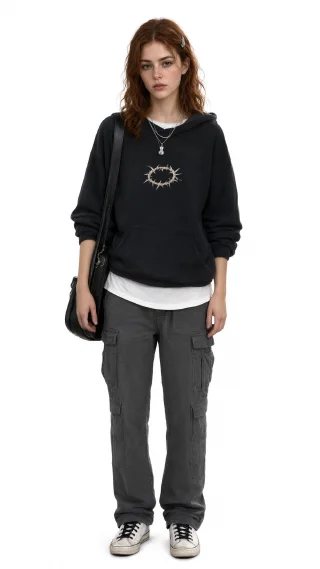
Mysteries replay the same hour from different witnesses. If a suspect looked different that night — a different coat, wet hair, a bandaged hand — add that look as a state of their character and pick it only in the flashback segments: in the episode editor, select the segment, open the character from the episode’s assets and choose Use this state in this shot. Picking it for a whole episode would put the flashback look in the present-day scenes too. If the flashback is set in the same place, the location image keeps the room identical, which is exactly what lets the audience compare two accounts. Use a character state in one scene.


The crime off screen
Gore and extreme violence are blocked. The genre does not need them:
| Instead of | Write |
|---|---|
| The body | The shop door ajar, the violin case open on the floor, a police light turning on the wet window. |
| The murder in flashback | A raised hand in silhouette against a lit doorway; cut to the clock. |
| The autopsy | The examiner peels off her gloves. “He was dead before the fire started.” |
Blocked by moderation: what to change.
An interrogation, written as shots
| Beat | Shot |
|---|---|
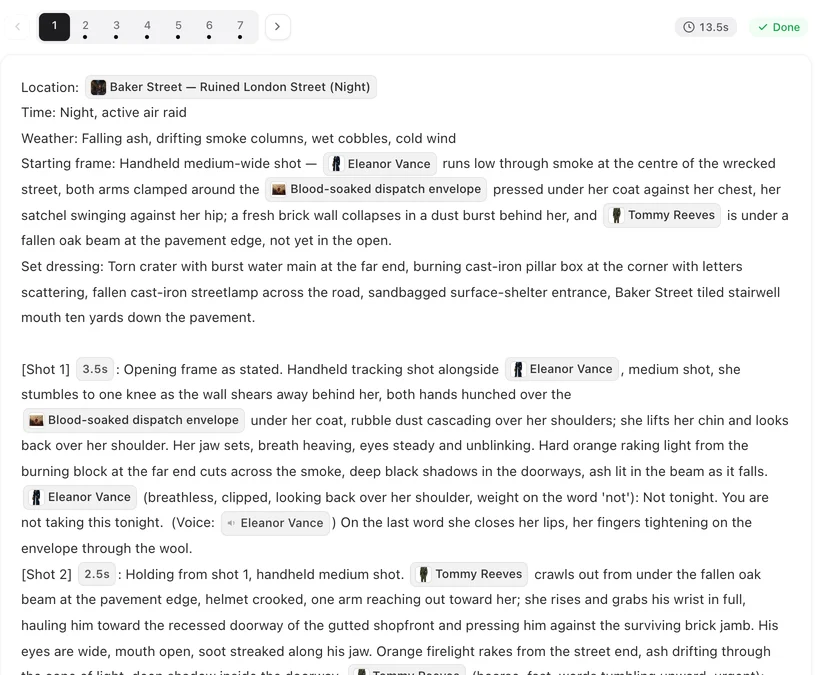
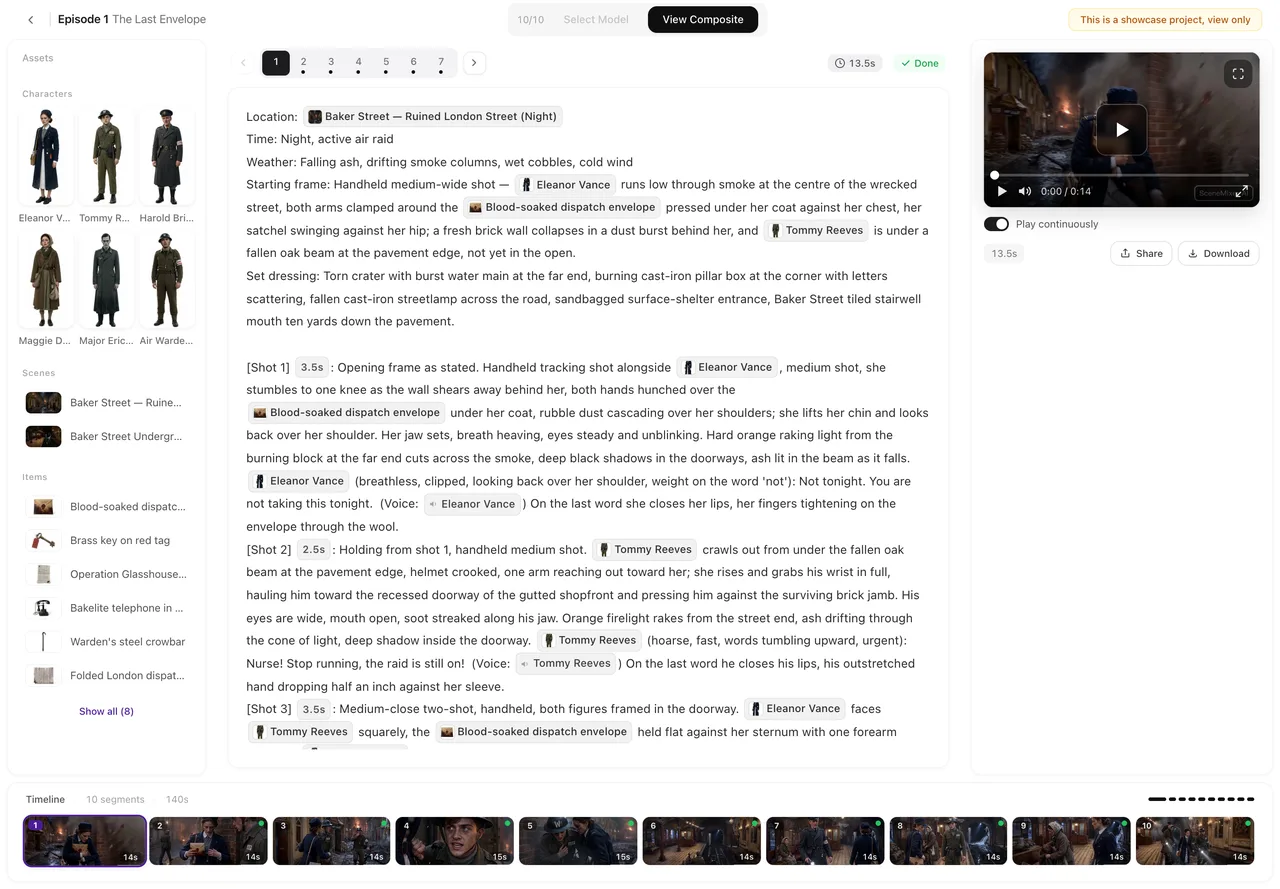
| The question | [Shot 3] 5s: Medium shot, fixed camera, the interview room. @Detective Hale across the table from @Mr. Ward; a single overhead lamp. @Detective Hale (flat): Where were you at nine forty? Ambient: the hum of the lamp. |
| The tell | [Shot 4] 3s: Close-up. In frame only: @Mr. Ward. His thumb turns the ring on his finger. No dialogue. |
| The clue | [Shot 5] 4s: Close-up on the @Pocket watch on the table between them, crystal cracked. @Detective Hale (off-screen, quiet): Funny. It stopped at nine forty. |
Shot 4 is the kind of clue a fair mystery plays without comment. How to write one shot · Writing who is off-screen.
Make it in SceneMixer, start to finish
- Script: yours on Upload Script, or a brief in AI Create with the victim, the circle of suspects, the detective and the kind of ending.
- Step 1: the settings above; read the script. Check in the summary that the clue the solution needs appears before the reveal.
- Step 2: generate every suspect and the key locations; check each clue has an image; add flashback looks as states.
- Storyboard: episode 1 first (free on your first project). Make sure clues are named with @ wherever they appear.
- Video: generate on the default tier at 10 credits a second; composite; post.
For the tone, watch The Violin on Mercer St, a noir mystery where each episode closes on a piece of evidence that rewrites the previous truth.
| Episode | The evidence | What it changes |
|---|---|---|
| 1 | The teacher found dead; the shop clock stopped at 9:40. | Whoever did it was there before closing. |
| 2 | The neighbour’s alibi: a receipt from the bar across the road. | The receipt is from the wrong night. |
| 3 | A torn photograph in the violin case. | The teacher had a son nobody mentioned. |
| 4 | The son is arrested. | His hands were bandaged that night — he could not have played the recording. |
| 5 | The violinist plays the teacher’s last piece. | One wrong note, written in by the person who finished it. |
FAQ
How do I keep clues consistent across episodes?
Give each clue a prop image, describe the identifying detail, and name it with @ in every shot. If the clue changes, make the changed version a state of the prop.
Can the murder be shown?
Not in detail. Gore and extreme violence are blocked. Report the body, show the scene and its aftermath, and keep a flashback of the act to a silhouette and a cut.
How do I show the same night from different witnesses?
Reuse the same location so the room is identical, and give any changed look its own state picked only in the flashback segments.
Can the camera read a note or a receipt?
Not reliably. Generated text is not legible. Have a character read it aloud while the shot shows the object.
How many suspects should there be?
Four or five. Fewer makes the answer obvious; more makes it hard to keep faces straight across short episodes.
Is a mystery better as a series or a single film?
A series with a new piece of evidence each episode suits feeds; a single whodunit suits Film and a landscape frame.
Can I use a famous detective?
No. Known characters trigger the IP check. Create your own detective with their own habits and voice.
Can AI Create write a mystery that plays fair?
It can draft one from a brief. Check in the summary that the clue the solution needs appears before the reveal, and edit the storyboard if it does not.
Updated October 13, 2026
Pricing·Novel to Video·Guides·Samples·Support·Privacy·Terms·Legal·Contact·Affiliate program·© 2026 SceneMixer