State Image Messages: ‘Needs Its Main Image First’, ‘Describe How It Differs’, ‘Can’t Use Reference Images’

On a card with no image yet, add a state and generate it: the message asks for the main image first; generate the sheet, then the state.
How a state image is made
The main sheet is the reference; the difference sentence is the instruction; the model edits the sheet into the new look. That is why every message here is about one of those inputs. What states are for: Costume Change and Scene States.
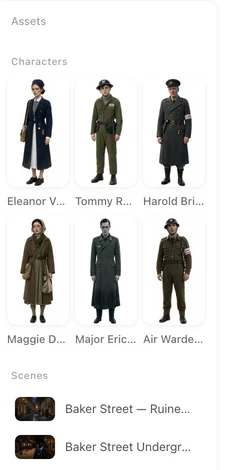
The messages, one by one
This asset needs its main image first — the card has no sheet yet, or it is still generating. Generate the sheet, wait for it, then the state. Describe how this state differs from the main image first — the difference field is empty. Write what changes, in structural words. Write the Change, Not the Picture. Give this state a name — the name field is empty. This asset already has a state with that name — names are unique per card. You’ve reached the maximum number of states for this asset — delete one you do not use, or merge two into one. This state is still generating — wait for it to land or fail before replacing its image. Asset states are turned off right now — site-wide switch; while it is off, clips use the base sheets instead of any state images.
The image model message
The current image model can’t use reference images: you selected an image model in settings that generates from text only. States are always edits of a reference, so they cannot be made with it. Open settings, choose an image model that accepts references (the default does), generate the state, and switch back if you prefer the other model for plain sheets.
If the state did not come out as described
The difference sentence is the lever: shorter, structural, one change. A state that came out as the original means the sentence restated the whole sheet. Use a State in One Scene once it looks right.
Credits
A state image is a generation at the sheet price; the first project has a separate free allowance for states. Messages above are refusals and charge nothing; a state that fails after starting is settled by the usual rules.
| Message | Needs |
|---|---|
| Needs its main image first | Generate the sheet, wait for it |
| Describe how this state differs | A difference sentence |
| Give this state a name | A name |
| Already has a state with that name | Another name |
| Maximum number of states | Delete or merge one |
| Still generating | Wait for it to land |
| Image model can't use reference images | Pick another image model in settings |
| States are turned off | Wait; clips use the base sheets meanwhile |
FAQ
Can I upload my own image as a state?
Yes; then no difference sentence is needed for generation, though a short one helps the storyboard.
Do states share the free sheet allowance?
No. States have their own first-project allowance.
Why can't the text-only image model make states?
A state is an edit of the main sheet; a model that cannot read references cannot edit.
Does deleting a state affect clips already made?
No. It only stops future scenes from selecting it.
Where do I pick which scene uses the state?
In the editor, per segment; or per episode in Step 3.
Updated September 27, 2026
Pricing·Novel to Video·Guides·Samples·Support·Privacy·Terms·Legal·Contact·© 2026 SceneMixer